This thread is for questions and discussion about Xee. Before posting, check that the question has not already been answered in this thread, or in the previous thread: http://wakaba.c3.cx/sup/kareha.pl/1122405906/
There is also a bug tracker for Xee here: http://code.google.com/p/xee/issues/list
If you have a bug to report, it is better to post it on the bug tracker if you can, so it will not be forgotten.
I have used xee for many years on my Powerbook G3 Pismo with 1G memory running Mac OS X 10.4.11. Great program. I recently reinstalled Mac OS 9 and Mac OS 10.4.11 to regain some disk space from the OS9 partition for the OSX partition. Since reinstalling xee has been extremely slow to load, taking minutes and loading in a blocks, and loading each image twice, in a similiar manner. Doing anyting with the screen results results in similiar activity. Again, xee worked great before my reinstall. Any suggestions as to want might be different and how to get xee back to it's previous greatness?
How about support for .ugoira animations?
Hey. The Labels in Xee don't match the ones in the Finder. Is there some way it can use the same ones as the Finder? Or at least let you define your own labels in the preferences so you can match it to the Finder ones manually.
I was wondering how Xee3 caches index for viewing CBZ/CBR files. I would like to make it not save the index, or at least allow me to reset the cached position.
I'm using the Mac App Store version. Currently if I want to view a folder full of symbolic links, first I have to open the folder that contains the images that the symbolic links point to, otherwise Xee won't display the images. It is necessary to do this again every time I launch Xee. Is there a way to make Xee to remember (even after it has been quit) folders that it's been granted access to?
Xee 3.5 has been released!
This is mainly a bugfix release for 10.11, but it also contains a few small improvements, and the addition of Sparkle updates for the non-App Store version.
As usual, Apple takes ages to approve new updates, so the App Store version is still 3.4. It will be updated when Apple feels like it.
Full changes:
The reason the Dark theme is gone is that my theming code no longer works on 10.11. I changed the Black theme to use the built-in black window style, but custom window styles don't seem to work yet. Either it will return once 10.12 is out and we have functioning custom window styles, or I will have to rewrite my theming code to use some other method to customise window looks. We shall see.
Apple seems to have set a new speed record, and the App Store version is out already!
Does anyone know if Xee 2 works on 10.11? I'm still on 10.9 and have bought Xee 3 but it's slow in browsing compared to Xee 2.
Yosemite, late 2008 MacBook Pro, Xee Version 3.5 (37)
At some point during recent upgrades full screen mode seems to have broken a bit.
There's always the dock's worth of blank space on the bottom and the menu bar and window title bar's worth of blank space on the top. With my settings they're black, so not visually distracting, but it'd be nice to be able to get the image to fill the entire screen again. No matter what I do, even manually zooming, those two black bars always remain on top and bottom of the screen.
Are you using any kind of third-party apps that change program behaviours, or anything like that?
I still have Xee 2 installed alongside Xee 3. Every time Xee 3.5 is updated I give it a couple days to see if it can finally replace Xee 2. But Xee3 is still noticeably slower than Xee2, seems to take noticeably longer to load images. When browsing through hundreds of photos, this really adds up.
It is as fast as I can possibly get it with the featureset it has. To get spees like Xee 2, I'd have to leave features like colour management out, and that is not really an option.
Seems I accidentally removed a workaround for a Yosemite bug. I'll have a new version out shortly where I put it back in.
Fullscreen should work fine on all other OS X versions than Yosemite.
3.5.1 has been released. It mainly fixes >>594, and also fixes some of the help menu links.
http://xee.c3.cx/downloads/Xee3.5.1.dmg
I'm also experimenting with running the site through Cloudflare now to save a bit on bandwidth. Hopefully this won't cause any problems.
Apparently Sparkle in 3.5 was having trouble updating. I updated it, and released a new 3.5.1 (same version number) which should work better.
Hopefully updating will work now, but you have to update to 3.5.1 manually first if you are having problems.
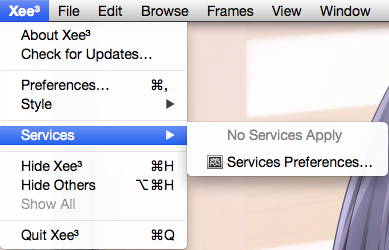
Is there a trick to getting Services to Xee3? It doesn't seem to give a fuck about services designed for Pictures or Files and folders.
I just registered Xee3.
In general the program works, but on your Webpage you present some previews where there are shown more pictures in the screen.
I only get one picture on the screen and by scrolling I see the other pictures, but never more. How can I change that ?
Also the menu option "Frames" remains grey and doesn't work.
What is the problem ?
> In general the program works, but on your Webpage you present some previews where there are shown more pictures in the screen.
I only get one picture on the screen and by scrolling I see the other pictures, but never more. How can I change that ?
Pictures from other folders will open in new windows.
> Also the menu option "Frames" remains grey and doesn't work.
This is only for files that include more than one picture. If you don't have any of those, you can ignore this.
Thanks for your answer ! Everything clear.
Greetings.
That option is in the view menu.
Xee 2 is pretty epic.
In a previous version I could delete images with the DEL key and Xee would ask me to confirm this, so I would have to hit ENTER to delete. This was my preferred workflow.
With the current version I have also set the DEL key to delete images (without the command key) but now they are deleted immediately, without Xee asking for confirmation. How do I set the current version to ask for confirmation first?
Honest question: is Xee abandonware now? I as because updates are so rare and there hasn’t been any features added in such a long time. Simple things, like resize, were promised 2+ years ago and there's still nothing.
Another issue is that Xee still has less bugs than Xee^2. Xee^2 still can only browse images inside the folder by name only. If you use Xee, you can set it to creation so you're not jumping around all the time when you're renaming images. Xee^2's preferences for browsing apply to scrolling/gestures only which is weird and illogical (if you use spacebar, it will take you to a diff image than if you use a gesture to go to a next image).
Anyway, I'd appreciate a honest reply because I'm thinking of removing Xee off my computer and will start looking at other options.
Thanks!
It's in maintenance mode, because that is all I have free time for these days.
I should add that Xee is not sold with any promises of future features ever, what you see is what you get. Anything added later is purely a bonus.
Also, Xee 2 has been out of development for many years now.
A small update, 3.5.2, has been released. Changes:
I see other unanswered questions on this thread about movin license ... .
I am moving to a new Mac and need to move my Xee license to the new Macbook.
The link to the original Paddle locker containing mu license says "Internal Server Error" .
How can I get my license to the new Mac?
PS: thanx for the great image viewing tool in my personal digital toolbelt.
Contact [email protected].
3.5.2 trackpad pinch to zoom no longer works. I had to revert to 3.5.1.
It works here. What exact problem are you having?
If I open images with 3.5.2 (MacBook Pro late 2013, OSX 10.9.5), pinch to zoom on trackpad doesn't work. Nothing happens. It works on 3.5.1.
view date last opened.
If I open a picture from finder date last opened changes to the current date. however If I then browse to next image while in xee3 the date last opened is not updated. Is there a way to have xee3 to tell me when was the last time I viewed the image. or does any one know of a little wait program that has this capability.
Hmm. This may be an issue with 10.9.5. Have another machine with a newer OS X to test on?
I just upgraded to 3.5.2 and also cannot pinch to zoom using trackpad. OSX 10.9.2 Late 2013. This is disappointing in an otherwise fine app.
could you please add webm support ?
Thanks for the great app, I use it constantly.
I have the Mac App Store version of The Unarchiver.
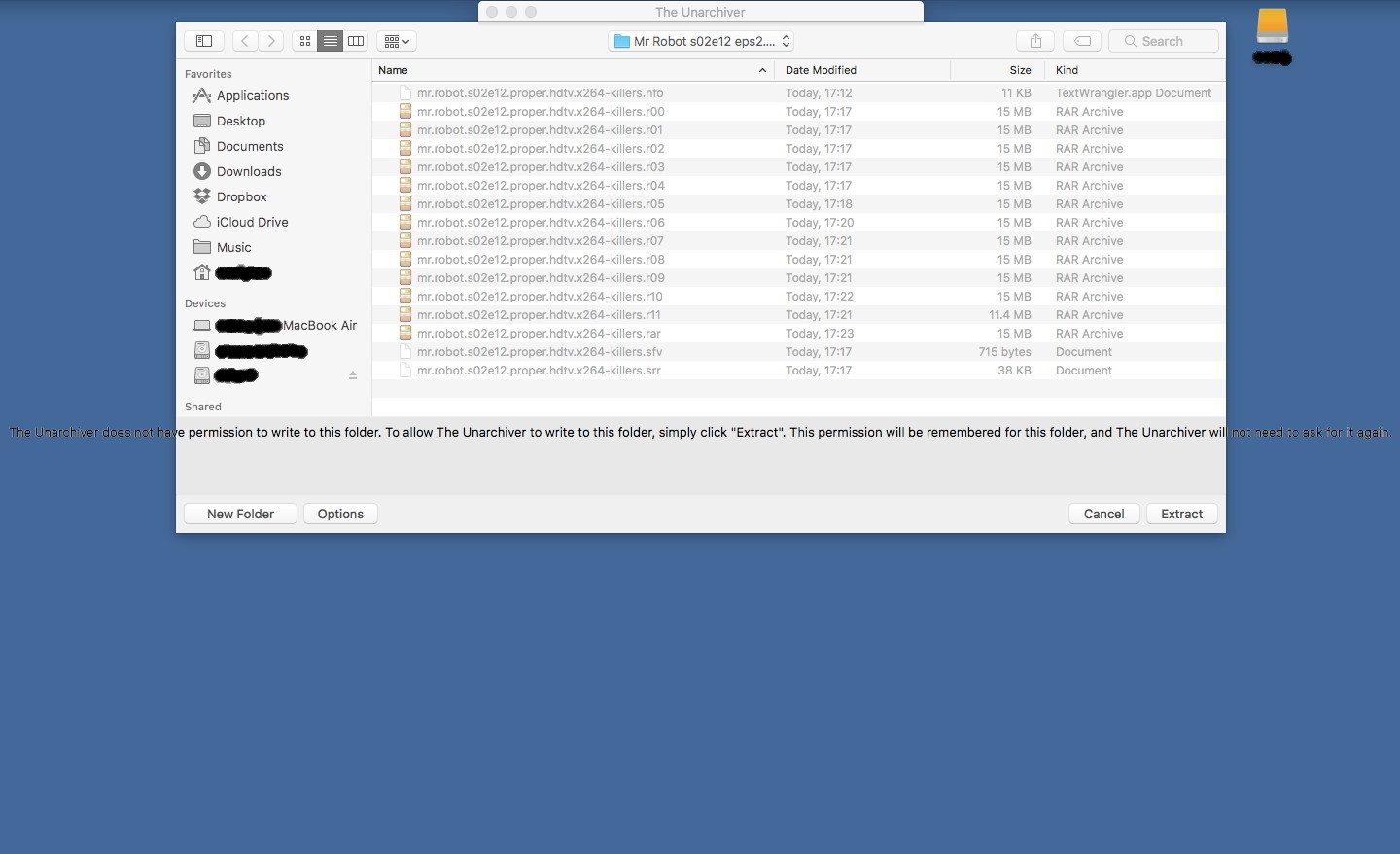
Since I installed macOS Sierra the full text of "The Archiver does not have permission..." message is shown across the entire screen (see attached image).
Also, the width of the dialogue box can't be made less that that shown in the image.
The keyboard shortcut to move a file to a specifide folder is already bound to changing screen: Control+1, Control+2 etc...
How can I fix this.
Is there any schedule as to when the new version of Xee will be released?
Don;t get what those arrows for jumping to first/last image represent? Which keyboard chars are these?
It's really problem to assign a hotkey to File>Label action. I have tried to assign different hotkeys ( §, \, /, cmd+/, L, cmd+L) but it doesn't work. Could anyone help to solve it?
I had just bought a licence, but realized that I had inadvertently keyed in the incorrect email address.
As a result, I am not able to get my license key to activate.
Please advise what I can do.
Apple's upcoming iOS and macOS releases later this year will introduce new codecs and file formats for both image and video files. In iOS 11 and macOS High Sierra 10.13, HEVC and HEIF will become the new and preferred formats, offering superior compression while maintaining the same image quality.
When can we expect Xee to be updated to handle these new image types?