Xee, part 2 (630)
1 Name: !WAHa.06x36 : 2009-07-22 10:34 ID:J9qvJKxH
This thread is for questions and discussion about Xee. Before posting, check that the question has not already been answered in this thread, or in the previous thread: http://wakaba.c3.cx/sup/kareha.pl/1122405906/
There is also a bug tracker for Xee here: http://code.google.com/p/xee/issues/list
If you have a bug to report, it is better to post it on the bug tracker if you can, so it will not be forgotten.
2 Name: Remain : 2009-08-08 15:35 ID:8aH95hC0
Might wanna change the "Discussion thread" link on Xee's page to this new thread.
http://wakaba.c3.cx/s/apps/xee.html
Took me a while to see there was a "Xee, part 2" thread.
So what's planned for the next release of Xee? (I won't ask when, since I know, I know, "it'll be done when it's done." ;p )
Can't wait.
[insert here annoying repeated request for Xee to remember window size and position]
Keep up the great work!
3 Name: !WAHa.06x36 : 2009-08-08 18:27 ID:Heaven
Stuff that's already implemented in the development version is more formats, JPEG forensics, and loading bitmaps out of swf and pdf files.
4 Name: Remain : 2009-08-11 14:30 ID:/tVgYT3m
Is the dev. version available for download as an executable?
Also, you said, "If you have a bug to report, it is better to post it on the bug tracker if you can, so it will not be forgotten."
So I assume this includes bugs that were reported in the first support thread, even those that you've responded to and acknowledged? (I indeed reported a few there.)
5 Name: scrivello : 2009-08-17 05:57 ID:11K6GoNP
Hi,
Excellent prgram! Preview is very annoying...
Just one request - is there any way of being able to right click on the picture itself so that you can set it as desktop background, move to trash etc? At the moment, I can't see a way of having anything but that little gloved hand icon moving over the picture....
Apart from that, it's really all you need for a picture viewing program - I especially love the way you can easily scroll through pictures using the mouse wheel!
S
6 Name: !WAHa.06x36 : 2009-08-17 14:05 ID:J9qvJKxH
No. You might be able to download the source from SVN and build it, but then again you might not, it's a bit temperamental. Also, yes, it does help to file bugs even if they were mentioned here. I do try to check the thread for things to fix when I work on it but it's very easy to miss things here.
There's no way to set things as background, but there are options for moving and deleting in the File menu.
7 Name: Mr Hankey : 2009-08-21 13:35 ID:M4g4j6VG
Please change the ugly icon. Sorry dude but they suck! You can get better looking ones at http://www.artofadambetts.com/weblog/?p=119
Can u add a feature like thumbnail-viewing (similat to that one to ViewIt)?
Otherwise it's a really cool app.:)
Could be faster IMHO especially while browsing through hundreds of images. On my PB G4 it runs a little bit slow - ViewIt seems to be a lot faster. But your app is free so why am I complaining?;)
8 Name: Mr Hankey : 2009-08-21 13:40 ID:M4g4j6VG
I forgot to mention one thing: Could u add a feature in order to browse a folder with images via keyboard (i.e. up/down or left/right for browsing the image-folder)?
TIA!:) Keep up the great work!
9 Name: Madala : 2009-08-22 08:33 ID:+SIv1Hjh
I can't get it to remember my settings. I have to resize the window each time, and then constantly tell it to show the image at ctual size. It keeps making the first one I see 68% for some reason. And I have the Preferences set for display in name order, but it constantly wants to show them by date. Am I doing something wrong?
10 Name: sam : 2009-08-26 19:27 ID:BjEZLPwa
Could you add support for WBMP (wireless bitmap) files?
11 Name: Mark : 2009-08-27 18:57 ID:6OS4cEZa
Nightly builds?
Is there a way to download a copy of the latest SVN of Xee?
12 Name: freediverx : 2009-08-28 12:54 ID:PzKh4Oi8
Snow Leopard support? News on next version approx release date?
13 Name: !WAHa.06x36 : 2009-08-28 15:10 ID:Heaven
Download the source from SVN and build it if you want that.
15 Name: Anonymous : 2009-09-04 10:01 ID:ODprXnIT
"It works fine on Snow Leopard." No it doens't. Drag and Drop from Safari to Xee does not work.
16 Name: pecos : 2009-09-07 15:16 ID:UW0mvCp6
"Drag and Drop from Safari to Xee does not work"
Hum... on snow leopard, it seems that Drag and Drop from Safari to ANY APP does not work ;-)
17 Name: Albright!LC/IWhc3yc : 2009-09-16 09:06 ID:p9rxgo5O
Xee has always supported this (AFAIK); use the period and comma keys to page backward and forward, respectively, through your pr0n collection. You can also use the spacebar to go forward, or shift-spacebar to go backward. Or you can use Command-Left arrow and Command-Right arrow, though it's harder to hit those with one hand.
Anyway, glad to see my image viewer of choice is still under active development. Thanks for the hard work, WAHa.
18 Name: Anonymous : 2009-09-22 05:31 ID:NptJ2ADw
"um... on snow leopard, it seems that Drag and Drop from Safari to ANY APP does not work ;-)"
Nope, drag and drop to preview DOES work. But I admit that it could be Apple's problem, not Xee's.
19 Name: Marek : 2009-10-04 06:31 ID:LTwHjGOD
As your archiver app is simply the best one on Mac, Xee could be easily the best image viewing application. Just needs a bit improvements and some missing features.
I appreciate your effort!
20 Name: Stg Unholy : 2009-10-04 11:30 ID:vWFHhp+r
Is there any possibility that color problem will be fixed soon? This application is really great, but without "right" colors it is mostly useless...
22 Name: Garric : 2009-10-19 18:18 ID:aZ+1rYxu
Good App, certainly better than Preview in Mac - one small issue noted is the Browsing Sort Order is set on "By Filename" every time we open the app, i tried use the Preference to set it on "By Date" without success. Thanks for great app again, looking forward to future updates (perhaps automatic updater?)
23 Name: bsolar : 2009-11-05 04:58 ID:gTXeGoNk
Very nice app but with a big problem which makes it unusable for me: upscaled images quality is horrible.
Many other image viewers do a much better job with upscaling, this viewer is very good but not on par with them with this particular task. There is a technical reason for this? Will this be improved in the future?
I found other old complains about upscaling in the other thread with a reply of around 1 year ago but I'd like to know the current status of this issue.
Thanks for your work!
24 Name: x0r : 2009-11-21 11:04 ID:vC9aUhIR
is posible to add expose and coverflow for browsing images? plz!!
25 Name: helios : 2009-11-21 12:46 ID:CHBWEZkm
Would be handy if Xee could allow forward →and back ← keys on one's keyboard to be used for going forward and backward.
26 Post deleted by user.
27 Name: !WAHa.06x36 : 2009-11-21 13:59 ID:J9qvJKxH
Well, after a whole lot of time, 2.1 is finally out.
http://xee.googlecode.com/files/Xee2.1.zip
- Support for viewing the unix PNM, XBM, and XPM formats, and also Dreamcast PVR.
- Support for reading bitmap images from inside SWF and PDF files. These can also be saved as normal image files. (Note that this does not mean you can view normal PDF files! Only bitmap images will be shown.)
- Support for more metadata formats: Photoshop, XMP and IPTC. Also support for simple image forensics: Xee can analyze the quantization tables in a JPEG image and look up what programs or cameras might have created it from a database.
- Translations into Czech by Czech X Team and Simplified Chinese by Tianhao He.
- Uncompression engine from The Unarchiver included in the app, so The Unarchiver no longer needs to be installed to read files from archives.
- Support for reading files from archive and PDFs that require passwords.
- Better support for Photoshop files.
- Many interface bugfixes and tweaks. The image list should now also update properly when reading files on network shares and FAT drives.
- Some crashes related to broken EXIF data fixed.
- Faster directory scanning.
28 Name: Anonymous : 2009-11-23 16:54 ID:2eqRqC6h
awesome!
I really got an massive performance improvement on folders with many files.
Thank you for Xee.
29 Name: Anonymous : 2009-11-24 17:26 ID:2eqRqC6h
>>28
here
so while xee opens the first picture fast it is quite sluggish for some seconds - still faster than preview.
This isn't so bad but this lagginess also comes everytime i use the random picture shortcut. (maybe its rescanning the whole directory every time?)
What is interesting is that ive found an older svn build of xee (svn28, http://www.2alien.info/2009/01/xee_mod_with_remote_controller.html) that opens as fast if not faster than the final 2.1 but doesn't have this bug (if it is a bug)
I only notice this on folders with many pics (1600+) especially when i skim/browse from the start picture back to the last one with the "loop images while browsing" option. Macbook pro with intel 2.33GHz, 3GB RAM, Ati x1600 if you need this info.
>>25
this works just fine - you have to set it in the preferences
30 Name: !WAHa.06x36 : 2009-11-25 04:34 ID:Heaven
That's probably just because the image you're browsing to isn't preloaded.
31 Name: Bruce C. : 2009-12-12 09:44 ID:iK7GqBnn
Oh come on man, why is there no subdirectory scanning? Do you still believe there are people stupid enought to drag hard drive icon to Xee?
Sigh…
32 Name: joaotavora : 2009-12-14 14:29 ID:AU0lLFvV
Hi!
I'm trying to run a simple little script from the command line which basically does a slideshow. It goes like
$ for file in *; do open -a Xee $file; sleep 3; done
it works quite well, but I want Xee to always open full screen. There is such an option in Xee, but checking it and running the command above results in every other image is displayed fullscreen. That is I get alternate fullscreen and non-fullscreen images.
Is there a way to work around this? Do you suggest any other way of scripting Xee? Maybe using that applescript nonsense? thanks! by the way great tool!
33 Name: joaotavora : 2009-12-14 14:34 ID:AU0lLFvV
By the way, the slideshow function is almost what I'm looking for but I need to define a series of delays, not a constant delay. Like 60 images for 10 seconds, 30 for 20 seconds, 10 for 60, and so on. Well maybe I'll hack the code, can't be too hard... or can it :-)
34 Name: Anonymous : 2009-12-21 15:24 ID:tvwbjqc8
Hello!
I've used Xee since 2006 and it's one of my favorite softwares by far.
There still seems to be a bug with "Default sort order". The option "Same As In The Finder" doesn't work: it still arranges files by filename. I was thrilled when I noticed the 2.1 patch but it didn't fix the problem.
This is actually the only flaw for me in Xee.
I'm using Snow Leopard 10.6.2.
35 Name: !WAHa.06x36 : 2009-12-21 15:30 ID:Heaven
Perhaps the .DS_Store format changed in Snow Leopard. I will have to look into it.
36 Name: Dave : 2010-01-05 21:24 ID:NFJf9eaS
I changed into a directory with a little over 2000 pictures. I opened the first image (from the command line) and it loaded right up. All right!!! I was able to page down through a number of images quickly too.
Then I jumped to the bottom of the list and everything got dog slow. Moving from image to image takes a few seconds. I jumped back to the top of the list and it was like lightning again. I even tried another directory just to make sure.
There's definitely a problem here. Xee is quick to open and operate on files that are near the top of the list but slow on files toward the bottom. Clearly it's doing some sort of top-to-bottom scan process each time an image is loaded. Hopefully this can be sorted out and an update published quickly.
37 Name: !WAHa.06x36 : 2010-01-06 10:26 ID:Heaven
That should be fixed in the development version already, I think.
38 Name: Kaleb.G : 2010-01-06 13:23 ID:dJJBsb/C
This is a great app, but if you add the ability to zoom in and out using the scroll wheel, I will donate 10 euros. Thank you.
39 Name: Joseph : 2010-01-07 07:12 ID:cYZU1uBx
I don't find how to switch to russian locale. Perhaps it's not possible unless MacOS X itself is all in russian first, but it would be better if it could be chosen in Preferences. Would be great if I could also resize the images without switching to another application - I know Xee it a viewer but resizing is all I need, it would be so handful!
40 Name: !WAHa.06x36 : 2010-01-07 09:57 ID:Heaven
Mac OS X itself handles localizations, the app never gets to choose.
41 Name: arkpandora : 2010-01-07 14:29 ID:Z1oZ+Yy1
Hi,
Congratulations for this excellent and convenient piece of software !
I have found a bug that apparently has not been described yet, but may be linked to message number 32 in this thread : when the "Always Open in Full Screen" option is selected, Xee alternates full screen mode and window mode (instead of using full screen mode only) each time a picture is opened from the Finder or any other external browser.
Here is a step-by-step description :
- In the menu "View", select the "Always Open in Full Screen" option.
- Open a picture from the Finder or any other browser. Xee displays it in full screen mode.
- Put the Xee screen to the background, for instance by pressing Alt+Tab or by using the "Reveal in Finder" command.
- Open a picture again. Now instead of displaying it in full screen mode, Xee displays it in a window : this is the bug.
- If you repeat steps 3 and 4, Xee displays the picture in full screen mode again. And if you repeat them again, Xee displays the picture in a window again, and so on.
I am using the latest 2.1 version, on Mac OS X Tiger 10.4.11.
Thank you for any answer and good luck !
42 Name: arkpandora : 2010-01-07 14:35 ID:Z1oZ+Yy1
Sorry : in step 3 of my post above I said "Alt+Tab" instead of "Command+Tab". I was a Windows+ACDSee user too...
43 Name: Dominic : 2010-01-07 16:43 ID:6beCnI5Y
still wrong colors :( :( :(
is there any effort in fixing this?!
great app anyway! :D
44 Name: straycat : 2010-01-11 04:19 ID:66W9OSFI
hey waha, howzit going?
if you remember from the unarchiver discussions, i'm an amiga lover and i recently was able to connect it to my mac and transfer all my old stuff, iffs and mods.
just a wish: support iff-ilbm .anim files.
there's a java app with included source code which reads both iff and anim but xee is already a favorite of course so it would be great if it would support amiga animations.
45 Name: !WAHa.06x36 : 2010-01-11 07:52 ID:2dbZAAnU
There is actually an issue filed for it already:
http://code.google.com/p/xee/issues/detail?id=188
The main problem is that the format - or rather, formats, there are several of them - end up being a bit complicated, so it would be a lot of work to do. In an ideal world I'd have the time to do it, though.
46 Name: straycat : 2010-01-11 07:55 ID:66W9OSFI
ok, maybe for the future.
old people have plenty of free time.
thanks, man.
47 Post deleted by user.
48 Name: !WAHa.06x36 : 2010-01-11 17:14 ID:J9qvJKxH
Well, I decided it was time to make a quick bugfix release.
http://xee.googlecode.com/files/Xee2.1.1.zip
- Added a Spanish localization by miliuconet.
- Fixed another slowdown in the directory scanning code. Should be even faster now.
- Fixed some bugs that caused crashes when reading JPEG metadata.
- Some other minor bugfixes.
49 Name: Anonymous : 2010-01-13 14:15 ID:JSPhF6Zo
Just found this project; Interesting it uses libxad - what next, Amiga Datatypes? :)
50 Name: Anonymous : 2010-01-13 14:18 ID:JSPhF6Zo
Tried to download Xee: "The requested URL /files/Xee2.1.1.zip was not found on this server."
51 Name: !WAHa.06x36 : 2010-01-14 15:53 ID:Heaven
Works fine here. Temporary glitch at Google?
52 Name: Anonymous : 2010-01-16 18:47 ID:b6wXF9jj
The "open in a single window" no longer works for me in 2.1.1
53 Name: Simon : 2010-01-20 15:04 ID:lv5v05Dd
I know its probably still out of scope, but printing is the only reason Xee is not my default image viewer...
printing please!
54 Name: yiek : 2010-01-24 13:04 ID:NmcDbzdE
Could you please add an option to auto-close Xee as soon as its last window is closed?
55 Name: Xee Lover : 2010-01-25 12:43 ID:QVpTF1xo
The full-screen upscaling is especially frustrating when you can get a far better result by displaying the image at normal size and then ctrl-mousewheel zooming in on it.
56 Name: !WAHa.06x36 : 2010-01-25 17:01 ID:Heaven
Did you try the option for smoothing in 2.1?
57 Name: Fogie : 2010-01-26 16:29 ID:Sd5+xrn/
Xee 2.1.1's other problem is that it took ownership of all the zip files, which makes double-clicking useless (discussed elsewhere). This is with no formats checked in the preferences. I imagine this could be fixed in the info.plist, but the only change I see is that NSPersistentStoreTypeKey is changed from XML to binary, and interpreting that is beyond my skill level.
Great application though.
58 Name: !WAHa.06x36 : 2010-01-26 18:54 ID:Heaven
The filetype ownerships are entirely up to OS X, and it seems to get it wrong a lot. It's hard to see how to fix this.
Anyway, the bit about PICT and PNG files is definitely a regression that should be fixed. I'll have to look at it when I get back to working on Xee. If you want to avoid me forgetting about it, post an issue on the bug tracker.
59 Name: Stan : 2010-01-27 08:57 ID:EhqxvNAI
Hi,
thanks for outstanding soft! The only thing (and I might be not the only one) that keeps me on ver. 1 is automatic saving after rotating a picture... Can you possibly make "Auto save after rotating" checking box in preferences? Then Xee would be perfect!
Stan
60 Name: !WAHa.06x36 : 2010-01-27 12:45 ID:Heaven
I've been meaning to, but for some reason I haven't gotten around to it.
61 Name: frizzled : 2010-02-13 07:56 ID:Z6lYKAvA
how do i stop xee from attempting to display the ._XXX files that osx creates? since they still have a valid extension (.jpg in this case) xee attempts to show them
62 Name: !WAHa.06x36 : 2010-02-13 10:31 ID:Heaven
Where are you encountering them?
Also, I suggest filing a bug on the bug tracker about that, because it should definitely be fixed and there's less chance that I forget about it if there's bug filed.
63 Name: Anonymous : 2010-02-13 12:18 ID:tvwbjqc8
>>61
I encountered this issue when viewing pictures on a network volume with NFS. Not with Samba/AFP tho...
64 Name: frizzled : 2010-02-13 17:49 ID:Z6lYKAvA
I submitted a bug report (issue 217)
info
(client) Xee 2.1.1; OS X 10.6.2
(share) Ubuntu Server 8.10, Kernel 2.6.27-7-server; Samba 3.2.3
65 Name: al : 2010-02-17 09:02 ID:O0cidviz
Xee is the perfect program for just viewing images. But doesn't work when i drag a folder with many folders inside. Could you correct this ?
66 Name: al : 2010-02-17 09:10 ID:O0cidviz
great app. but does not recognize images in a folder containing many other folders with images. can you correct this ?
67 Post deleted by moderator.
68 Post deleted by moderator.
69 Name: Guitch : 2010-02-26 00:24 ID:s4EX2rRx
Just installed this app, it sure looks great.
One thing that I find is missing : the possibility to create a marquee which would automatically zoom in the picture (very much like the image preview in acdsee on win environments).
Cheers, very good app !
70 Name: H3rBz : 2010-04-04 11:44 ID:d2NJfYpH
Please add the ability to read embedded colour profiles!!!
71 Name: Tom : 2010-04-30 01:18 ID:dyGGAKRd
this program is great, it just saved me so much time searching for a proper .iff converter. I just rendered a huge image in Maya and saved to .iff, i wanted a .tiff of it, but the stupid fcheck program autodesk provides for .iff viewing can't re-save the image at full resolution unless you view the image at actual size, which the mac version of fcheck seems to have no option for.
anyway...just showing some love, thanks!
72 Post deleted by moderator.
73 Post deleted by user.
74 Name: Anonymous : 2010-05-31 18:17 ID:u07C9XQ+
I want to use Xee for sorting images into several folders. How do I set up the destinations for the Copy and Move File commands?
75 Name: !WAHa.06x36 : 2010-06-01 15:12 ID:Heaven
Folders will be automatically added when you select them. You can also drag them there.
76 Name: Michael : 2010-06-09 10:11 ID:pdPhNOOn
I'ld like to be able to browse inside of .sitx archives. Any possibility of this happening?
77 Post deleted by user.
78 Name: !WAHa.06x36 : 2010-06-10 15:34 ID:KFnfdOyP
Is that not working with the newest version?
79 Name: Shane : 2010-06-16 12:48 ID:N1RdFSic
Xee's been an AMAZING program, but I've been having a lot of trouble lately. I installed a program that would let me open up Zip and RAR files, but after I did that, even though I told it not to be the default program for .cbr and .cbz files, it looks like the two programs started to clash, and now I have to approve every .cbz or .cbr file I try to open. I removed Zipeg and removed and reinstalled Xee, but it still won't work. Instead of the familiar orange icon for these files, I'm greeted with a blank sheet of paper icon. I don't know what to do. Help?
81 Name: Shane : 2010-06-16 12:49 ID:N1RdFSic
Xee's been an AMAZING program, but I've been having a lot of trouble lately. I installed a program that would let me open up Zip and RAR files, but after I did that, even though I told it not to be the default program for .cbr and .cbz files, it looks like the two programs started to clash, and now I have to approve every .cbz or .cbr file I try to open. I removed Zipeg and removed and reinstalled Xee, but it still won't work. Instead of the familiar orange icon for these files, I'm greeted with a blank sheet of paper icon. I don't know what to do. Help?
82 Name: Anonymous : 2010-07-16 16:58 ID:mpgMgHEk
Feature request: click/double click for next pic, when browsing a zip/rar full of pictures.
83 Name: jhz : 2010-07-20 01:32 ID:KX/G44jS
The ONLY feature I miss in this amazing application, is some kind of "Fit to width", that would zoom the display in order to match image width with window width.
Thanks in advance in considering this, hopefully, very small modification in your code.
84 Name: Pete H : 2010-07-22 09:38 ID:0GkXdq7u
This program keeps making itself the default for opening rar and zip files and I don't want it too as it can't unpack them - is driving me a bit nuts. Please help,
Cheers
85 Name: Anonymous : 2010-07-27 11:18 ID:Heaven
Go into the preferences, click the Formats tab, and uncheck the formats you don't want to use Xee for.
86 Name: Anonymous : 2010-07-30 10:36 ID:RYPhkKkr
When i open Xee i want to set my editor as photoshop elements 8 but when i go to do that nothing comes up under file/Open in Editor/set default editior?
Please help
87 Post deleted by user.
88 Name: David : 2010-08-01 09:02 ID:J9FLQnJP
I would like to have Xee open cbr files, but have The Unarchiver (or Stuffit) open rar files. On my previous computer I was able to do this, but now (with (or because of) Snow Leopard?) I can't change one without the other. Can anyone help me? These programs are wonderful, but this is becoming a big problem for me. Thanks for any help or ideas!
89 Name: !WAHa.06x36 : 2010-08-01 14:29 ID:Heaven
Try using the Finder's Get Info... to change which programs to use for which formats.
90 Name: David : 2010-08-03 12:56 ID:J9FLQnJP
Thank you, but I've tried that again and again with each possibility I can think of. I can't seem to change RAR separately from CBR. If I change one, the other changes too.
Has anyone else had this problem or found a solution?
91 Name: !WAHa.06x36 : 2010-08-04 02:42 ID:Heaven
Perhaps you have some other program installed that defined the same UTI for them both, confusing Launch Services?
92 Name: mato : 2010-08-09 13:31 ID:QnTlDQNH
i'm not sure this is something you would want in xee but since there is already simple rename perhaps you could implement multi file (batch) rename that could use exif information so that i could rename my pics to e.g. 2010-08-09_22-30-40.jpg
anyway, thank you very much for this great app!
93 Name: mato : 2010-08-09 13:39 ID:QnTlDQNH
one more thing:
xee closes window if i hit escape key. it would be great if it closed itself if there is no more open window. perhaps a preference? thus i could more easily use it to preview images from other apps. (return / double-click to open and see an image, escape to close it and return back to app)
cheers.
94 Name: Anonymous : 2010-08-13 12:17 ID:Heaven
>>91
I've heard of stuffit causing >90's issue. Perhaps he can check and see if he's got that in his Applications folder.
95 Name: pablo : 2010-08-14 16:15 ID:3VoA4xMG
Is there a manual or online instructions for using Xee? I didn't see either at the main site: http://wakaba.c3.cx/s/apps/xee and after searching this support page...I assume I'm being stupid but would appreciate help on using this viewer. Thanks.
96 Name: mato : 2010-08-17 23:29 ID:SMeCTVLG
It would be great if Xee kept file time attributes unchanged when saving losslessly.
Use case: I always go through my photos and rotate some of them but then those have different file date than others. E.g. XnView keeps original file times.
Thanks!
97 Name: bilbo : 2010-08-18 18:21 ID:Xr7xBYS2
Thanks for a decent program. I am a recent Mac convert. Irfanview is the Windows standard for this type of program. Feature request: a simple x/y window showing the current picture number out of the number of pictures in the folder ie. 18/527. An option in preferences to turn off the delete verification message. Ability to use arrows to move pictures forward and back through list.
98 Name: Ben : 2010-08-19 01:20 ID:tQckM/hf
Xee already shows you which picture and the total number in the folder. Look in the status bar, bottom left, it is the number next to the folder icon.
99 Name: bilbo : 2010-08-19 10:34 ID:Xr7xBYS2
Thanks Ben!
100 Name: BC : 2010-08-21 20:22 ID:FjnCqUP2
I agree with mato : 2010-08-17 23:29. It'd be great if the lossless save would preserve the original file mod date. I believe Xee 1.21 di preserve that, but it seems to have changed. Excellent program - thanks a lot!
101 Name: Tony : 2010-08-25 16:24 ID:0gonPe7W
Xee is great! I switched to it from JustLooking today. But I haven't found Russian localization in the last (2.1.1) version of Xee. Is this a feature or you've just forgotten to put ru.lproj into resources? Anyway, I took this folder from Version 2.0 resources and Xee began to speak russian. Is there any differences in menu or other translated strings between 2.0 and 2.1.1 versions?
102 Name: !WAHa.06x36 : 2010-08-26 10:18 ID:Heaven
I think my Russian translator disappeared. Somebody else submitted another translation but I haven't had time to look at that yet.
Also, if you use the 2.0 resources, there are some things that will break, so I can't recommend that.
103 Name: jhz : 2010-09-04 15:25 ID:KX/G44jS
Does my request (#83 above) has a chance to be considered ?
Thanks in advance.
104 Name: Kurausu : 2010-09-05 03:10 ID:LQ2M+0F9
Hi,
Xee has been my favourite image viewer for a very long time now and though I do check the competition once in a while there is no other to match it with regard to my specific workflow.
I am a photographer and use Xee mainly for sorting quickly through my first import batch. The main task is viewing the RAW files fullscreen and instantly deleting the no-gos.
My sesssion are 400-600 images each, so sorting speed is the most important factor. Unfortunately, Xee only preloads one image at a time, and each load takes 3-4 seconds for my 20+ MB RAW images. That is half an hour or more of unproductive waiting time.
This is why I'd like to ask whether it is possible to preload more than one image at a time (or preload continously in the background). For me it would be sufficient if be able to have 3 images preloaded and the past three images in memory to cut this down to almost zero waiting time.
Any chance for this to become a feature/preference setting of Xee?
Thanks,
Kurausu
105 Post deleted by user.
106 Name: eclipse : 2010-09-27 20:00 ID:/l30Re2E
Thanks for this terrific app!
the price of success is that there is quite a few bugs to correct now...
is there an estimated date for the next release?
107 Name: Remo : 2010-09-29 18:53 ID:yOiUhBql
I download XEE und now I see only japanese oder chinese letters?!
How I can change it into Englisch oder German?
108 Name: Cy : 2010-09-30 12:57 ID:qWQVEq6j
I wish theres option to let Xee automatic quit when las image are closed
109 Post deleted by moderator.
110 Post deleted by moderator.
111 Post deleted by moderator.
112 Name: fab : 2010-10-10 16:32 ID:OYqTGLb5
Thanks for this terrific app!
So powerful while keeping it so simple and immediate to use. Great work. Xee is definitely my preferred image viewer.
Let me know if you'd like me to translate it to Italian!
113 Post deleted by moderator.
114 Name: Thor : 2010-10-18 02:04 ID:KvGCoUto
115 Name: Anonymous : 2010-10-21 09:54 ID:KsF022to
I don't know if this is possible, but I'd like to be able to undo Move File.
I use Xee a lot for organizing images and sometimes due to my own fault, I'll move an image to a wrong directory. And it'd save time if I could just cmd+z to undo that move.
116 Name: !WAHa.06x36 : 2010-10-21 10:20 ID:KFnfdOyP
That sounds like a pretty useful feature. Not sure how much of a pain it would be to implement, but please file a bug for it on the bugtracker, or else I'll probably forget about it.
117 Name: OVBG : 2010-10-31 11:49 ID:klJvg7j4
This is a fantastic program, and thanks for your effort bringing it to us. I have been looking for a fast and light image viewer for the Mac, and so far this is the best.
I guess you get a lot of suggestions for additional features, so I hope I am not offending you for some myself.
I love the keyboard shortcuts in full screen viewing mode, and was wondering if you could add another couple:
- A key for fill screen to Horizontal borders: (Horizontal max) i.e. the current enlarge/shrink is excellent, but mnany photos on the wide screen Mac displays have two black borders on each side. This is great to see everything in the photo. But sometimes I would like to use the whole screen. This would cut of course a bit from the top/bottom, but in some instances this would be fine.
- Likewise, a key for fill screen to vertical max.
An alternative option would be in preferences to be able to adjust the zoom steps. They are quite large now, but it would be nice to also have smaller steps for each + or - key.
Once again, brilliant work!
118 Post deleted by user.
119 Name: OVBG : 2010-11-04 01:33 ID:3sOqHtfC
I guess I may have been asking too much for a new user ;O) But are there already any hidden settings that may offer the features suggested above? Post 117: ID:klJvg7j4
It is such a great app for viewing, but these features would make it perfect. :O)
120 Name: Hans Luijten : 2010-11-14 08:38 ID:kckH+Emx
If there would be anything left to wish for: resizing.
121 Name: John : 2010-11-15 17:51 ID:h6cLXcxc
I've been using Xee now for a while... one thing I notice is a constant crash on one out of about ever 200 images I open. This doesn't happen with preview or other graphics programs - just xee. I actually get an extensive error report starting with the following:
Process: Xee [1018]
Path: /Applications/Xee.app/Contents/MacOS/Xee
Identifier: cx.c3.xee
Version: ??? (2.1.1)
Code Type: X86 (Native)
Parent Process: launchd [197]
Date/Time: 2010-11-15 19:47:48.984 -0600
OS Version: Mac OS X 10.6.5 (10H574)
Report Version: 6
Interval Since Last Report: 441278 sec
Crashes Since Last Report: 35
Per-App Interval Since Last Report: 120916 sec
Per-App Crashes Since Last Report: 22
Anonymous UUID: 6FF7E964-A2D6-4B18-BCA4-199D12AA96C1
Exception Type: EXC_BAD_ACCESS (SIGBUS)
Exception Codes: KERN_PROTECTION_FAILURE at 0x0000000000000000
Crashed Thread: 3
Thread 0: Dispatch queue: com.apple.main-thread
0 libSystem.B.dylib 0x96f850fa mach_msg_trap + 10
1 libSystem.B.dylib 0x96f85867 mach_msg + 68
2 com.apple.CoreFoundation 0x98c1a37f __CFRunLoopRun + 2079
3 com.apple.CoreFoundation 0x98c19464 CFRunLoopRunSpecific + 452
4 com.apple.CoreFoundation 0x98c19291 CFRunLoopRunInMode + 97
5 com.apple.HIToolbox 0x90096f9c RunCurrentEventLoopInMode + 392
6 com.apple.HIToolbox 0x90096d51 ReceiveNextEventCommon + 354
7 com.apple.HIToolbox 0x90096bd6 BlockUntilNextEventMatchingListInMode + 81
8 com.apple.AppKit 0x9275878d _DPSNextEvent + 847
9 com.apple.AppKit 0x92757fce -[NSApplication nextEventMatchingMask:untilDate:inMode:dequeue:] + 156
10 com.apple.AppKit 0x9271a247 -[NSApplication run] + 821
11 com.apple.AppKit 0x927122d9 NSApplicationMain + 574
12 cx.c3.xee 0x00002972 _start + 216
13 cx.c3.xee 0x00002899 start + 41
Thread 1: Dispatch queue: com.apple.libdispatch-manager
0 libSystem.B.dylib 0x96fab982 kevent + 10
1 libSystem.B.dylib 0x96fac09c _dispatch_mgr_invoke + 215
2 libSystem.B.dylib 0x96fab559 _dispatch_queue_invoke + 163
3 libSystem.B.dylib 0x96fab2fe _dispatch_worker_thread2 + 240
4 libSystem.B.dylib 0x96faad81 _pthread_wqthread + 390
5 libSystem.B.dylib 0x96faabc6 start_wqthread + 30
Thread 2:
0 libSystem.B.dylib 0x96fab982 kevent + 10
1 cx.c3.xee 0x0006b4f0 -[XeeKQueue eventLoop] + 149
2 com.apple.Foundation 0x959e5bf0 -[NSThread main] + 45
3 com.apple.Foundation 0x959e5ba0 NSThread__main + 1499
4 libSystem.B.dylib 0x96fb285d _pthread_start + 345
5 libSystem.B.dylib 0x96fb26e2 thread_start + 34
Thread 3 Crashed:
0 libSystem.B.dylib 0xffff07d7 __memcpy + 55
1 libSystem.B.dylib 0x96f96c20 __sfvwrite + 359
2 libSystem.B.dylib 0x96f9673e __vfprintf + 21700
3 libSystem.B.dylib 0x96f9a1c5 snprintf + 377
4 cx.c3.xee 0x0005aff9 nikon_prop + 415
5 cx.c3.xee 0x0005905e exifparse + 150
6 cx.c3.xee 0x0005cf2f -[XeeEXIFParser initWithBuffer:length:mutable:] + 98
7 cx.c3.xee 0x0005cecb -[XeeEXIFParser initWithBuffer:length:] + 48
8 cx.c3.xee 0x0004c0ee -[XeeJPEGImage load] + 3631
9 com.apple.CoreFoundation 0x98c56edd __invoking___ + 29
10 com.apple.CoreFoundation 0x98c56e48 -[NSInvocation invoke] + 136
11 cx.c3.xee 0x0007969e CSLeopardCoroutineStart + 34
12 ??? 0000000000 0 + 0
13 com.apple.CoreFoundation 0x98c57cd4 ___forwarding___ + 1108
14 com.apple.CoreFoundation 0x98c57802 _CF_forwarding_prep_0 + 50
15 cx.c3.xee 0x0000fb77 -[XeeImage initWithHandle:ref:attributes:] + 558
16 cx.c3.xee 0x0001172a +[XeeImage imageForHandle:ref:attributes:] + 251
17 cx.c3.xee 0x000115ed +[XeeImage imageForRef:] + 157
18 cx.c3.xee 0x00063ffc -[XeeFileEntry produceImage] + 54
19 cx.c3.xee 0x00081b65 -[XeeListEntry image] + 83
20 cx.c3.xee 0x0008190f -[XeeListSource loader] + 232
21 com.apple.Foundation 0x959e5bf0 -[NSThread main] + 45
22 com.apple.Foundation 0x959e5ba0 NSThread__main + 1499
23 libSystem.B.dylib 0x96fb285d _pthread_start + 345
24 libSystem.B.dylib 0x96fb26e2 thread_start + 34
Thread 3 crashed with X86 Thread State (32-bit):
eax: 0xffff0730 ebx: 0x00000001 ecx: 0x00000000 edx: 0x00000001
edi: 0x00000000 esi: 0xa095e461 ebp: 0x18eff278 esp: 0x18eff270
ss: 0x00000023 efl: 0x00010282 eip: 0xffff07d7 cs: 0x0000001b
ds: 0x00000023 es: 0x00000023 fs: 0x00000023 gs: 0x0000000f
cr2: 0x00000000
...... it goes on from here....
122 Name: !WAHa.06x36 : 2010-11-17 14:28 ID:KFnfdOyP
Looks like another exiftags crash. Please try to figure out which exact image causes it, and post it on the bug tracker.
123 Name: Anonymous : 2010-11-18 16:04 ID:xBbkJIJk
124 Name: Anonymous : 2010-11-18 16:19 ID:xBbkJIJk
Just a couple clarifications on 82 and 83: auto fit to width or height (whichever is smaller - ie width for a single page, height for two-page spreads). Left click for next image and right click for previous just makes sense to me but I can't say how you'd keep the default click behaviour
125 Post deleted by user.
126 Name: ovbg : 2010-11-22 15:02 ID:WAwuzTGb
^^^Year, autofit was also something I would love to see. The autofit width option is especially something cool. The should be a setting though to stop smaller images from expanding to fit, only larger images shrinking for image quality.
127 Name: jhz : 2010-11-28 03:19 ID:KX/G44jS
Well, to put into practice my suggestion, I downloaded Xee source code and tried to apply a very small modification.
As a first test, in XeeControlerImageActions.m, I replaced this line :
[self setZoom:horiz_zoom<vert_zoom?horiz_zoom:vert_zoom];by this one :
[self setZoom:horiz_zoom];Now, I cannot manage to compile the project (never used Xcode before).
The compiler seems not to be able to find basic include files (stdarg.h, float.h...).
Any help in recompiling Xee would be gratly appreciated.
Thanks in advance.
128 Name: jhz : 2010-11-28 10:29 ID:KX/G44jS
I should perhaps give some details about my configuration if I want to receive any help with the build process.
OSX 10.6.5
Xcode 3.2.4
I've just extracted the source tarball somewhere and double-clicked Xee.xcodeproj.
I "suppose" xcode is initially well configured to find include files, but it's just a guess.
129 Name: Anonymous : 2010-11-29 10:16 ID:yzZPhi8m
Would really love to be able to undo file deletion
130 Name: Anonymous : 2010-11-30 22:17 ID:kQSuNLIW
You probably don't have the right SDK installed. They're an optional install in the Xcode package. I don't remember what the right one is.
131 Post deleted by user.
132 Name: jhz : 2010-12-01 10:54 ID:KX/G44jS
>>130
Thanks for the help, but I had already every SDK (10.4, 10.5 and 10.6) installed.
I read in stack overflow and iPhone Dev SDK forums that changing the default SDK from 10.4 to 10.6 fixed the problem.
Well, it didn't because xcode insisted in using 10.4.
I just added a user-defined directory seach for include files (/Developer/SDKs/MacOSX10.4u.sdk/usr/lib/gcc/i686-apple-darwin9/4.0.1/include/, for the curious) and it worked.
I still don't understand why xcode isn't able to tell the compiler where all the include files lie.
Anyway, I was able to recompile the application.
Considering >>124, above, I replaced the '<' by a '>' in the original zoom factor calculation and it works perfectly.
I'm happy for now.
Perhaps I will try later to have both behavior co-existing (with an option-click, for example), but the best would be to have it builtin in Xee itself.
133 Name: Max : 2010-12-12 13:05 ID:YFJRxeyN
I love Xee! It's excatly what I was looking for! It's the best image viewer application!!!
There is just one important option missing: "Set image as desktop wallpaper." If i'm browsing throw the images i would really love to quickly set a picture as a desktop wallpaper.
(May be with a key combination or with the right mouse click.)
I have a second question: Are you planing to add a right mouse click option like in JustLooking? This would make the application even more perfect.
greetings,
Max
134 Post deleted by user.
135 Post deleted by user.
136 Post deleted by moderator.
137 Name: VikingMoe : 2011-01-09 08:16 ID:0tRCTLJ0
I'm going to go out on a limb here and suggest replacing libjpeg with libjpeg-turbo since it is likely to provide a noticable speed boost for (probably) a majority of the user base.
138 Name: !WAHa.06x36 : 2011-01-09 14:44 ID:Heaven
I was looking at that at some point, but does it build and run right on PPC?
139 Name: VikingMoe : 2011-01-11 12:19 ID:0tRCTLJ0
From what I've read it should build and run on PPC as well. Minor #ifdef modifications are probably needed. I haven't dug too deeply, but that's what I've come up with. People have even stated it's more portable than the reference IJG code, but I take that with a grain of salt... :)
140 Name: dvgf30 : 2011-01-13 14:11 ID:oWJkGLBO (Image: 478x545 jpg, 36 kb)

احمد ابو بكر تلبانة وبس احمد زغلول
141 Name: Anonymous : 2011-01-15 10:51 ID:OcXAy3EC
PPC has been dead for over 5 years. Seriously, why worry about PPC when it's dead and 99% of Mac users don't care? Tell people to use old version if they still use old OS.
:)
144 Name: Rion : 2011-01-17 23:51 ID:0AnwjPzx
I, like many others, would like to see thumbnail browsing. Before Mr. !WAHa says it again ("why? the OS already does that"), I will point out that there are image viewers (in the PC world for example such as ACDSee) that DO have this and it IS useful. It is PAINFUL to go through the finder that way. We could say "the OS already has a viewer, so what is the point of this Xee thing?" The thing is, if I open a directory with over 100 images in it, it is really hard to find the few out of the set that are most interesting, and you can compare them easier when they are all visible at once.
By the way, 99% of Mac users don't care about anonymous posters claiming to know what 99% of Mac users think!
145 Name: LEEMIDI : 2011-01-26 21:23 ID:iAmGFdWf (Image: 54x72 jpg, 11 kb)

Might be a stupid question but if XEE was on a thumb drive with the images (to be displayed) but not installed on the HOST machine would it launch & run on doubleclick?
I'm thinking portable slideshow to pass around at a party or starbux...
146 Name: Anonymous : 2011-01-27 06:50 ID:Heaven
>>145
I imagine it would work fine, as most OS X apps are fairly self-contained. Try it?
147 Name: Demonike : 2011-02-04 12:59 ID:j5wKziT7
Xee is one of the fastest image viewers there is for Mac.
I do for work, looking at thousands of images every day, and have to do it fast. It seems Xee stumbles with larger files (not so much so with bigger filesize but with bigger dimensions). Anything above 15MP will take progressively several times more time to display than smaller images. Around 10MP it is lightning fast. Oh, and I have a fast computer + 6GB of ram, so it must be somewhere else... Thank you though, for the work you have already done, it is a lifesaver.
148 Name: Derek : 2011-02-04 14:44 ID:M5LeKRdA
Love Xee... much better than Preview! Only problem is that every single time you open an image (via double-click in Finder), Xee seems to want to update its own copy of the file structure of the folder that the file was in. This is problematic in that if there are several thousand images in the Finder window, and you open one of them up in Xee, it takes a LOT longer to display than if that image was in a folder with only a few files.
File viewing is basically instantaneous if you use Xee's own navigation once you're looking at an image. So rendering the image isn't the delay at all. The entire delay seems to be Xee trying to synchronize its own copy of what's in that folder, and it does that before letting you see the image.
I just wish it could display the image first, THEN do whatever background activity it has to do.
149 Name: Stefan Nowak : 2011-02-06 08:44 ID:k4o0b5IP
Xee.app successfully opens .PNM (portable anymap format / Netpbm format) files! Great!
Could you please add .PNM to the list of accepted filetypes, so that the Finder automatically offers to open .PNM files with Xee.app? Thanks!
/Applications/Xee.app/Contents/Info.plist" -> CFBundleTypeExtensions
150 Name: !WAHa.06x36 : 2011-02-06 09:53 ID:KFnfdOyP
The usual extensions are .ppm, .pgm and .pbm, those should be there already. I guess I could add .pnm too if anyone is using that. File an issue on the bug tracker so I don't forget about it.
151 Name: Anonymous : 2011-02-27 16:44 ID:OcXAy3EC
Just downloaded trial version of ACDSee for Mac and it smokes Xee. :(
Xee is so damn slow when opening larger JPG and other types of images. Why is that and what can we do to improve it?
It's not even funny how slow Xee is when you compare it to other software... even the first attempt at a port of a Windows app.
152 Name: satisfied user : 2011-02-28 22:42 ID:neL6fc5c
Finally, a replacement for Irfanview on the PC. I can double click on a picture, and loop through a folder with either the keyboard or mouse. It does this in full screen mode upscaling and downscaling. No idiotic thumbnailers or adding directories before viewing. This is how an image viewer should work. It's also fast. Great job!
Apple should buy the rights to this and make it a standard feature, instead of the useless preview program they include.
153 Name: orr721 : 2011-03-06 07:06 ID:u9js921y
hi there!
another satisfied user here. I have just one request. please consider adding "Perspective cropping" feature to the Crop tool. it is very useful when one needs to crop photos from conference slides, photographed documents, etc.
examples of the use can be found at:
or
http://www.diybookscanner.org/forum/viewtopic.php?f=3&t=416#p6017
thanks and best regards from Bratislava, Slovakia!
154 Name: Anonymous : 2011-03-06 08:47 ID:Heaven
>>153
I might be wrong, but that seems to me a highly complex feature best left to a professional image editor. Even Gimp doesn't have that.
155 Name: Gracias : 2011-03-18 22:14 ID:SQo3Wome
Quick resize of images is lacking in OSX, windows has had this functionality since XP trough powertoys extensions. Simple right click on a file or group of files and you could resize them quickly using several presets. I realize Xee is not an editor, but a simple addition of ability to resize one or multiple images quickly would be very very valuable. Thank you for an awesome viewer and disregard this suggestion if it's beyond the scope of this project.
156 Name: Anonymous : 2011-03-18 23:54 ID:d3PqFqa1
hi, it would be great if the info panel (cmd+i) could distinguish between the gif format GIF87a and GIF89a. At the moment I have to open the files in a hex editor to find this info (it's in the first six bytes of the file)
157 Name: !WAHa.06x36 : 2011-03-19 06:40 ID:KFnfdOyP
That should be easy to add, post an issue on the bug tracker so I'll remember it.
158 Name: b1100101 : 2011-03-26 02:08 ID:2Ag8tCH1
Is Xee dead? No Code changes since over a year now. :(
159 Name: !WAHa.06x36 : 2011-03-26 13:44 ID:Heaven
Mostly it is on hiatus. Most of my maintenance time has gone into The Unarchiver. I'm planning to get back to it, but it'll need a bit of an overhaul to catch up with changes in OS X since the project started.
Next version is probably going to have to be a 3.0 that breaks compatibility with older OS and hardware versions.
160 Name: Anonymous : 2011-03-29 16:29 ID:fy0OO7mh
>>159
I really look forward to the next Xee version
161 Name: limm : 2011-04-10 19:28 ID:7C1OHfrx
Please change the icon in the next version!
It's scary.
162 Name: !WAHa.06x36 : 2011-04-12 14:49 ID:KFnfdOyP
Well, I kind of lied. There will be one more release of Xee from this codebase:
http://xee.googlecode.com/files/Xee2.2.zip
It's mostly bugfixes and tweaks, and one real new feature:
- Multitouch support, finally! Thanks to generous donations of both hardware and source code, multitouch gestures for browsing, zooming and rotating are now available. Scrolling is also smoother on trackpads and other smooth scroll devices. * Using scrolling to browse should also work better.
- Uses a newer version of the archive reading code from The Unarchiver. Can now open more archive formats, including even ISO images.
- Better compatibility with Snow Leopard. (Finding the sort order from the Finder works again, as does JPEG thumbnailing.)
- Better support for PNM files.
- More informative window titles when browsing archives.
- Many other bugfixes: Viewing the clipboard works again, cropping does not crash, keyboard shortcuts work better, and more.
This is most likely the last release using this codebase, and also the last release that will run on PPC (unless there are some urgent bug fixes). When I started writing Xee, Apple's image handing code was kind of a joke and horribly slow, but it's been a long time now, and it's now quite fast. It's time for a total overhaul of Xee to use more of OS X's image handling code instead. We'll see how that works out.
163 Name: Anna : 2011-04-12 16:00 ID:54xjcN/F
Hi !WAHa.06x36!
Can you plase add a button to the toolbar, where one can set the current picture as wallpaper, this would be really, really nice!!!! (Set as Wallpaper)
cheers,
Anna
164 Name: David : 2011-04-19 16:39 ID:ilYntg2J
Hi;
Just wanted to say Hi and thanks for a great app. I've only installed two versions as I came to Xee late. I do find it very handy and the latest version, 2.2 really handles multitouch well.
That said I do have suggestions.
1.
It would be nice if Xee was available on app store. This does a couple of things for us. One; it makes it easier for users to donate to the cause, especially if the charge is right. Two; and possibly most importantly it makes it very easy to keep up to date (a great feature of app store).
2.
Support of more file standards is always helpful. One I have my mind on is FITS, http://www.cv.nrao.edu/fits/ for astronomy. Oh while you are at it add a dialog that lists exactly what formats the current version supports. I went to the web page to look for an easy answer and got gibberish about Xee supporting what Preview and Quicktime does, plus a few others (paraphrased). For one thing I shouldn't have to go to the web for this info in the first place. Second I think Xee could use a little more documentation from within the the program itself.
There are of course other file formats out there that would be of interest to others, I just have a personal interest in astronomy.
3.
For version 3. I'd aggressively move forward to support the modern features of OS/X. Sometimes you have to make a break from the past and now is a good time as many of the advanced capabilities of Snow Leopard have stabilized. The use of GCD and OpenCL (where it makes sense) should have a major impact on Xee's snappiness.
4.
If you look out past Snow Leopard, you should consider full screen mode and floating tool palettes like are seen in Quicktime's movie viewer.
In any event don't think i'm being critical here. I really like Xee, you have a very good product that is useful to many different users.
165 Name: !WAHa.06x36 : 2011-04-23 07:09 ID:GdwXQfRp
Xee will never be on the App Store in its current form, it uses too many old APIs, and some undocumented ones. It needs to be rewritten before it can get on there, which is one reason I'd like to do that. Also, the new version will definitely be designed around the 10.6 featureset at least. (This will mean losing a few features, though, like progressive loading.)
166 Name: Anonymous : 2011-04-23 09:26 ID:RwfXu4be
Please add support for MNG and APNG formats.
167 Name: !WAHa.06x36 : 2011-04-23 18:57 ID:GdwXQfRp
Considering APNG, especially if it gets a bit more browser support. MNG probably not, it seems both over-engineered and completely dead in the water.
(Also, only after I get around to doing the rewrite for 3.0.)
168 Name: Tommy : 2011-05-01 11:30 ID:/+C+Bxol
If I browse the pictures with apple right arrow, is it possible that Xee also opens links to pictures?
169 Name: jari : 2011-06-07 13:49 ID:a1bu9v9g
Hi,
thanks for the great software. It's a great help for quickly going through images.
The only thing I would like to have in future versions is a option for a fixed aspect ratio when cropping. Also Xee should show the actual dimension (size) and aspect ratio of the selected part of the image in the bottom footer rather than the meassures to the margins.
Thank you!
170 Name: cyril : 2011-06-08 01:33 ID:XKMDxftJ
Re 169 (jari).
I would vote for fixed aspect ratio cropping too. Let me choose the original AR or some pre-defined (4:3,3:2,16:9, user defined, last used, ...) aspect ratios. And also the possibility to crop to pre-defined (or last used) size.
Many thanks for a great and useful piece of sw.
171 Name: !WAHa.06x36 : 2011-06-10 05:34 ID:Heaven
That would probably be a good idea. To make sure I don't forget about it, please file an issue on the bug tracker.
172 Name: kr0n : 2011-06-12 13:27 ID:O1wf/Xhz
Hi. I use Xee everyday and it's great! I have thought a improvement for the app.
When you close the last Xee windows, quit the app.
what you think about this?
Thanks you!
173 Name: Chris : 2011-06-21 16:30 ID:Af+UKuRN
I also would like printing
174 Name: Coriolis : 2011-06-23 05:17 ID:1ROVErZf
Hi,
your application is great. However, JPEG colour profiles would be nice to see the real colours...
Thank you!
175 Name: Matthew : 2011-07-01 22:30 ID:qMXDVVxW
After updating to 2.2, the scroll wheel on my mouse no longer controls "next image" and "previous image". :( Downgrading to 2.1.1 returns the functionality.
176 Name: arkpandora : 2011-07-04 07:01 ID:vURsoKqt
Hi,
I too come up against the bug Matthew has just picked out in message #175 : Xee 2.2 does not respond to my mouse's scroll wheel (whether browsing or scrolling), while version 2.1.1 does. Returning to version 2.1.1 did not immediately restore functionality : I had to delete the preferences file and configure Xee again.
Maybe this bug depends on the OS version, as I'm still using Tiger 10.4.11.
Thank you and good luck !
177 Name: harry : 2011-07-10 20:04 ID:mtoZoreR
IS Xee SUPPOSED TO WORK THIS WAY ?
When I drag six [6] selected jpg's to the app icon, it opens one, maybe two, DOES NOT show thumbnails of the other 5,
and
by the 2nd arrow click, it ignores the other 4 selected and dragged jpgs and goes to their folder and opens unselected jpgs at random.
HUH ?
is there a reason for this ?
178 Name: Anonymous : 2011-07-13 10:16 ID:Heaven
>>177
Xee is the 'one window for each directory' model. So if those images were all in the same directory. Then thats probably the intended behavior.
179 Name: !WAHa.06x36 : 2011-07-15 08:24 ID:KFnfdOyP
It might be Tiger-related. I don't have a Tiger machine to test on so I can't be sure. Can you test with the same mouse on a Leopard or Snow Leopard machine?
180 Name: !WAHa.06x36 : 2011-07-15 08:25 ID:KFnfdOyP
Xee browses directories, not selected images. You don't generally open more than one image in it.
181 Name: Dominic : 2011-07-18 13:20 ID:oBAebXWO
How about the incorrect color problem? Is there any intend to fix this? Would really appreciate it! :)
182 Post deleted by moderator.
183 Name: !WAHa.06x36 : 2011-07-19 12:13 ID:Heaven
If I get around to doing the rewrite I'm planning, that should be solved.
184 Name: Dominic : 2011-07-19 15:04 ID:DDsyhXq3
>>183
horray!! :)
Great to hear. Don't want to get on your nerves, but could you give us a timeframe? Np if not. I'm happy that this problem is on your list.
185 Name: Marco : 2011-07-20 06:19 ID:NNgek87U
Hi,
Thanks for the app, it's the fastest picture viewer on the Mac, and it's full screen - in its simplicity - is missing from many other similar apps!
Would it be possible for Xee to show images within a smart folder - or from a selection made with programs such as Path Finder or Leap - rather than from a conventional folder?
I think that that would be great when viewing pictures managed using tags or similar methods.
186 Name: !WAHa.06x36 : 2011-07-21 15:06 ID:Heaven
I was thinking I might start working on it late summer/autumn, but no idea if I actually will.
187 Name: JanX2 : 2011-07-24 09:22 ID:gupP6Q0P
Hi!
Xee is great, but I could really use an “image”-browser with support for Safari webarchives. Thank you for such a nice app!
188 Name: JanX2 : 2011-07-24 09:23 ID:gupP6Q0P
Hi!
Xee is great, but I could really use an “image”-browser with support for Safari webarchives. Thank you for such a nice app!
189 Name: Mario : 2011-08-11 02:20 ID:IBiQCuJH
Hi,
really love Xee. Works wonderfully on old machines (G3-G4-G5 & tiger).
Thanks for making it!!!
I use it to open images using applescript like : "open image xxx with application xee" and it works great. The only problem is that the open dialog window pops up the first time the application is launched.
Would it be possible to add a "Show open dialog at startup" checkbox in the preferences??
190 Post deleted by moderator.
191 Post deleted by moderator.
192 Post deleted by moderator.
193 Name: Rigido : 2011-08-18 14:56 ID:7YVgg20T
Hi,
actually I'm experiencing some problems (crashes) with some pictures extracted from MMS. The crash reports:
Exception Type: EXC_BAD_ACCESS (SIGBUS)
Exception Codes: KERN_PROTECTION_FAILURE at 0x0000000000000000
VM Regions Near 0:
--> __PAGEZERO 0000000000000000-0000000000001000 [ 4K] ---/--- SM=NUL /Applications/Xee.app/Contents/MacOS/Xee
__TEXT 0000000000001000-00000000000a6000 [ 660K] r-x/rwx SM=COW /Applications/Xee.app/Contents/MacOS/XeeAs they are really personal pictures I would like another way to send it to you.
Now I'm on Lion but the problem was there with SL too...
194 Name: !WAHa.06x36 : 2011-08-18 16:55 ID:KFnfdOyP
You can mail them to [email protected].
195 Name: Mel : 2011-08-25 22:21 ID:OcXAy3EC
Hi,
Not a bug, just a request. As a web developer, I need to tile an image as a background etc quite often. The quickest way right now to find out how the image tiles is to create an html file and tile the image inside a browser. It would be amazing if Xee allowed you to tile an image across the whole size of the window. Currently there's "Fit on screen" button but no "Tile" button.
Thanks!
PS: I made a post in the Bugtracker as well.
196 Name: Andre : 2011-09-27 03:59 ID:/IEhLXnY
PRINTING please please please ....
Can you not link the standard OSX printer component?
197 Name: MHH : 2011-09-28 21:30 ID:kETtDtxx
Feature request: "Crop & Save current view"
Use case: Picture is viewed in Fullscreen mode, Apple Trackpad is used to zoom to important area of the picture, keyboard shortcut is pressed which will crop the picture as it is seen on the screen (without the need to define a crop selection!), picture is automatically saved to the same filename without recompression. I really need this feature.
198 Name: Alexey : 2011-09-29 00:35 ID:K3GDrx3u
Best image viewer! But please add printing!
199 Name: Alexey : 2011-09-29 00:35 ID:K3GDrx3u
Best image viewer! But please add printing!
200 Name: johanson : 2011-10-08 02:35 ID:cHwbxCB/
PLEASE ADD PRINTING :)
201 Name: Jo : 2011-10-29 03:01 ID:8ic/u+wL
Still love this app, but still hoping additional features could be included for full screen viewing. I find in particular the zoom +/- steps to be too large. I have a wide screen Mac, and sometimes a photo is 4:3 aspect. This fits to full screen as standard but leaves black bars on either side. I really wish I could increase to full screen. The plus key does this, but sometimes overshoots the left/right side and then the image is larger than original size making it blurry. I can see a couple of easy ways to fix this:
1) A key option to fit full screen either by matching horizontal borders or another key for vertical borders
2) An option to change the incrementing zoom size (some people will obviously prefer what exists already)
3) Option in preferences to choose to automatically fit to longest side. i.e. a portrait photo will stretch to fit horizontally (cutting off the top/bottom is expected) and a landscape will do the opposite by fitting vertically
I guess option 1 or 2 is easiest, but these features would make full screen viewing much better and should be easy to implement
202 Name: Mark : 2011-10-29 20:14 ID:AyDMhcAz
cannot figure out how to move a file in Xee. When I hit "Move FIle" a window slides open on the right that says "Choose Folder". Nothing happens when you click it. Shouldn't something happen when you click on "Choose Folder", like...some folders to choose from? So frustrated. I'm using Lion, and am something of a Mac newbie. Thanks.
203 Name: plustick : 2011-11-11 08:13 ID:5Am4yIWY
Scrolling function is very usefull!Great!
I wish to change scroll direction.
[Current]
Mouse wheel Scroll DOWN will count down image to fist direction.
Mouse wheel Scroll UP will count up image to last direction.
I wish to know how to change wheel scroll function.
204 Name: Mel : 2011-11-13 14:54 ID:OcXAy3EC
Is Xee dead? There hasn't been any updates in a very, very long time...
Hope there's still a chance for a new version! Heck, I'd even pay for it if it were in MAS.
205 Name: !WAHa.06x36 : 2011-11-13 15:44 ID:Heaven
It is awaiting a rewrite. It can not in its current form be accepted at the MAS.
206 Name: Wyatt : 2011-11-25 08:52 ID:Bd0dVkUY
I have a PNG photograph. Why does it appear darker in Xee than when I view it in Preview.
Thanks.
207 Name: ChuckM : 2012-01-03 08:51 ID:NEQi3g6i
Wonderful, wonderful app!
My short wishlist:
- Color labels, the choice of the 7 colors (or none) that are used in the Finder to mark files, along with the ability to use a keystroke for each, e.g., alt-1, alt-2, alt-3, etc. To see the current setting, there should be a popup on the toolbar that shows current color label, and which can also be used to set the color label.
- Browse filters: Browse through images, only including those that meet criteria, such as desired color label(s), or whose name includes a given text string
208 Name: Anonymous : 2012-01-07 15:43 ID:kuYeNCCp
Xee is simply the best viewer out there!
It's the only one who can pull off smooth multitouch scrolling.
I just wish there was the option of having the width of the images always scaled to the window/screen width. It's very helpful when you have a bunch of images of different sizes.
I would also change the icon, because it look quite silly to be frank.
Almost didn't try Xee because of that, but I'm happy I did.
Thanks a bunch for the app and hope to see it soon on the MAS along with The Unarchiver.
209 Name: Jo : 2012-01-18 01:05 ID:u2Uv9Obh
Agreed with #208, the smooth multitouch scrolling is wonderful and a killer point for this excellent app.
Seriously, I would pay for this App if it was in the MAS, especially if the additional features I mentioned in #201 was added.
I love how I can press a button to make it full size, I just wish I could also easily fit the 27" iMac screen to my choice. The zoom increments are too large for my preferences and being able to choose that would be great.
Anyway, sorry for keep harping on about this. This still is a great program and thanks for creating it.
Do rewrite the program for MAS, you may be surprised how much money you could make with a small charge.
210 Name: Hans : 2012-01-22 14:35 ID:imnksuip
Love Xee - would it be able to add support for the file extension .TBN (it's a JPEG formatted thumbnail used by XBMC and the likes).
Right now Xee opens TBN's just fine, however stepping through all the images in a directory requires clicking the individual files - versus with JPG's where clicking one is enough, after that the arrow left and right will walk through all files in that same directory.
It's just a nice to have ... :)
Keep up the good work! :)
211 Name: Steve Wille : 2012-02-15 04:50 ID:BHG2nyCN
I'd like to add my wish for the ability to display pictures in nested folders. For example, if the files are arranged in folders like:
foo
bar
  1.jpg
  2.jpg
baz
  3.jpg
  4.jpg
Then pointing Xee at the folder foo would cause Xee to display:
1.jpg, 2.jpg, 3.jpg, 4.jpg
212 Name: xeeuser : 2012-02-16 14:32 ID:dsLqstzd
Drop View:
Xee has everything I can image except for one thing:
Please add the ability to drop for example 3 pics out of 10 within a folder onto Xee.
After that Xee should only show those 3 pictures (scrolling thru the pics should only show that 3 pics and not all the others in the folder).
That would be nice.
Best regards
213 Name: OMar : 2012-02-21 00:38 ID:aohexhpw
I often start the app and then drop a ZIP archive on its icon in the dock. I think users like me would appreciate an option to skip the open file dialog on startup.
214 Name: !WAHa.06x36 : 2012-02-21 10:57 ID:Heaven
It might change in the next version, if I ever get around to making it. Anyway, as a workaround, if you keep the icon in the dock, this works if you don't click the icon first.
215 Name: billinrio : 2012-02-22 07:06 ID:rU6fm7fy
I just want to thank you for this great sw. Is is amazingly fast. I can now forget about using Preview - which is worse than ever with OSX 10.7.
216 Post deleted by user.
217 Post deleted by user.
218 Name: Edward : 2012-03-03 06:07 ID:IWySVrMm (Image: 1200x1200 jpg, 123 kb)

There may be a bug with the 'Save Losslessly' option. Several images I've rotated still end up with some pixel's RGB values slightly changed when I resave with 'Save Losslessly'. Compare rotated (218) vs original (219). The RGB values of select pixels have changed slightly eg 175,163,113 is now 176,162,113 even though I have 'Use RGB' set for 'JPEG loading'.

220 Name: D : 2012-03-21 16:53 ID:G7bSzgy8
Love this software.
I bought The Archive Browser even though The Unarchiver does the job most of the time.
Since Xee uses The unarchiver too, I'm in a way contributing to a Xee version 3.0 for the MAS.
Despite a Lion Fullscreen, I hope you put in the option to auto-zoom width.
But of course keep the smooth multitouch scrolling before all.
221 Name: Greggen : 2012-04-03 12:54 ID:kNV5zT9m
Just bought Archive Browser (already owned The Unarchiver), it rocks! No we want Xee aswell ;D Really, really, REALLY want a 3.0 in MAS with Lion optimization.
222 Name: Ákos : 2012-04-04 04:09 ID:1ROVErZf
Hi,
generally Xee is an excellent software that I am using for years. However, during this time it became inreasingly unstable. Now it is a nuisance, if I am scrolling back and fro, the application crashes after every 50 photos or so. I am using OSX 10.7.3.
Best regards,
Ákos
223 Name: Joshua : 2012-04-04 13:22 ID:/UOFas34
Support for color profiles would be great! This is a huge omission, right now. Photographs look totally different in Xee, more washed out, than they do in browsers and other software that support color profiles.
224 Post deleted by user.
225 Post deleted by user.
226 Name: Bruno : 2012-04-10 09:05 ID:Jcfl8amU
Hi,
about Xee not beeing color profiles aware, here is my question :
I started using Xee last year on a Macbook 10.6.8, the pictures were washed out, compared to Preview or Viewit or Safari or any other soft. (jpeg or tiff files)
Last week I have tried Xee on my new Macbook pro, 10.6.8, and the problem not longer exists !! The pics look totally similar in Xee and the others softs for jpeg files. Tiff files still look washed out.
This is both right for Xee 2.0 and 2.2.
Am I right or am I dreaming ??
Anyway, my beloved Xee is my default pictures viewer again, and this is great news !!
Best regards.
227 Post deleted by moderator.
228 Post deleted by moderator.
229 Post deleted by moderator.
230 Name: Dave : 2012-04-25 10:51 ID:mWyc3+tV
Here's a crash report:
I see this type of crash all the time (at least few a day). Xee is the only app that crashes on my machine these days.
231 Name: Sam : 2012-05-04 11:22 ID:G7bSzgy8
Great software. I just wish I could make pictures fit horizontally
When I view pictures of different sizes, the zoom function, while extremely fluid, just doesn't cut it any more.
I would love to buy it on the MAS at a reasonable price.
And please keep the perfect scrolling that so many programs neglect.
232 Post deleted by user.
233 Name: Anonymous : 2012-06-01 05:41 ID:G7bSzgy8
Is Xee ever going to be updated?
Please tell me if I'm just wasting my time waiting.
234 Name: !WAHa.06x36 : 2012-06-04 01:59 ID:Heaven
Not the current code base, it is way too old and kludgy for current OS X versions.
I've been experimenting with a rewrite, which I hope to get done SOME day, but no guarantees when. It's a program that I use personally every day, though, so sooner or later I will have to get it up to date.
235 Name: Inc : 2012-06-19 01:32 ID:mEigSaID
Any chance of a "zoom slider" in the next version?
The addition of the multitouch zoom is nice but not practical for desktop setups.
The only thing Xee has been missing is a way to adjust the zoom percent to an exact percent - currently (besides multitouch) it only zooms in set increments.
Otherwise, Xee is perfect for my needs.
Thanks for your time!
236 Name: Inc : 2012-06-19 01:35 ID:mEigSaID
Nevermind, found out CTRL/Command(depending on what you have your keys set to)+mouse scroll does precise zooming!
237 Name: Inc : 2012-06-19 02:31 ID:mEigSaID
Scratch that last message, that's just OS X's internal zoom function
238 Name: Anonymous : 2012-06-20 23:17 ID:tuq5AqYB (Image: 1686x1226 png, 885 kb)

Any chance of an update for Retina support? I haven't tested on one of the new MacBooks yet, but if I run Xee in HiDPI mode on 10.7.4 it seems to do pixel doubling.
And thanks for writing such an awesome program! I would be down for a paid version on the MAS.
239 Name: Peter : 2012-06-20 23:39 ID:1uNw6UHY
I'm a web designer. I really love Xee!
I think that it would be better if Xee has a color picker.
240 Name: Anonymous : 2012-06-22 19:56 ID:Heaven
> update for Retina support
is that really how things work on macs? if so, then wow, that's pretty bad.
241 Name: Anonymous : 2012-06-22 23:00 ID:eZqmAmUp
I think it depends on which APIs are used. Some things "just work."
242 Name: !WAHa.06x36 : 2012-06-24 15:46 ID:Heaven
No OS I know of has transparent support for adjustable DPI.
243 Name: Anonymous : 2012-06-24 16:48 ID:Heaven
>>242
i don't know of any operating system other than OS X that does pixel doubling unless your app specifically supports the screen resolution being used.
244 Name: !WAHa.06x36 : 2012-06-24 17:23 ID:Heaven
If it didn't, it would be unusably small.
245 Name: Anonymous : 2012-06-24 19:20 ID:Heaven
>>244
i'm just saying that no other operating system that i've used has had that problem, even on a 1920x1080 8" screen.
246 Name: Anonymous : 2012-06-26 07:10 ID:Heaven
>>245
It's not a problem. It's an intentional feature made to ensure that old applications still remain usable on a display which has twice the horizontal and vertical resolution normal displays of that size have.
Out of curiosity, what operating systems have you used which are suited for use on a 1920x1080 8" monitor?
247 Name: Anonymous : 2012-06-26 20:40 ID:Heaven
> Out of curiosity, what operating systems have you used which are suited for use on a 1920x1080 8" monitor?
Android, PC-BSD, Ubuntu, and Windows 7.
248 Name: Anonymous : 2012-06-27 01:54 ID:eZqmAmUp
Adjusting the DPI in Windows isn't without its own flaws.
249 Name: Anonymous : 2012-06-27 04:02 ID:Heaven
>>248
True, but pretty much all of them are the result of people making invalid assumptions about the size of various bits of text, and most of them are merely cosmetic flaws.
250 Name: mr_a500 : 2012-06-28 13:42 ID:dMs87DJH
I've noticed a problem with the crop feature. I select a bit to crop, then save the file and by default it has "Cropping: Expand", which saves an image larger than my crop. If I select "Cropping: Trim", it saves an image smaller than my crop. This is bizarre. By default, it should save EXACTLY what I cropped. If I put effort into selecting the exact pixel width and height and select what I want to crop, why would I want the program to make it larger or smaller than what I selected?
251 Name: mr_a500 : 2012-06-28 14:01 ID:dMs87DJH
Ignore the above post. I figured it out. I have to save as JPEG, not "JPEG, Without Recompressing". (I assume exact crops can't be done without recompressing)
252 Name: Leimking : 2012-07-10 03:29 ID:E5cs7EsF
Xee is nice so far but I really need a thumbnail area with pic previews of the current folder. Adjustable thumbnail size at best. I'd love to see this so it could replace JustLooking. ;o)
253 Name: Anon : 2012-07-11 15:32 ID:kP21EcvZ
Just want to chime in asking for HiDPI (Retina) support as well. FYI, this thread details the issues the Firefox team is running into supporting HiDPI, might have relevant info:
https://bugzilla.mozilla.org/show_bug.cgi?id=674373
254 Name: !WAHa.06x36 : 2012-07-11 15:49 ID:Heaven
Well, feel free to get me a Retina display to do development on, and it will happen pretty quickly.
Otherwise, I am focusing on doing some work on Xee 3, which will take quite some time yet before it's done. It might have proper support, but I don't really have any way to test it, so.
255 Name: DJ.HAN : 2012-07-22 17:17 ID:qD/MQkxw
Xee didn't display open dialog box while launching in following condition.
1) opening xee with double-clicking image file
2) opening xee with drag'n drop image file to xee.
in Mountain Lion, xee display open dialog box every time while switchresx 4.3.1 demon was running.
If I stop daemon, xee wasn't display open dialog box in upper condition.
I send this trouble note to switchresx' developer. He told me it's bug of xee. So I report it here.
256 Name: KmSm : 2012-07-22 21:09 ID:sBkC7IHF
I really like Xee I used to have it as my default image viewer on my old mac
but too bad it doesn't support the retina macbook
i want to share this video with you it might help you to make an update
http://www.youtube.com/watch?v=OWSTI04WBdE
257 Post deleted by moderator.
258 Name: marek : 2012-08-02 11:02 ID:vQS0gPK4
nice to hear about new version. what are you planning for v3? are you looking for testers?
259 Name: Xee user : 2012-08-08 06:44 ID:MkGk5nrs
I can't wait until Xee 3!
Here are a couple of feature requests:
1) An ability to move to a specific photo number in a folder. i.e. many times I may be viewing a folder when either Xee crashes, or it shuts down for some reason. The last photo I viewed may be say 1345 of 4000. There is no easy way to get back to that. It would be great to be able to "jump" straight to photo #1345 somehow.
2) A way to adjust the zoom steps. They are simply too large for me. The image is either too small or when I zoom, too large. A preference setting would be great where I could set the increment size when I enlarge (zoom) or shrink an image.
3) Ability to auto fill screen on longest horizontal size (plus extra). in other words, when the next photo in a folder opens, and it is horizontal aspect, it will stretch (or shrink) to fit the horizontal plane completely on the screen. As most photos are not perfect 16:9, that means the vertical will be extended a bit off the top or bottom of the screen, but sometimes this is a preferred option.
4) Naturally, retina support
5) High Speed mode ;O) Many times I prefer the way Xee works, great image quality and love the ability to pan around with my touch mouse or pad. But other times, I really want to flip through lots of photos really quickly. When I do this with Irfanview on my Windows boot on my iMac, it is incredibly fast. What about a toggle button or in the menu for Xee to switch between the current high quality usage and faster viewing?
6) Seriously, make a way to donate money easily via paypal within the program. I love Xee, but it never get's updated. I know you use Xee, and I suspect you are very busy. But if you made some money from it, maybe it will "assist" in these updates.
260 Name: Pete : 2012-08-22 15:29 ID:QP3VFxK8
Xee's peers have made recursive directory shuffled slideshows a reality; please bring that onboard since you top them in every other aspect.
I understand the logic of preserving the arrow keys for navigating individual images but maybe provide a choice? It seems strange that it's absent.
A feature I've been missing since my old MP3-CD player is album shuffle: Pick a folder from the shuffled list of folders and play it in order, then pick another and so on. Skip if there's nothing directly inside except -other- folders.
261 Name: VikingMoe : 2012-09-08 06:19 ID:tOKM0DsO
I'd love to help out with Xee3!
Let me know if there's any public repos.
Multi core love would be so great :)
262 Name: Roy : 2012-09-09 06:23 ID:pXlwC8Jl
Hello.
Would someone please explain the difference between Expand and Trim in relation to Cropping? Thank You!
263 Name: FujitaKazuhiro : 2012-09-17 17:59 ID:IFN8sNMW
Hello.
I'm Japanese!
It's Great tool Xee!!
Everyday use Xee!!
Thank you very much!!!
264 Name: Vince : 2012-09-28 08:35 ID:VQoeRFVt
Great app!
A good thing could be to add
- caching the 2 or 3 last images.
- pre-loading next image (or more) when.
- configure this in a new preference tab.
Windows software are doing this ;)
This will give more confort while browsing a network drive.
265 Name: Anonymous : 2012-10-04 02:49 ID:HewUTsHN
So it turns out to be pretty easy to add retina support. Well, excluding thinking about whether 100% should be actual pixels or whether it should remain the same apparent size as it does now. I prefer the latter + shrink to fit (not enlarge to fit), which is what the patch does.
http://pastebin.com/aVRz7Z5a - get Xee 2.2 to build with Xcode 4.5
http://pastebin.com/xTkcYLms - retina support
266 Name: Anonymous : 2012-10-04 03:13 ID:HewUTsHN
http://pastebin.com/UaXhyr60 - slightly more elegant retina support
267 Name: solvseus : 2012-10-19 05:40 ID:Lih/KG3i
Love this software, I honestly don't know what I would do without it. It's the closest thing I could find to Irfanview on the Mac. I am having that weird issue with Mountain Lion where it opens the file browser window when I double click on an image file though. I get why it would do that when opening from the Dock, but not with a file. Just kinda gets in the way. Seems to happen when I'm opening for the first time after a restart, but sometimes it's simply after the program has been closed for awhile and it reopens when viewing an image. I've seen others with the same issue. It seemed to be fixed, and I know it didn't happen on Snow Leopard, but it's been popping up again. Anything to do with Default Folder X maybe? They're working on some fixes as well, thought I'd mention it too. Only other thing is I wish there was a setting to stop that "are you sure you want to delete" message, and maybe a Fullscreen button on the menubar. Thanks again, love Unarchiver too!
268 Name: pieter : 2012-10-20 04:30 ID:iPWiesYA
can somebody please explain me how i can patch my Xee app to add the retina support ? I have no idea what to do with the snippet code on pastebin..
269 Name: Max : 2012-11-09 03:45 ID:e0DDcn2C
Hi HewUTsHN,
I've tried to add retina support to xee but it win't work. I'm not a programmer so it's hard for me to do that. Maybe, can you upload the working retina version of xee? I would much appreciate that! :)
greetings,
Max
270 Name: Max : 2012-11-09 03:45 ID:e0DDcn2C
Hi HewUTsHN,
I've tried to add retina support to xee but it win't work. I'm not a programmer so it's hard for me to do that. Maybe, can you upload the working retina version of xee? I would much appreciate that! :)
greetings,
Max
271 Name: pieter : 2012-11-10 03:05 ID:iPWiesYA
Yes someone please upload the retina version somewhere for us to enjoy too! Would be greatly appreciated!
272 Name: Lance : 2012-11-10 17:59 ID:CIT5ovfm
Just wanted to first say thanks for Xee! My family loves it!
And, second, I wanted to +1 the comment from #155 ("Quick resize of images is lacking in OSX"...). Contextual resize, just like Powertoys from Windows, would be an incredible addition to this app. It's crazy to fire up a separate editing program just to upload a small photo to i.e. Craigslist.
Thanks!
273 Name: Lance : 2012-11-10 17:59 ID:CIT5ovfm
Just wanted to first say thanks for Xee! My family loves it!
And, second, I wanted to +1 the comment from #155 ("Quick resize of images is lacking in OSX"...). Contextual resize, just like Powertoys from Windows, would be an incredible addition to this app. It's crazy to fire up a separate editing program just to upload a small photo to i.e. Craigslist.
Thanks!
274 Name: PASCAL : 2012-11-17 03:15 ID:bwgMgA2l
Thank you for great app.
I have a couple of requests that would make it perfect to me.
1-Use scroll wheel for both browse and scroll.
Browse when un-zoomed and scroll when zoomed. Basically you scroll to a picture zoom-in, move around. zoom-out and scroll to the next.
2-Small browser windows
When you double click on a picture open a browser window with basic view option like thumbnails and list. That would be so much better than closing xee and finding the next picture.
3-Moutain lion full screen support with the double arrow at the top right corner
And if you dont want ... it's ok i'll still love Xee ^^
take care and thanks again
275 Name: sonny : 2012-11-20 02:01 ID:IO5NgKcm
hello just came across your program xee2 for mac i do like what i see but is there a way to add the sony raw format .ARW format or enable it please let me know thank you
276 Name: Joey : 2012-11-29 10:08 ID:mHYrT543
should be better fullscreen with build in support, also should be option to close on exit
thanks so much love the all
277 Name: Joey : 2012-11-29 10:08 ID:mHYrT543
should be better fullscreen with build in support, also should be option to close on exit
thanks so much love the all
278 Name: Wren : 2012-12-04 19:13 ID:Y0N81IZK
Thank you SO much for providing the source code! It has been invaluable to me in learning Objective-C and Mac development!
Please consider updating this to Mountain Lion standards and publishing Xee on the Mac App Store, I'm sure a lot of people would buy it and love you!
279 Name: Bunny : 2012-12-08 18:38 ID:YNtN3Pay
Terrific program, the only feature I would love to see added is a "fit to width" shortcut, very handy for browsing scanned (portrait oriented) pages.
280 Name: SuperCoolDude : 2012-12-18 13:42 ID:g/E6sWpR
Is there a way to make Actual Size the default view? I'm tired of having to change the View each time I switch images, the only thing I don't like about Xee.
281 Name: !WAHa.06x36 : 2012-12-19 09:54 ID:Heaven
There are options in the view menu for that.
282 Name: Mike C : 2012-12-28 17:02 ID:HQz9Mrg8
I have folders that contain both raw and jpg images. Is there any way I can configure Xee to skip the Raw files? I want to browse my folders, but I dont want to see doubles of everything.
283 Name: Hyram : 2012-12-31 12:45 ID:EGqawDoL
Re 'Actual Size' ... doesn't actually work the way one expects when moving through multiple images of difference sizes.
If you choose 'Actual Size' and then tell it to remember the zoom level, it just locks the window size. If the next image has different height or width in pixels, it is zoomed up or down away from its actual size to fit the window, when what should happen is the window gets resized to suit the new image size.
Sadly, this is something I consider a paramount feature in any image-browser, and absolutely NONE of the ones available for OSX (including Xee) does it. Even ACDSee for Mac doesn't have it, which is bleedin' daft considering its Windows parent has had it since version 2.1.
284 Name: !WAHa.06x36 : 2012-12-31 20:10 ID:Heaven
You should turn off the automatic zooming to get that.
285 Name: Nick L. : 2013-01-06 15:34 ID:GVBRQ4mf
I'm throwing in my support for rewriting Xee for the MAS. I'd definitely put down $ for it.
286 Name: !WAHa.06x36 : 2013-01-06 15:59 ID:Heaven
Luckily for you, I am finally working on it.
288 Name: UYTUYT : 2013-01-10 11:33 ID:vvRblTT0
What? No print command? buh!
289 Name: Dennis Lee : 2013-01-14 16:08 ID:ix4kTxLh
Hi, I just began using Xee after upgrading from Mac Panther (10.3.9) to a newer system that demands OS X native apps as the default. I was using the old PictureViewer app on the old system because of its quickness and sleekness, and after trying out many OS X image-viewing equivalents, I decided Xee was the one to go with.
My only problem (so far anyway) is when I use my VueScan app to scan an image, Xee butts in and opens the image up (even though I have the "viewer" pref in the VueScan app set to "Photoshop"). On my old system, Photoshop would open the scanned image up (even though I had .jpg's set to open in PictureViewer by default).
I'm just wondering if there's some way to get Xee to open up .jpg's normally, but leave them alone when I'm scanning and wanting images to open in Photoshop instead.
There is a workaround -- I just changed the save folder in Vuescan to the Desktop and then open them up in Photoshop, but that involves an extra step.
Sorry for this long message and I'll still be using Xee even if I have to live with this minor inconvenience.
290 Name: !WAHa.06x36 : 2013-01-14 18:48 ID:UARe52Xd
No idea, that would really be up to VueScan, or maybe OS X.
291 Name: Dennis Lee : 2013-01-15 14:49 ID:ix4kTxLh
Yes I think it's the newer OS X version, the Photoshop I'm wanting to open the image is an old classic app. I can live with just opening up the VueScan-created file from the Desktop. Thanks again for Xee.
292 Name: Nicolas : 2013-01-17 14:40 ID:OWLNP9LY
Hello,
Sorry to ask a stupid question but how to use your instructions into pastebin for xcode ?
Thanks a lot for your answering.
Best regards,
293 Name: Bertrand : 2013-01-22 13:16 ID:TTwfgurC
Thanks a lot , that is a great Job !
I spend some time to understand how to keep the original sizes.
(maybe you could add an option like "alway in actual sizes").
Any way, it is exactly what i was looking for.
Best regards from switzerland,
bertrand
294 Post deleted by user.
295 Name: Milliways : 2013-02-03 20:44 ID:axW0IAzW
>>265
I was trying to compile Xee on OS X 10.8.2 using Xcode 4.5.2.
I applied the patch http://pastebin.com/aVRz7Z5a - get Xee 2.2 to build with Xcode 4.5
(actually I had to delete the beginning of the patch for .gitignore)
I still got an error
../Xee/XeeTileImage.m:527:3: Use of undeclared identifier 'CGDataProviderCallbacks'
	CGDataProviderCallbacks callbacks=
	{ XeeTileImageGetBytes,XeeTileImageSkipBytes,XeeTileImageRewind,XeeTileImageReleaseInfo };
Xcode documentation says this is "Available in OS X v10.0 through OS X v10.7."
I commented out the section, and got it to compile and run, but I don't know what this is supposed to do.
296 Name: Max : 2013-02-07 17:49 ID:YyD2mx48
Hi. I love Xee. Mostly for it's slideshow but as with many other poeple, I have some suggestions for improvements.
I use BetterTouchTool to automate and put many controls onto the touchpad.
I've read back over some of the msgs here. Do you have a simple list of your feature 'roadmap' so I can avoid duplication and also understand other's priorities.
My requests would be;
- Option for Titless view of an image (no bars of any kind unless you mouse over). Like Quicktime Player windows.
- Option to include recursive subfolders when browsing through a folder.
- More dynamic control of Slideshow speed. I would like to control speed during playback and increase or decrease in adjustable increments. Essentially a Faster/Slower control. Including below current 1 second minimum to maybe 0.2 secs.
NB. No Slidebars as these are hard to optionally map to other controls.
4. The use of (3) is mostly when running multiple slideshows, tiled, simultaneously. Would be great to have synchronized version where images are updated in sequence or all visible 'tiles' update in random before repeating the cycle.
5. Advanced Tiling options. I know this is more window management but bearing in mind synchronization from (4), great to auto Arrange windows to fill the screen OR specify a grid dimension and have black background.
Note: Compupic Pro (Windows) image viewer from Photodex is the only software I've ever found that offers the level of control I'm looking for in live slideshows and this is very old. Have never found a Mac alternative and I've been searching on and off for years.
Thanks again for your efforts.
297 Post deleted by user.
298 Name: !WAHa.06x36 : 2013-02-08 10:14 ID:UARe52Xd
I tried implementing 1. for 3.0, but it turns out it is not possible to do this and remain acceptably fast, at least not without extreme amounts of effort that are not really worth it. 2 is implemented in 3,0 already.
I'm not sure about 3, and the rest are a bit too specific to be worth burdening the interface and codebase with, unfortunately.
299 Name: T : 2013-02-11 22:23 ID:zM+bRTiO
It would be great if zooming was centered on the current cursor position instead of center of the image, at least as an option. This would help to zoom in quickly and naturally into a certain area of a picture. Right now multiple zooms and scrolls are required. Preview app zooms this way.
300 Name: Anonymous : 2013-02-24 11:46 ID:tejSYJq4
>>298
Is the problem with the transparency for the round corners? If so, how does QuickTime Player do it?
301 Name: !WAHa.06x36 : 2013-02-28 13:29 ID:UARe52Xd
No, the problem is that regular views can't be rendered on top of an OpenGL context unless you use CoreAnimation layers, and CoreAnimation layers are too slow for Xee. QuickTime player does not need gigantic images and doesn't update that fast, so it can use them.
303 Name: pooshqe : 2013-03-08 07:46 ID:9L7Z/W18
still waiting for ver.3
304 Name: Anonymous : 2013-03-09 13:06 ID:tejSYJq4
>>301
It's easy to render views to a buffer and then display it in OpenGL, and catch mouse events and redirect them to the view. Or just use child windows.
305 Name: !WAHa.06x36 : 2013-03-09 17:03 ID:UARe52Xd
Well, after a ridiculous amount of work, it's finally starting to come together: Here is the first beta version of Xee 3.0:
https://xee.googlecode.com/files/Xee3.0beta1.zip
This is an near-complete rewrite. Most of the code is completely new. Most of the functionality should be implemented at this point, so I finally feel like calling it a beta and giving it a public test. What this really needs now is a bunch of testing. Please try it out, and tell me if something is broken, or missing. Or just tell me it works fine, that's useful information too.
The bad news is that this took so much effort to put together that it'll probably cost money when it is done. This beta version will also expire in a couple months. I haven't decided yet how exactly I will distribute it, and if I'll release any source for it (I was considering the option of doing that even if it is distributed for pay on the App Store. We'll see.)
306 Name: !WAHa.06x36 : 2013-03-09 17:03 ID:UARe52Xd
As for new features, here's what I can remember right now:
- Much more gesture-friendly interface. You can now browse images by swiping, and scaling and rotation gestures work better. I warmly suggest using the swipe browsing, because it is very fun.
- Multiple window looks. (Regular, dark and black, so far.) This helps make the UI be less distracting.
- Support for APNG, WebP (including animation), and old MSX MAKIchan formats. Also, MPO files are animated to give a slight 3D effect.
- Colour matching is finally fully working. The normal Mac OS X colourspace handling is now used, so pictures should now always have correct colours.
- Much improved image scaling algorithms, running on the GPU. Down- and up-scaling images should look a lot better now. When set to show pixels, a special pixel upscaler is used to allow showing sharp pixels at any upscaling ratio.
- Image loading is now handled in separate isolated processes, meaning that a buggy image loader can crash without bringing the rest of the program down. This should also be more secure.
- The handling of zoom levels has been streamlined a lot.
- Image metadata is now loaded with Image::ExifTool, which provides a lot more metadata.
- The image metadata UI and the move/copy panel have now been combined and upgraded.
- Lion fullscreen mode.
- A few more file handling functions, like labelling and setting as desktop picture.
- In general, the menus, UI and features have been re-ordered, re-designed and re-thought to make more sense. This will probably annoy you for a while if you were used to the old one, but I recommend trying to learn the new ways things work, because they should be a lot better. If something really bothers you, though, complain!
There's probably more stuff that I forgot, too.
307 Name: !WAHa.06x36 : 2013-03-09 17:03 ID:UARe52Xd
Some things from the older version is missing. This is either due to me not having re-implemented it quite yet, me deciding to cut that feature entirely, or just plain old forgetfulness.
Things that are missing that will probably be implemented before release are:
- Slideshows.
- Clipboard handling.
- Identifying JPEG creators by quantization tables.
- Possibly printing.
- Icons may be changed. The current ones are Adam Betts' old icon set.
- Thumbnail image in the copy collision panel.
- PICT support. (May be left for a later version.)
Things that are missing and will most likely remain missing:
- Progressive image loading. Enjoy the cute TV noise effect instead!
- "Same as Finder" image ordering. This is impossible with the sandbox. Instead, sort order is remembered for each folder separately.
- YUV mode.
- Single-window mode.
If you spot anything missing that is not on either list, remind me about it, because I might just have forgotten.
308 Name: !WAHa.06x36 : 2013-03-09 17:15 ID:UARe52Xd
Things I forgot to say so far:
- It requires 10.7. This will be the baseline from here on out. If you need to run on older machines, use 2.2. I'll still keep it up for that purpose.
- When cropping a JPEG, the cropping now snaps to MCU edges. If you don't want this because you are not going to save as JPEG, hold shift to disable it.
- And speaking of shift, you can switch between regular scrolling and browse-by-mousewheel in the preferences, and you can also temporarily change that option by holding down shift while scrolling.
309 Name: !WAHa.06x36 : 2013-03-09 17:37 ID:UARe52Xd
Oh, also: Retina support is 100% untested, and apparently doesn't work. I will have to somehow find a machine to test on soon.
310 Name: Anonymous : 2013-03-09 19:12 ID:i3Ok+mSw
>>305
It doesn't seem to remember the window position across launches, and for some reason always tries to place itself in the bottom left corner of the screen.
311 Name: Anonymous : 2013-03-09 19:20 ID:i3Ok+mSw
>>305
And is there any reason why there's no toolbar anymore? It makes browsing with a mouse (not a trackpad!) really hard.
312 Name: !WAHa.06x36 : 2013-03-10 05:30 ID:UARe52Xd
Right, that's somewhere there on the TODO list.
Ah yes, I forgot to mention that one too, I probably won't add a regular toolbar. For a non-magic mouse, browsing should be done with the scroll wheel but you have to turn it on in the preferences. Probably it should check what kind of input you have and change that automatically.
I might try to think of some kind of some other kind of interface for it too.
313 Name: !WAHa.06x36 : 2013-03-10 16:09 ID:UARe52Xd
Tried to guess why Retina support was not working, and I made a new version with only that change:
https://xee.googlecode.com/files/Xee3.0beta2.zip
This one might work on Retina. Please test it!
314 Name: Anonymous : 2013-03-10 19:24 ID:i3Ok+mSw
Is there anyway to monitor the GPU for testing? I was browsing through a pretty large folder to test Xee3, when my computer started getting sluggish and the temperatures (and fan noise) got higher. Xee wasn't using much CPU according to Activity Monitor, but I assume the GPU was being pushed. It's an GT650M if that matters.
315 Post deleted by user.
316 Name: DJ.HAN : 2013-03-12 01:20 ID:qD/MQkxw
Thanks for xee 3.0.
Finally, xee support colorsync. Fantastic!
But I found a few bug. Also, want a feature for xee 3.0 following as;
1) Xee was crash when trying to open PDF file
2) in fullscreen mode, xee 3.0 couldn't hide mouse pointer.
xee 2.0 was hide mouse pointer in fullscreen mode.
It's very usefull for comic-book reading.
Also, most apps are hide mouse pointer when occurred key input. I want this feature :-)
3) It seemed to be slower than xee 2.0 (Hmm...)
4) xee 3.0 was display television noise effect while open big graphic file. I want to turn off this effect. But there was no option.
5) I missed a toolbar. But it's not so essential.
6) Please develop a feature 2 page view for comic-book reading
:-)
Thanks for your development. If you'll sell xee in appstore, I must buy it. Thanks!
317 Name: Anonymous : 2013-03-12 05:04 ID:G7bSzgy8
I was very excited when I saw the beta, but unfortunately every image I try to view get the "cute" TV noise instead and it says "(crashed)" below.
I'm not on retina and I tried on both a MacBook Pro and a MacBook Air.
318 Name: DJ.HAN : 2013-03-12 05:59 ID:kMSdgp9n
xee 3.0b2 is ask "MacOS X sandbox maybe blocking access to it" message when open folder at first. It's very annoying. :-(
MacOS X App sandbox make me unhappy. Please find other sales methods other than apple appstore. Thanks.
319 Name: !WAHa.06x36 : 2013-03-12 08:40 ID:+G8hru7k
320 Name: Anonymous : 2013-03-12 13:47 ID:tejSYJq4 (Image: 0x0 txt, 12 kb)
I had some random crashes. I wasn't doing anything in particular to trigger them. Crash logs attached. Seems related to this:
> 3/12/13 3:35:31.395 PM Xee3[1971]: -[__NSCFType removeAllEntries]: unrecognized selector sent to instance 0x7faef0c60800
I also had some pretty weird behavior when trying to bring up the Open panel in full screen mode. Selecting Open from the file menu makes the event loop get stuck and nothing seems to happen. Triggering an event by pressing the Escape key brings up the Open panel but things get more and more messed up from there.
The Open Recent menu doesn't work either. Nothing appears in it no matter how many files I open or close.
There were some other cosmetic bugs too. The most annoying one was after entering full screen mode, the title bar briefly flashes at the top of the screen, shaking the whole image.
321 Name: !WAHa.06x36 : 2013-03-12 13:52 ID:Heaven
Also, thanks, I will get at least some of those fixed.
322 Name: !WAHa.06x36 : 2013-03-12 13:54 ID:Heaven
What were you browsing at the time?
323 Name: !WAHa.06x36 : 2013-03-12 14:16 ID:Heaven
Also, I can't really reproduce the fullscreen behaviors. Are you on 10.7?
324 Name: Anonymous : 2013-03-12 14:18 ID:G7bSzgy8
>>319 I did disable that annoying message when you open a downloaded app. It creates bugs apparently... I used terminal to enable it again, it's annoying, but it works now. And I guess it's safer :P
for anyone with the same problem, I entered this message in terminal :
defaults write com.apple.LaunchServices LSQuarantine -bool YES
("NO" would disable quarantine and create the bug)
press enter/return and restart your mac
PS: I'll give you my impressions on the beta later ;)
325 Post deleted by user.
326 Name: !WAHa.06x36 : 2013-03-12 16:28 ID:UARe52Xd
> It creates bugs apparently...
Oh, it does. All kinds. I've tried reporting some of them to Apple but no reaction. It's a pretty terrible situation. It used to be safe to do that, but then with one of the recent upgrades, it suddenly broke all kinds of things, because they left that option in but didn't update things to actually support it any longer.
327 Name: DJ.HAN : 2013-03-12 18:09 ID:qD/MQkxw
>>319
Sad news. I really hate apple sandbox policy.
Anyway, I found a another bug.
When I browse files containing following JPG file, xee 3.0b2 take up nearly 100% CPU process. The file is following as;
http://blogfiles.naver.net/20100810_97/howardkim_1281439264397s24Lp_jpg/junge_howardkim.jpg
This is color profile embedded JPG sample. Please resolve this issue. Thanks.
328 Name: DJ.HAN : 2013-03-12 19:38 ID:qD/MQkxw
in [keyboard] tab of xee preferences, "scroll up" item was duplicated 3 times.
please check it. Thanks.
329 Name: hf : 2013-03-12 20:17 ID:8eYHkvWP
Do you think it's possible to add the "Open In..." menu to an image on right-click?
330 Name: Anonymous : 2013-03-13 04:44 ID:G7bSzgy8
I have to say that I'm disappointed, but then again I only needed the option to fit horizontally for Xee to be pretty much perfect for my needs. I want to like it but I just wasn't able to use it as smoothly as Xee 2.2
- Lion fullscreen is great although it needs the option to always open like that.
- The horizontal and vertical swipe option in nice as long as the image isn't zoomed in where it doesn't even work sometimes. I would also add the option to disable one or both and maybe add a sensitivity slider.
- The scrolling is far from being as responsive as before, almost sluggish and the bouncing makes it even worse. It's really bad when an image is zoomed, just like in safari.
- When changing images it stays at the same "zoom position" which was an option you could disable before.
- The app is a lot more processor intensive, it drains the battery at an alarming rate and the fan becomes loud.
- The option to mask the mouse and the scroll bar would be great
- I would add the ability to disable/enable as much as possible.
Xee 2.2 was so light and so responsive, that 3.0 just feels like a big step back. I don't want to be too hard on this… I know you rebuilt it from the ground up and this is a beta. I hope you take this as constructive criticism and that I made myself clear (English isn't my first language). On the bright side, the app didn't even crash once (except for the quarantine issue).
331 Name: Anonymous : 2013-03-13 13:07 ID:DTjCMFRh
Fit to screen isn't working; though I assume its due to still using a macbook with integrated graphics.
Though, i'm not having any of the responsiveness issues that I see reported above. It handled my big directory of unsorted images just as well as 2.2.
332 Post deleted by user.
334 Name: !WAHa.06x36 : 2013-03-13 16:17 ID:UARe52Xd
> The horizontal and vertical swipe option in nice as long as the image isn't zoomed in where it doesn't even work sometimes.
What do you mean by "doesn't work"? If you mean that if you bump into a side, it will not immediately swipe to the next if you start again, that is normal OS X behavior, and nothing can be done about it.
> The scrolling is far from being as responsive as before,
> The app is a lot more processor intensive, it drains the battery at an alarming rate and the fan becomes loud.
If your computer is not very new, make sure to set visual quality to "Low". This is closer to what 2.2 uses.
> The option to mask the mouse and the scroll bar would be great
"Mask"?
336 Name: DJ.HAN : 2013-03-13 17:23 ID:qD/MQkxw
http://www.kbdmania.net/images/junge_howardkim.jpg

please try to his link. Thanks.
I agree with you. Also, file browsing speed is slower than previous version.
I see TV noise frequently while turn scroll wheel rapidly for file browsing in 3.0b2. But in xee2.2, It can display all of files no matter how turn scroll wheel quickly.
But I believe 3.0 will be faster.
337 Name: !WAHa.06x36 : 2013-03-13 17:25 ID:Heaven
That image works fine here.
338 Name: Anonymous : 2013-03-13 17:58 ID:tejSYJq4
As recorded in the crash log, 10.8.2. It was just a large folder of pictures, not browsing any archives. Maybe some animated GIFs, that would explain the timer callbacks in the logs.
I didn't have any problems with sluggish performance that are being reported here. Even opening a huge folder with some 30,000 pictures Xee opened it and counted them all ridiculously fast (faster than I thought possible, so maybe it's cheating somehow?). Scrolling might've been a little jerky though. You can force the image to load by scrolling down, and then it's fast after that.
339 Name: Anonymous : 2013-03-13 21:48 ID:+EDKKkai
>>335
Oh sorry, I forgot to clarify. No image appears, just a blank window with the background color. Also happens with any kind of scaling whatsoever. Basically if its not actual size, I can't see it.
And a fun little effect I just noticed. With scaling quality set to low and fill to screen set; when going to the next image, the image will flicker for a second, before disappearing.
340 Name: DJ.HAN : 2013-03-13 22:12 ID:qD/MQkxw
Yes. Only that image works fine. But with other huge files, it occurred problem.
test environment is
Macbook Pro retina 13" / MacOS 10.8.2
341 Name: Anonymous : 2013-03-14 03:46 ID:G7bSzgy8
For the horizontal and vertical swipe I didn't know this was normal. I used mostly the vertical swipe an if you take your time scrolling it works.
I don't know how I did it, but I managed to deactivate the bouncing/swiping while using it. Does that mean you can give us the choice to disable it? I don't mind it but know others do.
I have to say the thing that I was the most afraid of was the latency and battery draining, but setting the scaling quality to low made it just like 2.2, smooth as butter. I just didn't think my mac was that old :P
When I talked about the option to mask the mouse and the scroll bar, I just meant to hide (the mouse especially).
Now the only "big" problem I have is : "When changing images it stays at the same "zoom position" which was an option you could disable before." I hope this comes back in 3.0 along with the always open in fullscreen option.
Other than that great job, the application is already very stable. Keep up the great work ;)
342 Name: !WAHa.06x36 : 2013-03-14 04:11 ID:Heaven
Check Console.app and see what it is saying. But yes, sounds like your graphics card is too old. I'd have expected it wouldn't even be able to run 10.7 in that case, actually.
343 Name: !WAHa.06x36 : 2013-03-14 04:14 ID:Heaven
> setting the scaling quality to low made it just like 2.2, smooth as butter.
It really needs some way to automatically detect what quality setting to use, but I haven't figured out a good way to do it.
> When I talked about the option to mask the mouse and the scroll bar, I just meant to hide (the mouse especially).
The scrollbars should auto-hide, at least. Do they? The mouse hiding will probably get fixed soon.
> Now the only "big" problem I have is : "When changing images it stays at the same "zoom position" which was an option you could disable before."
Is there a particular use for resetting the view position? I couldn't think of one so I just left it at this behavior by default.
> I hope this comes back in 3.0 along with the always open in fullscreen option.
I think that if I make it actually remember the window position, which I am planning to, it will also remember fullscreen settings. Let's see.
344 Name: Anonymous : 2013-03-14 05:58 ID:G7bSzgy8
> It really needs some way to automatically detect what quality setting to use, but I haven't figured out a good way to do it.
If that doesn't work, I would put it at low by default, and let people just see if their mac can handle more.
> The scrollbars should auto-hide, at least. Do they?
They do, I just don't really need them and it can distract from the image while scrolling. But it's really not a big deal, I got used to it. It's the mouse that I would like to make disappear immediately like in quicktime.
> Is there a particular use for resetting the view position? I couldn't think of one so I just left it at this behaviour by default.
It's just more natural to me to always scroll in the same direction. Or else you have to scroll down one image than up the next and than down, etc...
It's essential for reading comics for instance.
It's isn't an issue when you use the vertical swipe, but since it tends to block when scrolling to fast in the same direction and can get tiring for the hand.
345 Name: Anonymous : 2013-03-14 09:44 ID:DTjCMFRh
>>342
Nothing cropping up in Console at all. I figured it was just the old gma 950 can't handle it, but I assumed you'd want to know.
>I'd have expected it wouldn't even be able to run 10.7 in that case, actually.
10.7 is the last supported OS for this laptop, and it actually runs pretty well; not as well as 10.6 did; but good enough for someone who just browses the internet and watches youtubes.
346 Name: !WAHa.06x36 : 2013-03-14 11:13 ID:UARe52Xd
> It's just more natural to me to always scroll in the same direction. Or else you have to scroll down one image than up the next and than down, etc...
> It's essential for reading comics for instance.
I much prefer reading comics with swiping, so that's what I optimized for.
347 Name: !WAHa.06x36 : 2013-03-14 11:14 ID:UARe52Xd
What happens if you set visual quality to low?
348 Name: Anonymous : 2013-03-14 12:40 ID:G7bSzgy8
> I much prefer reading comics with swiping, so that's what I optimized for.
Well yes me too, I'm not sure I understand. Do you mean vertical swiping ?
Because when you swipe horizontally the next page shows the bottom of the page since it stays at the same position.
349 Name: Anonymous : 2013-03-14 12:41 ID:G7bSzgy8
Or maybe you meant that you don't scroll at all, I would do that too if it wasn't for my small screen.
350 Name: DJ.HAN : 2013-03-14 18:41 ID:qD/MQkxw
Xee 3.0 support colorsync. But its support is not so properly.
Here is sample. Following file is captured screen of my MBPR desktop.
http://www.kbdmania.net/images/screenshot.png

In Safari, and Apple preview app, this file will de displayed normally. But in Xee 3.0b2, It displayed yellowish.
Please check this issue. Also, I uploaded ICC of my MBPR. The file is ;
351 Name: Anonymous : 2013-03-14 23:02 ID:+EDKKkai
>What happens if you set visual quality to low?
oh, waha. I already answered that.
>And a fun little effect I just noticed. With scaling quality set to low and fill to screen set; when going to the next image, the image will flicker for a second, before disappearing.
So very nearly the same thing.
352 Name: !WAHa.06x36 : 2013-03-15 06:09 ID:Heaven
I can reproduce that, thanks. Looks like there's some second way of embedding colour profiles in PNG that I don't know about yet.
353 Name: !WAHa.06x36 : 2013-03-15 12:55 ID:Heaven
I guess I'll just try to put in a kludge to make GMA950 use extra bad rendering.
354 Name: DJ.HAN : 2013-03-15 18:53 ID:kMSdgp9n
Please see following capture file (JPG)
http://www.kbdmania.net/images/screenshot_color_profile_error.jpg

Left and right is ame screenshot PNG file. But left was opened in Xee 2.2, right was xee 3.0b2.
Embedded color profile of PNG was occurred this problem. JPG, TIFF wasn't matter. Please check this issue. Thanks.
355 Post deleted by user.
356 Name: TacoLove : 2013-03-16 13:36 ID:oMbUCpKB
The Xee3 beta looks very promising!
I'd like to chip in a feature request. It would be marvellous if preloading was more configurable max number of photos to load, or perhaps an upper memory limit.
357 Name: !WAHa.06x36 : 2013-03-16 19:45 ID:UARe52Xd
All right, here is a new version which mostly fixes things reported earlier in this thread:
https://xee.googlecode.com/files/Xee3.0beta3.zip
- Changed to a better colour matching mode, which should fix some miscoloured images.
- Mouse pointer should now hide in fullscreen mode.
- Added an option in the prefs window for where to focus when switching images.
- Added an option in the prefs window for entering fullscreen mode automatically.
- Now saves window position.
- Added a kludge for GMA950 to make it use extra bad rendering in the hopes that it will at least show SOMETHING.
358 Name: DJ.HAN : 2013-03-16 21:40 ID:kMSdgp9n
Thanks for your job. :-)
1) Now, b3 can open PDF file without crash.
2) Thanks to mouse pointer hiding feature.
3) But (cute) TV noise effect is not so good idea usually. I prefer previous loading style of xee 2.2. I want to turn off this effect.
4) >>350 colour matching problem was gone.
But there is still remain a colour matching problem.
http://www.kbdmania.net/images/xee/difference.png

Left is opened in Photoshop, right is opened in Xee 3.0b3. The colour is slightly difference. Result of apple preview app is quietly same of photoshop.
(original fie is here : http://www.kbdmania.net/images/xee/face.psd)
5) Also I hope following features;
- Faster speed !! (especially, loading speed of huge animated GIF file is slower than xee 2.2)
- 2 Page view mode for Comic book reading
- support of MNG file (But it's too minor format)
Anyway, thanks for your support. Please make a better app. Thanks!
359 Name: !WAHa.06x36 : 2013-03-17 05:12 ID:Heaven
> I prefer previous loading style of xee 2.2.
As I said, the progressive loading is gone and will not return. It was nearly impossible to support already in Xee 2, and prevented lots of other things.
> But there is still remain a colour matching problem.
There are several different ways to do colour matching, which will give different results. Photoshop probably picks a different one. Try comparing with Preview.app instead, that is probably what I will try to match.
360 Name: Anonymous : 2013-03-17 07:16 ID:G7bSzgy8
Great update, I didn't expect you to fix everything so quickly !
I really can't find anything else to complain about ^^
It's pretty much perfect for my needs, thank you.
361 Name: Anonymous : 2013-03-17 19:26 ID:+EDKKkai
>Added a kludge for GMA950 to make it use extra bad rendering in the hopes that it will at least show SOMETHING.
It works just fine, thank you.
..Seriously thank you, you didn't have to support old, bad computers.
362 Name: DJ.HAN : 2013-03-18 17:27 ID:qD/MQkxw
>>359
OMG. Progressive loading was a reason why I love xee. The feature was very useful fast image skipping.
Xee 3.0, when I roll mouse scroll wheel for fast image skipping, it was displayed only TV noise. I think there is a better solution than TV noise. Because most of modern Macs have a large memory, faster CPU.....
Thank you. Best regards, :-)
363 Name: !WAHa.06x36 : 2013-03-18 18:18 ID:Heaven
Almost no image loading libraries have support for progressive loading. Also, using OS X colour matching is pretty much impossible while trying to do progressive loading. These features are really much more important than progressive loading, so it is gone.
364 Name: DJ.HAN : 2013-03-18 18:53 ID:qD/MQkxw
Also, the bug was remain in beta3.
how to representation;
1) download a file which have a specified color profile from following link.
http://www.kbdmania.net/images/junge_howardkim.jpg
2) put the file with other files in one folder
3) open the file (and open CPU activity app)
4) hit space and shift+space repeatedly, A moment to open the file, xee will suddenly halt, and take high CPU usage.
>>363
I understand. But you'll be able to find out much more faster image loading solution, I believe. :-)
Thanks. Best regard.
365 Name: GokieKS : 2013-03-24 00:39 ID:ouL2kvMH
I would like for zoom in/out to be an option for the scroll wheel.
366 Name: vit9696 : 2013-03-31 05:46 ID:i9Jzkwnq
Hello, is Russian translation going to be supported in future? I sent an email with updated localisation to "paracelsus", google code project author. Did I do that right? Looks like google code trunk has not been updated since 2011.
367 Name: bionx : 2013-04-03 16:20 ID:31pRzEL6
great!
I thought Xee was becoming another abandoned good os x software.
and just saw the beta now, downloaded, like it. hope you'll gonna fix various performance issues and bugs soon that I'll completely switch to Xee 3.
the one thing I would like to see in xee3 is to change the color of window background only. styles are good but I just want to change background color.
also ability to disabling that tv noise effect while switching between images and show/hide statusbar would be awesome.
greetzzz
368 Name: bionx : 2013-04-03 16:22 ID:31pRzEL6
I thought Xee was becoming another abandoned good os x software.
and just saw the beta now, downloaded, like it. hope you'll gonna fix various performance issues and bugs soon that I'll completely switch to Xee 3.
the one thing I would like to see in xee3 is to change the color of window background only. styles are good but I just want to change background color.
also ability to disabling that tv noise effect while switching between images and show/hide statusbar would be awesome.
greetzzz
369 Name: Anonymous : 2013-04-06 16:49 ID:+1UWlr3E
Can people with discrete graphics cards computer also choose the ultra low quality setting? I'd rather Xee used just the intel graphics on my computer, even at the price of image quality, for battery life reasons.
371 Name: Bagu : 2013-04-08 22:16 ID:kfx4sj4k
I'm grateful for your hard work on Xee 3. Will you offer a version without Sandboxing? I keep my images in a very hierarchical manner and there's always new folders, so that constant asking for permission makes v3 a real hassle to use.
372 Name: Doug : 2013-04-11 09:43 ID:TeZZintp
I love using Xee 2,but the beta 3 version will not work. All I can see when I open a jpeg is a 'fuzzy' screen..like TV interference. Any way to combat this?
373 Name: !WAHa.06x36 : 2013-04-13 19:04 ID:Heaven
If you give it access to a higher-level folder, it will apply to all subfolders too.
You have probably at some point tried to disable quarantine dialogs in OS X. This breaks many things in the sandbox, and will cause Xee 3 to fail to unpack properly. I highly recommend re-enabling quarantine dialogs.
(Also, once Xee is distributed through the app store, this will not be a problem, since it is .zip unpacking that is causing this.)
374 Name: Anonymous : 2013-04-14 13:44 ID:u1MFNTzK
Please unban me
375 Name: !WAHa.06x36 : 2013-04-14 15:58 ID:UARe52Xd
All right, one more beta version:
https://xee.googlecode.com/files/Xee3.0beta4.zip
- A long-awaited feature: Printing now works.
- Copying and viewing the clipboard have been re-implemented.
- Re-implemented JPEG quantization recognition, with a new and hopefully better database.
- Slideshow is back, too.
- Fixed alpha channel loading for WebP.
- Fixed some other bugs.
376 Name: !WAHa.06x36 : 2013-04-14 15:59 ID:UARe52Xd
This is probably pretty close to what will be the first release. I am mostly planning on doing a little bit of polish now, maybe fixing bugs if any are reported, and then the next version will be a release candidate. Most likely no further features will be added.
There is much more I want to add, but those things will happen in 3.1 or later.
377 Name: Jo : 2013-04-16 14:34 ID:Rxh+zHHU
I am getting that fuzzy (bad reception) like thing when I switch between images. I have a set of images I often like to skim really fast through to find the right one. When I use my Mac in bootcamp with Windows, I use Irfanview and it is really really fast. It changes images perfectly with no jitter.
Xee v2 was ok at this, but it still wasn't as fasr as Irfanview on the same computer, and it would have a slow, jitter effect where it wouldn't quite fit the screen with the new image before starting to display the next.
I am hoping Xee 3.x would solve this problem and be really fast. Basically, if I hold down the next arrow button, the screen just becomes "snow". Will Xee 3.x have the ability to quickly flick between images?
378 Name: peterprism : 2013-04-17 17:28 ID:BJLvwYqe
Hello, it is form today the new that i can read in OS mountain lion/lion the RAF files generated by Fujifilm camera X sries. how can i set Xee to read the small jpg inside a RAF file and not the entire RAF?
Before this upgrade xee was very fast now, it reads the entire RAF and is slow.
thanks
379 Name: !WAHa.06x36 : 2013-04-18 19:13 ID:UARe52Xd
380 Name: peterprism : 2013-04-19 10:49 ID:BJLvwYqe
thanks, apple-preview is immediately to open that sort of RAF, i don't understand why xee not.. thanks the same.
381 Name: peterprism : 2013-04-19 16:17 ID:BJLvwYqe
excuse me, another question; browsing the files using from keyboard (,) and (.) i wish to skip RAF files in the directory. so I have selected in the menu preferences to not use Xee to open RAF files. But this has no effect while i'm browsing, only when i select a single file. So the question is, how can I skip RAF files while I browse a folder?
Thanks for the answer (Xee is fantastic and is fantastic the green logo too don't change it deeply in the next version).
Thanks. Peter
382 Name: peterprism : 2013-04-19 17:05 ID:BJLvwYqe (Image: 2560x1440 png, 4876 kb)
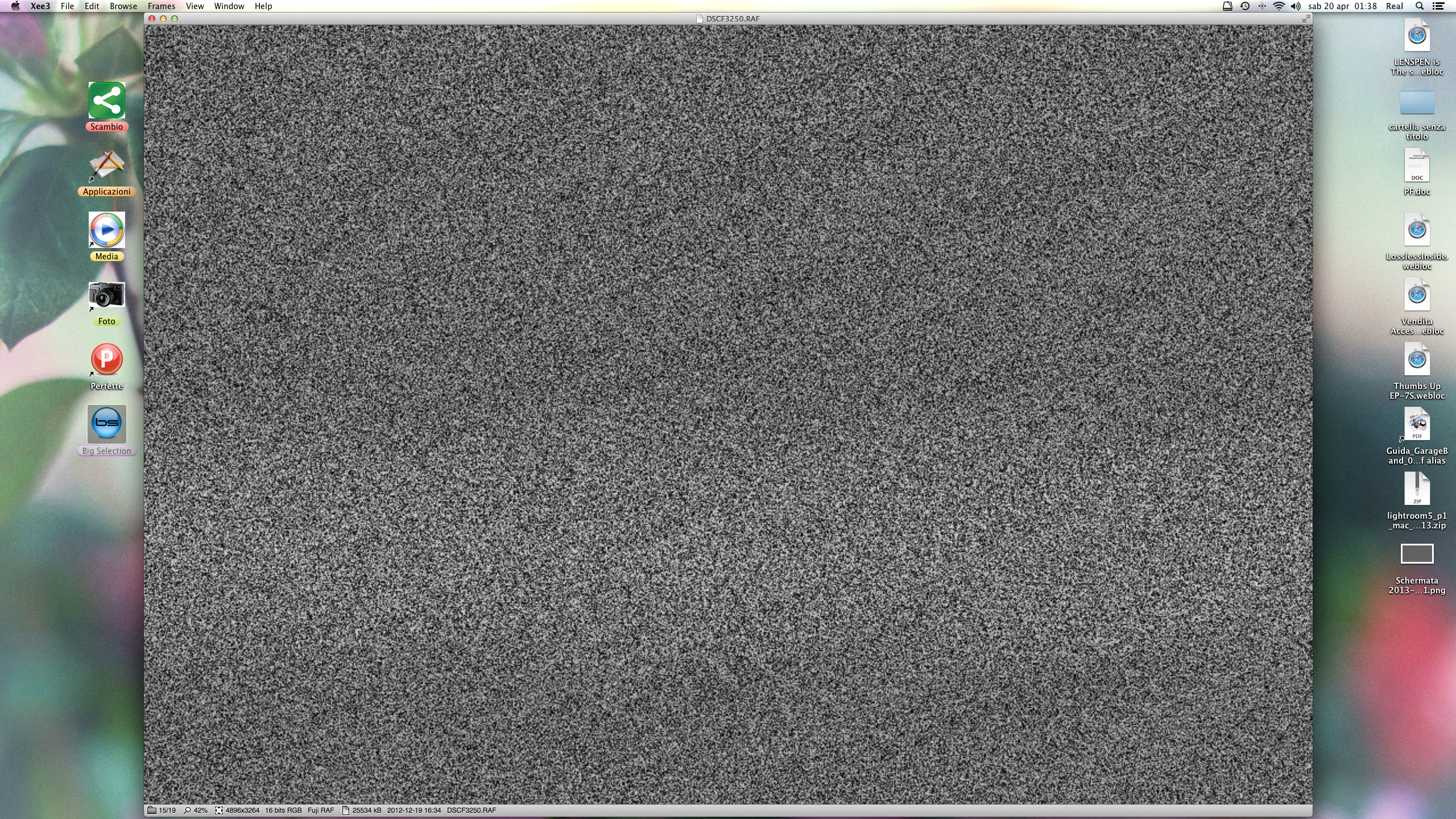
Tested beta 3, this is what I see while I wait aperture of files; sometimes with jpg for 1/2 sec and for RAF files 5 sec (!). (read above 372 tv interference...)
383 Name: citizentoni : 2013-04-21 02:22 ID:2bn+BFua
Dear Sirs,
is there a way to have Xee automatically zoom out (shrink to fit) after rotating an image? Because right now you have to first rotate, then zoom out with the "fit on screen" command (option + 0). Just selecting "shrink to fit" in the automatic view options doesn't force this behaviour.
thank you for your support
385 Name: again : 2013-04-22 00:38 ID:271DeCnO
I love this app.. I told everyone with a mac to install it and everyone love it.
the only thing I miss is.. the resize of the images I have a lot of images from my digital camera that are 12 megapixel and to quickly share with other people the only way is to resize them.
I agree that batch resize would be nice to have.. but I can live with that..
386 Post deleted by user.
387 Name: FanOfeXeeLence : 2013-04-22 02:55 ID:elS5Qq7u
About zoom levels switching images, Version 3.0 beta 4 (15)
Desired: when each image of a series comes up, shrink or expand as needed to fill the screen on this monitor; and then if I wish to further adjust, I can do so. Attempted to set this in the menus: FIt on screen, always fit on screen, shrink to fit, stretch to fit.
Problem: If I zoom in on a portion of the current image, when I move to the next image, I see only the same portion of that one; I am confused. Oh. It has 'remembered' that if I wanted to see only 1/5 of previous, then given me the same 1/5 of the next one.
Comment 341: said
> Now the only "big" problem I have is : "When changing images it stays at
> the same "zoom position" which was an option you could disable before."
to which there was the reply:
> Is there a particular use for resetting the view position? I couldn't think of one
> so I just left it at this behavior by default.
Hmm.... I think that the question might be usefully asked the other way around - is there a reason for NOT resetting? Or, to be more precise:
(1) The user has said to always begin by shrinking and stretching to fit on the screen.
(2) In addition, after an image was opened in accordance with #1, the user has gone on to further apply additional zoom to one image.
"Given (1) and (2), is there a particular reason for hypothesizing that a #2 should 'win' over #1? Is there a particular reason to hypothesize that a zoom level applied to one image will also be useful for the next one?"
Thank you for your excellent work on Xee, and I am glad to see that there is a new version in progress.
388 Name: FanOfeXeeLence : 2013-04-22 03:19 ID:elS5Qq7u
About full screen mode and multiple monitors Version 3.0 beta 4 (15)
I think this may be a limitation of Mac OS X, not Xee, so you would get double plus bonus points for working around it: when one presses splat-F, only one monitor is used, and often the wrong monitor.
Workaround: by contrast, if one puts one image into each of several monitors, and starts several slide shows, the right thing happens, with each remaining in its correct location, and each remembering its setting for Fit On Screen.
So this workaround is 'almost' good enough; the only thing wrong is that there is the window cruft (title bar, bottom bar, etc) and all the screen background; and of course it's not centered.
389 Name: FanOfeXeeLence : 2013-04-22 05:03 ID:elS5Qq7u
About full screen, continued from post 388
hey wait... that's a regression in V3 actually - just tried it with Version 2.2 and if I have two images open, one in monitor 1 and the other in monitor 2, I can start two slide shows, and press splat-F on one, then press splat-F on the other - and they run independently, each one filling one monitor.
By contrast V3 beta 4 (15) follows the aggravating model of some other Mac OS X products that splat-F means full screen on one monitor, blank out all other monitors.
390 Name: !WAHa.06x36 : 2013-04-22 08:09 ID:8riGvW3D
Here is a release candidate for 3.0:
https://xee.googlecode.com/files/Xee3RC.zip
I'll be uploading this to Apple soon, so unless somebody finds a showstopper bug, this is what will be 3.0.
Changes are:
- New icons. The previous icon was an old icon by Adam Betts, but it did not have high-resolution versions, so I had to recreate something similar.
- Various UI tweaks to polish things up.
- Made app name cuter.
- Removed some useless files.
- Tries to detect what kind of GPU you have, and to pick quality level accordingly. May be a bit conservative, so if you end up with Low quality, turn it up yourself.
- App now quits when all windows are closed.
391 Name: !WAHa.06x36 : 2013-04-22 08:16 ID:8riGvW3D
That post is about a different behaviour, which is already fixed. The thing you are describing is entirely by design. It will remain as it is, as it is quite useful in many cases. If you want images to fit on screen, zoom to the fitted size, and the next image will also be fit on screen.
This is standard Lion fullscreen behavior. I don't think programs have any control over this, unless they implement their own fullscreen, but doing so breaks many other features and is a very bad idea. You should report this to Apple if you want it to change.
392 Name: DJ.HAN : 2013-04-22 20:56 ID:qD/MQkxw
>>364 reported bug wasn't resolved in 3.0 rc It is disappointed. I think colorsync logic in Xee have a problem.
Also, there was a new bug.
1) open preferences window
2) close prerences window
3) then, xee3 was unexpectedly quit. there was no warning.
393 Name: !WAHa.06x36 : 2013-04-23 03:19 ID:UARe52Xd
Not really a bug, Preview does the same thing.
394 Name: bionx : 2013-04-23 05:31 ID:31pRzEL6
I don't know what technical reason behind this but on os x 10.8.3 xee 2 is still faster than xee3 rc. especially that tv noise effect while switching between images restrains me using xee3 over xee2. the implementation/algorithm/whatever cant be kept same in xee3 ? otherwise xee is still my fav. image browser on os x.
395 Name: M4he : 2013-04-23 06:49 ID:yqBhNNw+
Just a little feedback to the 3 RC:
- Please implement an option to disable the TV noise effect! Suggestion: either solid color (i.e. window background) or keeping the current image until the next one is loaded completely (would be even better but may be problematic with trackpad swipe transition)
- Please add an option to turn off the status bar
- Would be nice to have an option for switching the transparent image background (chessboard) with a solid color (i.e. window background color)
Apart from that, Xee 3 RC is really nice. Thanks for the hard work!
396 Name: FanOfeXeeLence : 2013-04-23 11:59 ID:elS5Qq7u
zoom behaviour:
Hmm, either you have not understood the meaning of my post, or
I have not understood the meaning of the word "Always".
Image 1: only 20% of it is showing because of zoom.
Press key to go to image 2.
Menu option "View / Always Fit Opened Images on Screen" has previously been selected
Given the usual meaning of the word "Always".... why would only 20% of image 2 show up?
Full screen behaviour: believe me, many people have complained to apple about this, for years. No luck. Given that splat-F can be usefully entered twice in V2.2, but only once in V3, that will be enough to keep me on V2.2 forever, which is unfortunate, because there is so much other stuff to like in V3.
397 Name: !WAHa.06x36 : 2013-04-24 02:31 ID:UARe52Xd
Note that this says "Opened" images. It only applies when you first open an image, not when you browse.
Also, the full-screen behaviour in 2.2 breaks other things, like switching between multiple fullscreen apps.
398 Name: K27 : 2013-04-27 04:15 ID:Dprw0QpB
Swipe browsing is nice, but could you keep the arrow key navigation?
It's one of the best features of Xee that blows preview out of the water.
Using spacebar and shift-spacebar just doesn't feel as natural as left and right.
399 Name: Anonymous : 2013-04-28 07:09 ID:G7bSzgy8
When opening images as zip or cbz files, xee shows the bottom of the first image, even with the option to keep the focus at the top. With the same images not compressed it isn't a problem.
400 Name: !WAHa.06x36 : 2013-04-28 16:00 ID:UARe52Xd
401 Name: Anonymous : 2013-05-01 07:07 ID:G7bSzgy8
>>400 I have FIt on screen, always fit opened images on screen, resize window automatically, immediately switch to fullscreen mode turned on. Also fitting options set to horizontally and scaling quality to low. I tried to change the settings but it doesn't fix the problem.
That reminds me, I would love the see the option to always start at the first page (to not remember the page I stopped at). The problem I was talking about actually also happens when opening a file it remembers what page I closed at. So the problem is really when opening of a group of compressed images.
402 Name: Anonymous : 2013-05-08 19:07 ID:H/X7lFIV
"The item you've requested is not currently available in the U.S. store."
403 Name: !WAHa.06x36 : 2013-05-08 20:32 ID:UARe52Xd
Yes, Apple is being ridiculous about approving it, as usual.
I uploaded another RC in the meanwhile which is not expired yet:
404 Name: Anonymous : 2013-05-09 12:35 ID:hOXcW6Hw
>>403
Thanks. Wasn't sure what was going on.
Is there a way to skip having to click 'browse' every time I want to explore a new directory on 10.8?
405 Name: Anonymous : 2013-05-09 18:58 ID:0Hc0Cl+L
By accident I removed a keyboard shortcut in 'Preferences'. Can I restore it?
406 Name: !WAHa.06x36 : 2013-05-10 04:03 ID:UARe52Xd
407 Name: Averin : 2013-05-27 12:04 ID:LeTMvadF
Please make the following versions of the program the ability to display the next picture from the top, rather than the center of the image as it is done now. Sincerely yours permanent member!
408 Name: Pär Thernström : 2013-06-06 09:56 ID:9UHCp8zv
Just tried the RC2 and all seems fine, except I really dislike the ants/grey pixels-thingie while the next image is loading. It feels very unnecessary and it kinda disrupts the "emotional flow" while browsing images. Please consider making it optional (if not already, I might have missed it).
Btw, thumbnail support would be great too. Saw this old issue about that and I kinda really like that approach: https://code.google.com/p/xee/issues/detail?id=102
Thanks for a great and fast and slick app!
409 Name: Heribert : 2013-06-07 22:03 ID:zpbbj2Qt
Hi! I really like using Xee and am happy it is developed further. But... looks like RC2 has expired today?
410 Name: Taper : 2013-06-08 03:20 ID:ZHhrQnYz
Yes, RC2 has expired. Fortunatley I have a mildly hacked Xee2.2 that can tide me over until either another RC is released or the App Store gets around to approving the release. Thanks, WAHa.06x36, for all your work.
411 Name: !WAHa.06x36 : 2013-06-08 03:40 ID:UARe52Xd
I was hoping to get a version out that uses Paddle rather than the App Store before the RC expired, and it's done and ready to go but apparently I have to wait for them to update the price before I can release it. Hopefully I'll get them to do that today, otherwise I'll have to figure something else out.
412 Name: !WAHa.06x36 : 2013-06-08 08:36 ID:UARe52Xd
All right, http://xee.c3.cx/ is now live. You can download a trial version there, and get a license for it.
At some point, there will most likely be an app store version too, but that as usual depends on Apple, who are amazingly slow.
The current version uses paddle.com to handle licenses. It does have one advantage over the app store version: It is not sandboxed, so no annoying nagging dialogs!
Please report any problems with the activation, or the program.
413 Name: !WAHa.06x36 : 2013-06-08 08:36 ID:UARe52Xd
Also, if paddle.com turns out to be useful, and people like it, I will probably also add The Archive Browser for sale there, so do speak up if you want that.
414 Name: Jatayu : 2013-06-08 12:53 ID:Kqd6xxm4
I bougt Xee 3.0 and very happy with it. I was waiting for this moment for 15 years!!!
Thank you so much!!!
But just keep it as viewer - light and fast, don't add too much unnecessary features. And don't try to make another Photoshop from it.
Only one thing makes me unhappy - that black and white ants while next image is loading :-(
Good Luck!
415 Name: Fei : 2013-06-08 15:30 ID:dk9xEnyh
I really liked Xee up version 2.2 and seeing finally a 3.0 released maked me very happy to see continued developed.
Unfortunately i think that the new version is in the current state too slow to be usable like it was on 2.2. I see from comments that some things will not change, but i find that browsing rapidly even on low quality will trigger the loading grain effect very often. Is not really a problem that this effect appears during loading, the problem is that it take a long time to 'recover' from this state, often seconds where i think the application is trying to catch up by loading all the images skipped and in the during this time the application is kinda freezed.
The reduced performances is noticeable when loading a image folder that has as little as 250 images, but is a lot worser for loading archived files: for example a 16 MB zip with 30 images in it will take like seven seconds to load.
(note that my mac is the latest top of the line 27 imac, so i think i can rule out problems from under performing hardware)
I see that you can't do much for fullscreen, but really the osx style fullscreen is awfully bad if you have a multiple monitor setup. A custom solution is probably harder but the actual mode is really a big step back for multiple monitors.
The fact that the application does not do fullscreen in the screen where the window is positioned is a bug i think: at least Preview will use as fullscreen the screen where the window currently resides, Xee always use the main screen (also it moves the window to the main screen when exiting fullscreen).
I hope that some of the issues can be at least reduced, i really liked Xee and i'm more that willing to pay to a new version that can keep up on the performances.
416 Name: !WAHa.06x36 : 2013-06-09 05:41 ID:Heaven
Is that with GeForce graphics?
417 Name: Heribert : 2013-06-09 09:34 ID:CDTaar1Q
Thank you so much! I just read your reply and immediately bought a license. Thx for all your work releasing this product!
418 Post deleted by moderator.
419 Name: Fei : 2013-06-09 15:38 ID:dk9xEnyh
>>416
Yes, the current iMac lineup has for graphics the GT/X 6xx M/X line. In my case it's the GTX 680MX.
420 Name: !WAHa.06x36 : 2013-06-09 18:49 ID:UARe52Xd
421 Name: Fei : 2013-06-10 01:41 ID:dk9xEnyh
>>420
MUCH better performance wise. I think that with this version most of the loading related problems are gone for me.
Navigating and skipping a bunch of images does no trigger more the slowdown/semi freezing that i was reporting: it just does the grain for a fraction of second and it recover fastly.
Loading a big folder of images now is faster, a 800 image folder is just a flash wait for the first image to show.
The most improved is archive loading. Large files of 180 mb take just 1-2 seconds, light 20 mb archives are loaded istantly.
(all of this in 'high' setting)
I will use the trial as my main image viewer for the next days and if it works well i will buy a copy.
I think that some things still needs to be addressed tough:
- CPU use is kinda high : without any image loaded is in the range of 2/3%, with a (static) image loaded it's 4/5% and the system process WindowServer shoot up to 4/5% also. If i open another image folder the cpu use will bump up of 2% (this is cumulative: even if don't see a scenario for me with more than 2/3 images open, every time i open a folder the cpu usage will bump up of around 2%)
- Full screen on multiple monitors, specifically the bit that i can't seem to make a full screen on the secondary monitor by placing the window on it and going full screen. Preview does it. (in general, os x system full screen sucks for multiple monitors, so i would prefer a less integrated custom solution. But i see that's not an easy choice: i hope it can be addressed, maybe with Apple finally waking up on this issue)
Thanks for the good work.
422 Name: !WAHa.06x36 : 2013-06-10 04:11 ID:UARe52Xd
It seems the redrawing of the statusbar was running all the time for no reason. That's fixed. Good thing you noticed!
Also, I finally managed to dig out the parts to set up a multi-monitor setup, so I found the bug that was causing it to use the wrong screen.
423 Name: Fei : 2013-06-10 06:22 ID:dk9xEnyh
>>422
That's excellent! I just tried the new build and i can confirm that the excessive cpu usage has disappeared: now without windows open Xee is virtually 0% cpu and with a single window is around 0.1/0.2%, with a bump of 0.1/0.2 every window open. The WindowServer process also stays quiet at his usual 0.5/1.0%. In any case, the process is now practically unnoticeable.
Great also for the full screen, i confirm that now is working as intended: the window goes fullscreen in the screen where is positioned. I tried also placing a window in each monitor and for both fullscreen is activated in their proper monitor.
For fullscreen there are some minor graphical glitches, but nothing really important. The first occurs when exiting fullscreen: a 'flash' of the patterned fullscreen background appears for a fraction of second. The second thing happen when doing fullscreen on the secondary monitor: if i go in fullscreen and then return to window just after the animation terminates(using keyboard shortcut), sometimes the secondary monitor remain like in fullscreen, with the black background around the image. Doing any type of navigation or entering/exiting again fullscreen restores the situation.
In any case now that all the major problems for me are quickly gone, i happily payed for the license.
Thanks again!
424 Name: marc2o : 2013-06-10 09:24 ID:pBh17E7k
I’m glad to see Xee has been upgraded. :) Unfortunately, I am missing the color cycling animations of my old AMIGA graphics, which used to work in Xee 2.x (you could toggle the animation pressing [a]). Is this feature going to return to version 3 or am I just unable to see it?
Thanks for this awesome app! :)
425 Name: !WAHa.06x36 : 2013-06-10 10:01 ID:UARe52Xd
It is meant to be there, but maybe I changed the key for it. Try to look in the menus for the animation stop/start option.
426 Name: !WAHa.06x36 : 2013-06-10 10:29 ID:Heaven
Also, it seems people's complaints about OS X full screen are finally actually getting addressed in 10.9. So I guess that settles that.
427 Name: marc2o : 2013-06-10 10:57 ID:pBh17E7k
That’s what I did. It’s grayed out in the Frames menu. Start Animation isn’t available; and that’s the only option I could find. It seems to work only for »real« animations with multiple frames, but not for color cycling effects.
429 Name: !WAHa.06x36 : 2013-06-10 11:25 ID:UARe52Xd
Yes, it was. Fixed now. Should work in the next version.
430 Name: marc2o : 2013-06-10 11:30 ID:pBh17E7k
Thanks a lot for your quick response and for clearing that up. :)
431 Name: tabbRunner : 2013-06-11 19:01 ID:AfOr3XF8
I am new to Zee and I have been experimenting with various keyboard short cuts.
I would like to be able to copy a photo and send it to another folder.
I think I use copy to Destination #1 etc. How do I set up these Destination folders.
I'm guessing the folder would have the name Destination #1.
But where do I put it?
Thanks
432 Name: !WAHa.06x36 : 2013-06-12 02:25 ID:Heaven
Use the normal move or copy items in the File menu to open the list of destinations. Pick a destination and it will be automatically added to the list, or else you can drag and drop folders into the list.
433 Post deleted by user.
434 Name: tip : 2013-06-12 02:46 ID:gNJ3EGz3
I'd like to propose some feature requests, if I may...
1) I've read that you mentioned about having compatibility issues with resizing windows but the toolbar was a very handy and important feature in Xee 2. Please consider bringing it back. Maybe an implementation where user can summon it by hovering over/near the title bar etc...
2) An option to maximize the window instead of toggling between vertical-fit-sized window and horizontal-fit-sized window. Like it was in Xee 2.
3) For mouse-dependant users, ability to zoom with (mouse scroll+modifier key) or even better with (right click+scrolling) while preserving the ability to browse with regular scrolling.
4) Ability to change background color (style independent).
5)A loading indicator instead of noise effect.
6) Option to select whether keep track of recently opened files or not.(Enabling/Disabling recent file list).
7) In app updates. Maybe 'sparkle' or 'update-engine'?
8) Ability to remove geo-tag from image files. I think ExifTool already has this feature. I use a home made automator "app" for this purpose which has a simple shell command 'exiftool -gps:all= -overwrite_original_in_place -preserve "$f"'
Thanks in advance
435 Name: Smee : 2013-06-12 07:50 ID:Bsuuuw8z
I need to chime in with #434...
5) Loading indicator... A small progress bar (since large will look silly), or if not possible, given the current codebase, just the current "Style" background with a rotating circle in a matching color.
7) Would be awesome too, but I can download files manually too.
-------------------------------------------------------
... a bug report
When you view an image full screen, skip to the next in list, and switch to another screen, a previous image will remain in the full screen preview. When zooming in, the most recent image replaces the one on screen, but you can still change to another screen and see the behaviour again.
-------------------------------------------------------
... And a couple of personal requests...
A) Keep releasing non "app store" releases in the future too - the sandboxing in the betas felt bad :( ...
B) Configurable caching (assigned memory or simultaneous loaded image count or a similar measurement), so browsing network shares with photos becomes more effective, given the configured resources and bottlenecks. Some kind of indicator of how much is cached would be nice (% memory, or X out of Y images, with the X counting up for every new image that is cached, or something like that).
Add 5 and B and I'll remain your customer for this lifetime... :)
436 Name: !WAHa.06x36 : 2013-06-12 09:32 ID:Heaven
> When you view an image full screen, skip to the next in list, and switch to another screen, a previous image will remain in the full screen preview. When zooming in, the most recent image replaces the one on screen, but you can still change to another screen and see the behaviour again.
This sounds like an OS X bug. I don't really have much control over what the preview icon shows. It might be worth reporting to Apple.
> Keep releasing non "app store" releases in the future too - the sandboxing in the betas felt bad :( ...
I definitely plan to. It's really good to have a way to release updates without waiting for weeks for app store approval
> Configurable caching (assigned memory or simultaneous loaded image count or a similar measurement), so browsing network shares with photos becomes more effective, given the configured resources and bottlenecks. Some kind of indicator of how much is cached would be nice (% memory, or X out of Y images, with the X counting up for every new image that is cached, or something like that).
I was meaning to do some kind of better caching, but I still haven't worked out what a good model would be. Hopefully it will get done at some point, though.
437 Name: cpeck : 2013-06-13 20:27 ID:aJ8+omxV
I just downloaded (and instantly licensed) Xee3 v3.0.5
I am using a very beefy Mac Pro with ATI and the image files are on local HDDs.
The files load very slowly... I get 2 fast ones and then it loads for 4 seconds and I get another 2. I tried fiddling with all the settings, to no avail.
Zee v2.2 did not do this at all. My camera spits out very large pictures and I use Xee to preview through them just after processing from NEF to JPG.
Please help.
438 Post deleted by user.
439 Post deleted by user.
440 Name: !WAHa.06x36 : 2013-06-14 02:21 ID:Heaven
I'm not sure what would be going on there. You could try to get a sample of the process using Activity Monitor while it is stuck loading and send that to me.
441 Name: cpeck : 2013-06-14 04:57 ID:TFSwqqPI
It is also doing it on my MBP Retina. Same 2 pics then 4 secs then 2 pics, etc. The Xee 2.2 that the MP and MBP Retina have had for ages worked flawlessly and were lightning quick. Of course, they didn't print or have the new functionality that Xee3 has.
442 Post deleted by user.
443 Name: cpeck : 2013-06-14 05:17 ID:aJ8+omxV
Ok... on both systems, I tried 3.0, 3.0.1, 3.0.2, 3.0.3, and 3.0.5 (couldnt find 3.0.4). They all have the same problem. Went back to Xee 2.2 - perfect. I will be staying with 2.2 until the next release of Xee3 comes out as speed is vital when sifting through hundreds of 20mb .jpgs... I hate having paid for a license that I will not be using until this issue is resolved. Please advise.
444 Name: cpeck : 2013-06-14 07:42 ID:aJ8+omxV
Also, I noticed that the [?] no longer zooms way in when you hit it. I use this quite a bit to check for perfect focus. Can this be toggled on/off in Xee3?
445 Name: !WAHa.06x36 : 2013-06-14 14:02 ID:Heaven
446 Post deleted by moderator.
447 Name: Michael : 2013-06-17 06:11 ID:TEwrqVlb
1) It was difficult to buy a license. The CC / PayPal info went off screen and the window was unable to be resized so I could see it. Only way I could end up buying was I noticed the side of a text input box on the edge of the screen that I clicked in, and this then centered on the CC info (could not for the life of me find a working link etc. for PayPal even though that was an advertised option). Recommend making window resizable or put CC details on separate screen.
2) Still no 1:1 pixel support for retina displays, despite earlier betas / modifications supporting this. This is the ONLY thing stopping me from really enjoying Xee. I've been a long-time Xee user (many many years), and even donated before, though I would drop Xee if I found a suitable image program that supported 1:1 image display.
448 Name: !WAHa.06x36 : 2013-06-17 06:22 ID:Heaven
The payment system is up to Paddle.com, so report any issues you have with it to them.
I might look into a 1:1 option for Retina for the next release, but if you want to make sure I don't forget, file an issue about it on the bug tracker.
449 Name: ajchun : 2013-06-24 22:58 ID:xrBLkKL0
are you still going to release an app store version? i want to buy it but i'm wary of using paddle.com.
450 Name: !WAHa.06x36 : 2013-06-25 10:10 ID:Heaven
Ask Apple. I've never seen them drag their feet this much.
451 Name: Anonymous : 2013-06-26 13:39 ID:a/pnrdEB
great app. waiting to buy it from the app store
452 Name: !WAHa.06x36 : 2013-06-28 02:40 ID:UARe52Xd
3.0.6 has been released:
http://wakaba.c3.cx/releases/mac/Xee3.0.6.zip
This one has an updated version of Paddle that allows you to buy with PayPal. Also has slightly toned down noise while loading for those who find it too distracting. Also, that colour cycling bugfix from earlier.
453 Name: bunam : 2013-06-28 14:20 ID:zOmkq/Ya
454 Name: Anonymous : 2013-06-28 18:28 ID:qap8nEA2
Can you make it so hitting the next key when you have an image open that doesn't fit the window first scrolls to the bottom, then if you're already on the bottom it skips to the next image? It'd be way convenient for comics. It's the default behavior of http://dancingtortoise.com/simplecomic/
455 Name: !WAHa.06x36 : 2013-06-29 06:54 ID:HLzWGoTF
I might add a separate key for that kind of thing. Currently, you can already do it with touch scrolling, but not from the keyboard.
File an issue on the bug tracker to make sure I don't forget it.
457 Name: Tex : 2013-07-02 06:44 ID:+nXp+Ctz
Hey there, my favorite app developer! Is there a hack to remove the noise/grain effect? Looks amazing. Love all the new icons and everything.
458 Name: Tex : 2013-07-02 06:46 ID:+nXp+Ctz
Just updated my OS so that I could try it out. I like everything, but is there a way to turn off the noise/grain effect? Even just a little hack would be nice.
459 Name: KmSm : 2013-07-02 13:30 ID:a/pnrdEB
status bar hiding option
460 Name: Dave : 2013-07-03 14:07 ID:Puu64+fU
As much as I'm absolutely elated that Xee is finally getting updated, I'm not a big fan of v3 and have gone back to v2 :(
- full screen sucks: can you please add "non-Lion+" style FS option? I hate having FS open in a new "desktop". since I use multiple monitors, that gets annoying fast.
- it doesn't preload next image: as I'm going through folder, why isn't Xee preloading next image as I'm pressing space to go to the next?
- that noise effect is annoying as hell: coupled with no preloading, I see that effect all the time and it's driving me nuts. please have an option to disable it :)
that said, Xee3 is amazingly fast and I've paid for it and I'm happy to support you for all the work. I'm sure v3 will eventually become superb!
thanks!
462 Name: K : 2013-07-03 23:39 ID:NuxwnRhr
I'm so happy to see this superb app is finally receiving updates! :) :) :)
In that vein, I hope you will soon implement options to disable the TV noise effect, which is very distracting to me, and to hide the status bar. Until then, I think I'll be sticking with good old v2.2 :)
Also, IMHO, the black style would work a lot better without the white horizontal line on the top bar.
Keep up the great work! :)
463 Name: !WAHa.06x36 : 2013-07-04 09:26 ID:UARe52Xd
It is definitely preloading. I am not sure why it would not work for you?
464 Name: PZ : 2013-07-05 18:43 ID:jMTg6PVz
On a Macbook Pro, there's no + key without using Shift, so Zoom In with the + key doesn’t work...it's always Fine Zoom. Why not Command + and Command - for zooming, as in most other Mac apps (including Xee 2)?
465 Name: FastFinger : 2013-07-08 15:26 ID:OIsCpdEQ
Great program! Would love this as a default image viewer but I have one issue - which maybe user related - please tell me if I've missed something in the settings ...
I would like to browse only selected images in a folder. If I double click on any image within a folder, all images in that folder are displayed. This is not good for just a quick look nor if you just want to show a few pics to someone (without having to creat a new folder to move those pics into).
Thank you answering and for this excellent app!
466 Name: !WAHa.06x36 : 2013-07-08 17:39 ID:UARe52Xd
That is just how the program works. I find it quite useful for a quick look, exactly because you don't have to select which files to show, you can just flip through them.
467 Name: Aktariel : 2013-07-08 20:57 ID:wgZVKdzx
Love Xee.
I've noticed three things that bug me (no pun intended).
1) Speed / noise effect. As others have said, Xee 2.2 is much faster at flipping through images on a remote share (or even on my computer) so the slowdown combined with the noise effect winds up getting me even more aggravated than either of those alone.
2) Retina support. Please please please give us an 1:1 pixel mapping option.
3) Toolbar. Did I miss something, or did the toolbar for manipulating images without dipping into menus disappear? (Super annoying if I want to rotate an image counterclockwise, since there's not even a keyboard shortcut for that).
468 Name: Patrick : 2013-07-08 23:04 ID:3m3lOuU4
Another vote to turn off the noise / snowflake / tv static effect, it's not adding to the experience for me and for images that don't require processing time, it's actually slowing things down from being rendered on screen.
469 Name: !WAHa.06x36 : 2013-07-09 02:06 ID:UARe52Xd
> it's actually slowing things down from being rendered on screen.
It isn't, in general. It is only shown while the image is not yet loaded.
470 Name: Patrick : 2013-07-10 04:57 ID:3m3lOuU4
When an image is only 50kb and the snowflake is being brought up... then something is seriously wrong with Xee :|
471 Name: !WAHa.06x36 : 2013-07-10 08:24 ID:UARe52Xd
Well, without a way to reproduce that I can't do anything about it.
472 Name: !WAHa.06x36 : 2013-07-11 15:23 ID:UARe52Xd
If you can actually believe it, Xee is now live on the App Store. Just took a month and a half of multiple appeals and useless re-uploads before they realized they had already OK'd it a long time ago. Geeeeeez.
473 Name: Freeloader-san : 2013-07-11 21:12 ID:Bsuuuw8z
I haven't heard anything official about the "static noise" loading effect - even after many people complaining about it. Will this effect remain? Will it be configurable? My evaluation period is over and I'd just like to know what the official response to these complaints are before purchasing.
474 Name: Bruno : 2013-07-12 07:36 ID:716/TqQ9
Hi, I have been using Xee for years and just LOVE it.
I am to buy Xee3 (currently using the demo) but may I ask you something : I would NEED an option to disable antialiasing as in Xee2.
It is one of the reason I use Xee as my default image viewer.
(Though I have discovered that depressing the arrow keys actually disable the antialiasing :-) but this will not work if the image is zoomed in or out, since the arrow keys scroll the image )
Thank you in advance !!
Best regards.
475 Name: Bruno : 2013-07-12 07:46 ID:716/TqQ9
In addition : the arrow keys disable the antialiasing only when "scaling quality" is "low".
476 Name: Bruno : 2013-07-12 07:47 ID:716/TqQ9
In addition : the arrow keys disable the antialiasing only when "scaling quality" is "low".
477 Name: !WAHa.06x36 : 2013-07-12 16:45 ID:Heaven
What exactly do you need this for?
478 Name: Bruno : 2013-07-13 00:30 ID:716/TqQ9
Hi,
when I browse a pictures folder, this allows me to very quickly see the pictures that are not perfectly in focus, so that I can delete them, without having to look at them at 100%.
Also I must say that antialiased images always look blurred to me...
I don't like that, and most often watch my pictures without antialiasing (with Xee2, or ViewIt).
One more thing : it would be great to be able to choose the background color, as with Xee2.
I use a Macbook Pro with a black frame around the display.
When watching 3:2 ratio images, I have a grey strip on each side of the image, which is not nice.
With Xee2 I chose black for background color = no grey strips.
Other than that, Xee3 is great, thank you so much for creating it.
I love it.
And will help you by buying it.
Cheers.
479 Name: Patrick : 2013-07-13 19:08 ID:3m3lOuU4
Just go to any folder with around 50-100 files, all around 50kb. Go to Google Images, search for "basketball" and download all the thumbnails. Open the folder with Xee and scroll with a mouse. You will get the snowflake effect. These files are all less than 50kb.
I'm on a 2009 Mac Pro 4,1 with 32GB RAM and a 5770 GPU.
PS - I bought Xee 3 the day it was released. I may sound like I'm griping but I've been a long time user and am happy with your product. I'm sure you like the static/snowflake noise effect as may other users, but adding an option to turn it off doesn't seem to be a really tough deal.
480 Name: !WAHa.06x36 : 2013-07-14 03:05 ID:Heaven
That is probably just that OS X can not create that many loader processes that fast, and will lag a bit if you flip through very many images quickly. I wish there was a way to deal with that but I haven't found one. Turning off the loading animation is not going to change anything there.
481 Name: Anonymous : 2013-07-14 06:51 ID:9AbbuEWk
Just a question, how are updates handled for the Paddle version?
482 Name: !WAHa.06x36 : 2013-07-14 10:20 ID:Heaven
Manually, for now.
483 Name: Anonymous : 2013-07-14 23:35 ID:ct+ATLwr
How about the static effect. Will it be possible to disable it or not?
484 Name: !WAHa.06x36 : 2013-07-15 17:16 ID:Heaven
As I said, I'll be adding some options later.
485 Post deleted by moderator.
486 Name: matt m : 2013-07-24 17:32 ID:ujqx2OrH
In xee v2 i mapped my middle mouse button to the keystroke for "shrink to fit". I could toggle between shrink to fit and actual size by pressing the button. This behavior seems to be missing in v3. Both the "actual size" and "fit on screen" actions do not toggle. Is there a way to do this now in v3 or is the functionality missing?
487 Name: !WAHa.06x36 : 2013-07-25 08:46 ID:Heaven
Yeah, the shrink to fit flag works slightly differently now.
488 Name: Joel K : 2013-08-03 22:23 ID:gWyLEMmC
The Static screen is horribly distracting when browsing images. I think I'm going back to Xee2 until you add an option to remove it.
489 Name: Joel K : 2013-08-03 22:23 ID:gWyLEMmC
The Static screen is horribly distracting when browsing images. I think I'm going back to Xee2 until you add an option to remove it.
490 Name: !WAHa.06x36 : 2013-08-09 07:25 ID:UARe52Xd
So, 3.1 has been released. The App Store version is not there yet but will follow shortly. Changes are:
- Options for different loading animations.
- Directional browsing keyboard shortcuts now also scroll the image.
- Better colour matching, with support for multiple monitors with different colour profiles.
- Added an option for whether Xee should use the discrete GPU on machines that have one.
- Added separate options for which file types to open from the Finder, and which to browse.
- Fixed crashing on 10.9 in the non-App Store version.
- Some tweaks for keyboard shortcuts, and better functionality on the dvorak-qwerty layout.
- Bug fixes for the infamous PSD loader.
- Add quantization table detection for many Olympus cameras.
491 Name: Anonymous : 2013-08-09 09:07 ID:KTbavobT
Since we are no longer in AppStore, how about an option to disable lion fullscreen mode?
492 Name: !WAHa.06x36 : 2013-08-09 09:28 ID:Heaven
It would require a lot of work for very little benefit, so not likely to happen. Fullscreen will work better in 10.9 anyway.
493 Name: !WAHa.06x36 : 2013-08-09 14:22 ID:Heaven
3.1 should be live on the app store too now.
494 Name: Anonymous : 2013-08-11 14:36 ID:gGb9YdyK
How hard would it be to implement a way to use a MAS bought copy to unlock the non-sandboxed version, like Coda? https://panic.com/coda/support.html
495 Name: !WAHa.06x36 : 2013-08-11 15:55 ID:Heaven
I've been thinking about it. I'd have to either interface with the paddle.com license system, though, or create a third version. Both are a bit of a pain so I haven't done it yet, but it's something I would ideally like to do.
496 Name: Anonymous : 2013-08-14 06:58 ID:TWIMcNJE
When switching between images with multitouch swipe, the option to focus on the top right or left corner works, but when I switch with a keyboard shortcut it doesn't.
Also, when I open a file, it doesn't focus on the top, but that was already happening before the latest update.
497 Post deleted by user.
498 Name: !WAHa.06x36 : 2013-08-14 07:31 ID:Heaven
File an issue on the bug tracker to remind me to look into it when I get around to the next round of updates.
499 Name: Anonymous : 2013-08-17 06:34 ID:ct+ATLwr (Image: 640x480 gif, 2165 kb)

Thanks for adding optional "loader" screens; now I felt comfortable paying up... :)
Please see the attached GIF (it causes a Xee crash).
500 Name: !WAHa.06x36 : 2013-08-17 08:56 ID:HLzWGoTF
Interesting, I'll have a look into what is going on with that one.
501 Name: Patrick : 2013-08-17 12:24 ID:lR7Rq/33
Thanks for the loading options, very much appreciated.
Hopefully Mavericks comes out soon, I have 5 monitors and whenever I go into full screen in Xee3 my other 4 monitors become totally useless.
502 Name: Milliways : 2013-09-01 21:23 ID:AvzF0isU
I have been using Xee 2.2 for a while as an image viewer, since migrating to a Mac.
I wanted to rotate some images, and downloaded the Xee3 trial.
My first reaction was disappointment; the buttons to move images are gone and the cryptic symbols in the Browse menu don't correspond to anything I have seen before.
I gather swiping works, but I HATE swiping with a vengeance - it is so much easier to click (which works with a wireless mouse) or use keyboard.
In Preferences I did find Keyboard shortcuts, but there seems to be no Help or anything to explain what most of these actually do. (I know Apple Help is not easy to write, but it can be done).
I did manage to losslessly rotate, but this requires 2 operations ⌘R plus ⌘S, and then I discovered that this changes to file date - requiring yet another operation (using jhead) to restore the date. (There should be an option to retain dates.)
My own image program (on Windows) automatically losslessly rotates in a file, and retains date information, but I was trying to avoid the effort to write a Mac version.
PS Some of these comments may have already been addresses, but there seems to be no search facility on the support site.
PPS Open Recent does not seem to remember any of my previous files.
503 Post deleted by user.
504 Name: Bruno : 2013-09-10 07:17 ID:F4f2oyN7
Hi,
images were much sharper in Xee2 than in Xee3.
Here is an example, in Xee3 scaling quality is set to "high", in Xee2 antialiasing quality is set to "sharp, high".
Xee3 on the left, Xee2 on the right.
One of the first reasons I was using Xee is the ability to see sharp images.
It's no longer the case with Xee3, and it is very sad !!
Do you think you can fix that problem ?
If yes I will buy Xee3: I love it, but I need to see sharp images.
Thank you.
505 Name: Bruno : 2013-09-10 07:18 ID:F4f2oyN7
Hi,
images were much sharper in Xee2 than in Xee3.
Here is an example, in Xee3 scaling quality is set to "high", in Xee2 antialiasing quality is set to "sharp, high".
Xee3 on the left, Xee2 on the right.
One of the first reasons I was using Xee is the ability to see sharp images.
It's no longer the case with Xee3, and it is very sad !!
Do you think you can fix that problem ?
If yes I will buy Xee3: I love it, but I need to see sharp images.
Thank you.
506 Name: Ken : 2013-09-15 20:55 ID:DLaK8tYd
Hi. When I am browsing images in a folder, I rename ones as I go sometimes (like if I see a car photo, I renamed dscn1029.jpg to cars_dscn1029.jpg for example). Problem is, when I do that it usually changes where I am in the browsing order. In the example, it would move me to the beginning of the list again as "c" in cars comes before the "d" in the dscn filenames. I hate losing my place.
Is there any way to make it so I rename a file and it stays where I was in the list? Thanks!
507 Name: !WAHa.06x36 : 2013-09-16 12:18 ID:UARe52Xd
Not currently. It's a tricky problem, because some people would be equally annoyed at the list not being properly sorted afterwards.
508 Name: Yvette : 2013-09-22 17:28 ID:SMMerpLf
Will there be any future functionality to edit Exif data that is displayed?? Then I might buy the new version :)
509 Name: Anonymous : 2013-09-25 23:35 ID:7Lrd2CfL
>>507
Ken's sorting issue is what's bothered me with Xee for years. After renaming a file, I lose my position in the list and then you have to figure out another way to rename a large list of files. I use Finder for that simply because Xee drives me nuts. Why not just keep the current order static until you close the image?
Here's some more issues (this is all Xee3).
- Preloading issue: After deleting a file, there is a delay before Xee shows the next image. It shows it immediately if I press space (or whatever you have for next).
- Folder to save a file is random/last folder used? When saving/exporting a file, why not default to current image folder? Xee has been doing that for years and years.
- How about a simple resize option? Input percentage or pixel size and export. It can't be that difficult :)
Thanks! I'm loving Xee3 but I feel that Xee2.1 is still somehow faster. It just seems faster on my computer (2010 MBP).
510 Name: !WAHa.06x36 : 2013-09-26 13:18 ID:Heaven
File issues about 1 and 2, they seems to be real bugs. (Otherwise I might forget about it.)
3 is planned, but it is more annoyingly hard to really do right than it seems. (It's easy to do badly!)
Also, there's at least one performance issue that I am working on fixing still, so it should get a bit faster at least.
511 Name: Anonymous : 2013-09-26 13:40 ID:2E4NQLRN
Thanks!
BTW, for Issue 1, the preloading bug… preloaded image is also "lost" when you move a file (pressing Ctrl+1 etc). Next image is clearly loaded again even though it is shown immediately if you press space. So moving and deleting is somehow messing up preloading. I think this is one of the major sources of "slowness perception" of Xee3. Xee2.1 has none of these preloading issues and when I go through files to move/delete them, it is just a lot faster (I deal with large 5Mb+ files from a camera so that preloading issue is really perceptible).
512 Name: !WAHa.06x36 : 2013-09-26 18:11 ID:Heaven
Oh, and I just noticed 2 was already reported on the tracker so no need to file that one.
513 Name: !WAHa.06x36 : 2013-10-11 16:31 ID:UARe52Xd
3.1.1 has been released. It contains nothing but a bugfix for the Paddle framework on Mavericks (it was crashing). The App Store version will not be updated, as this does not affect it.
514 Name: !WAHa.06x36 : 2013-10-11 17:06 ID:Heaven
Or maybe it does not actually work. Sigh.
515 Name: QBoy61 : 2013-10-20 12:56 ID:pHfKUG5B
Excellent update!
Wish list:
1.) Adjustable background color instead of gray.
2.) Reset zoom to default on selection of next picture.
3.) Some people may like the spinning "clock" when you select a new picture but I'd prefer to hold on the current picture until the new picture is loaded then switch.
4.) Maybe a quick blend to the next picture (quick 0.25 second)
Keep up the good work!
516 Name: !WAHa.06x36 : 2013-10-24 10:45 ID:UARe52Xd
3.2 has been released. The changes this time are:
- Somewhat faster image loading for large images.
- Added option to hide status bar.
- Export panel now defaults to the same folder as the current image.
- Added reverse name order option for swipe browsing, and also the possibility to disable it.
- Fixed an issue where you might lose your position in the image list when quickly deleting images.
- Some graphical fixes.
- Small bug fixes for Mavericks.
- Other small bug fixes for rare issues.
517 Name: Patrick : 2013-10-29 00:58 ID:xvHdgIUV
Full screen in 3.2 Mavericks is making all the other monitors blank out grey, like it was before in ML
518 Name: Marcel : 2013-11-06 22:15 ID:fwuGkKCb
I LOVE XEE. Such a great app, such a great price. I bought it on a whim, and it's already an integral part of my workflow!
Thankyou, that's all. Keep up the awesome work. :)
519 Name: Darrell : 2013-11-07 10:08 ID:QCoWrI3X
Would it be possible add a feature to be able to make the whole window transparent. This way it, when used with "Float on Top", photos can be used as a tracing guide.
Thanks!
520 Name: Martin : 2013-11-09 04:31 ID:jwxYl9UJ
but one question, is it possible to save last settings to default? so it opens with all the settings from last use?
521 Name: !WAHa.06x36 : 2013-11-14 07:29 ID:UARe52Xd
3.3 has been released! Changes are:
- Added Share menu option to share images through mail and social networks, and also to add them to iPhoto and Aperture. (Only available on OS X 10.8 and up.)
- Much improved loading speed for large images.
- Fixed crashes and graphical distortion on computers running OS X 10.7.
- Added Style tab in preferences, that allows changing the window and loading styles, as well as changing the background colours.
As usual, the App Store version will be updated when Apple feels like it.
522 Name: Anonymous : 2013-11-14 15:16 ID:HTaWhH6k (Image: 1804x916 png, 463 kb)
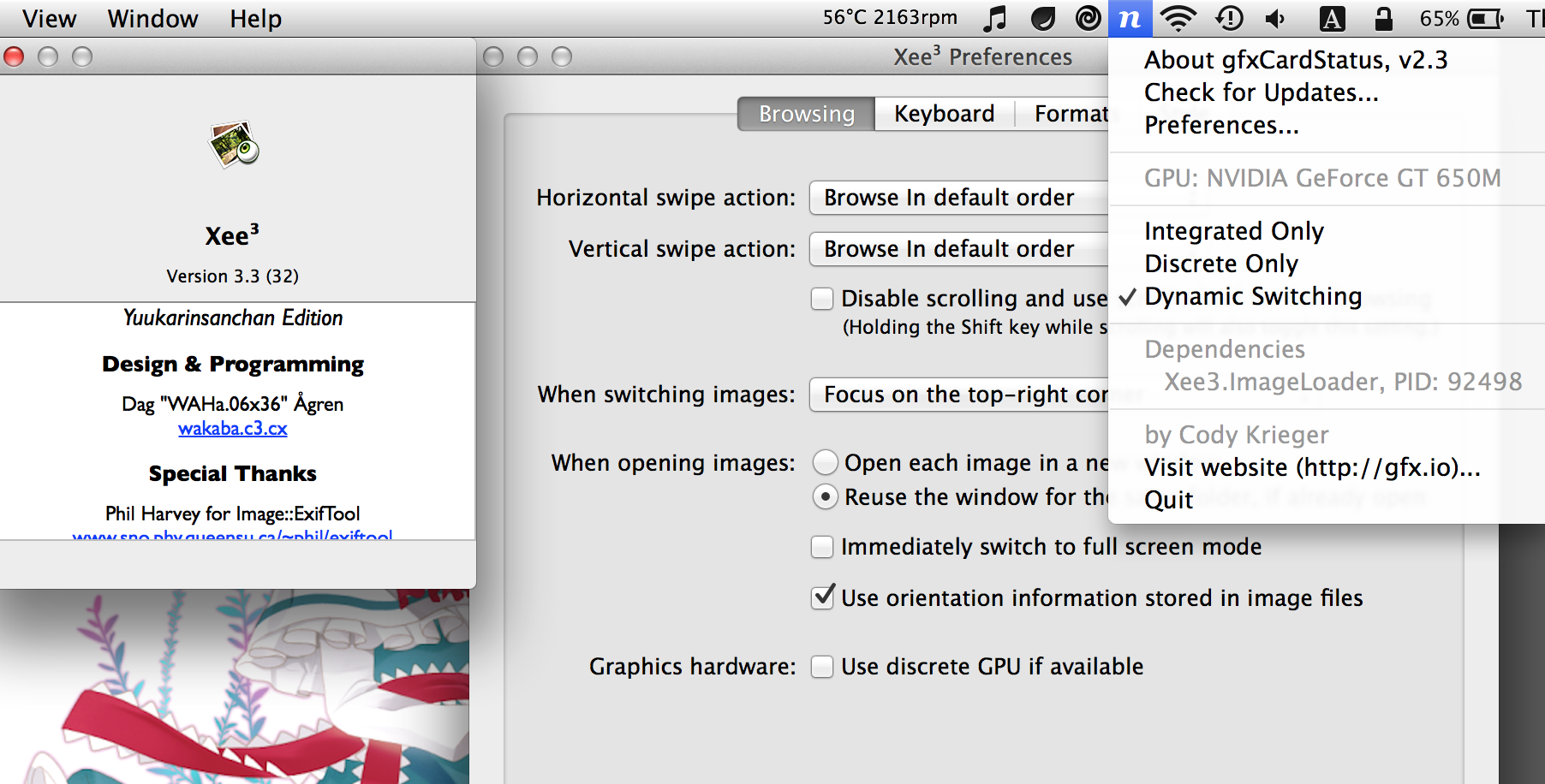
The use GPU checkbox seems not to be working anymore.
523 Name: !WAHa.06x36 : 2013-11-14 15:44 ID:UARe52Xd
Oh, probably because the loader process uses the GPU too now. File a bug on the bug tracker so I'll remember to fix it for the next release.
524 Post deleted by user.
525 Name: Kris : 2013-11-20 11:21 ID:6/oKYFl7
Great app. Is it possible to print multiple images on one page, say all the images in the current folder?
526 Name: Kris : 2013-11-20 11:21 ID:6/oKYFl7
Great app. Is it possible to print multiple images on one page, say all the images in the current folder?
527 Name: mr_a500 : 2013-11-20 11:37 ID:0fLLby6B
Minor keyboard problem:
I have browsing set to command+arrow and scrolling set to arrow keys - yet if I use command+arrow on images larger than the screen, it will scroll. It should not scroll when I'm holding the command key down.
528 Name: !WAHa.06x36 : 2013-11-20 14:53 ID:Heaven
The "Browse left" commands will scroll about one screen until they reach the edge, and then browse.
529 Name: mr_a500 : 2013-11-20 15:51 ID:0fLLby6B
I see that I should set Browse Next and Browse Previous on the arrow keys instead of using Browse Left and Browse Right. (I just upgraded from Xee 2.2 to Xee 3.3 and the default behaviour has changed.)
Is there a setting to use the old method of resetting the zoom on each new image instead of keeping the current zoom on every image?
530 Name: Sheikh : 2013-12-18 17:22 ID:j19H8WOp
Yes, the above request is sorely needed >> "Is there a setting to use the old method of resetting the zoom on each new image instead of keeping the current zoom on every image?"
531 Post deleted by moderator.
532 Name: Till : 2013-12-21 09:28 ID:nF+sCKWC
Great app! I'd like to filter the huge amount of EXIF data. Maybe "show highlighted (=color applied) only.
533 Name: florianp : 2013-12-26 08:01 ID:vwA9fsVT
xee was one of my favorite tools from the beginning of my mac-life .. when I saw xee v3 now in the appstore I just bought it but now am sorry to say: it´s WAY TOO SLOW
compared to the older v2.x !!!! I won´t use it anymore and cannot recommend it anymore until the performance increases significantly. sorry! :(
534 Post deleted by user.
535 Name: mr_a500 : 2013-12-29 08:27 ID:CJmnvPYH
I've got to agree - Xee 3 is incredibly slow. I've got a PCIe SSD that has over 700 MB/s read speed with a 4 core i7 and 2GB Nvidia graphics. I should not see 2 second delays when flipping through medium-sized images.
I really hope this can be fixed. I want to use Xee, but I may be forced to find an alternative.
536 Name: mkuiter : 2014-01-01 14:09 ID:ixB3NGDq
The latest v3 update made it worse on my MacBook with Intel graphics and OSX 10.7.5; it's still very slow in loading images and now it doesn't load some images at all, instead it shows an all black image.
For now I'm still using good old v2 and I hope v3 will get better in time.
537 Name: !WAHa.06x36 : 2014-01-01 16:15 ID:Heaven
10.7 is not really recommended. The functionality Xee3 needs seems to not be quite well working on it. It might be at least a little bit better on later OS X versions.
538 Name: flo : 2014-01-10 00:10 ID:1aOdk8ja
I tried to use see to check a huge amount of pics on a external hard drive, and copy the good ones locally
if you use copy to function, nothing happens?? Bug#1
if you scroll now to the next picture, xee hangs up and restarts! Bug#2
There is no thumbnail possibility?
Hope to fix that, otherwise i will give my impressions to App Store and rate this
thx
539 Name: !WAHa.06x36 : 2014-01-10 04:32 ID:Heaven
Can you file bugs on the bug tracker about those, giving more information? Neither of those are normal behaviours, and I haven't seen them happen before, so I'll need more information.
540 Name: Matthias : 2014-01-11 04:28 ID:RQLcI86f
excuse upfront for being stupid maybe, but I have my lic now a year and I cant figure out how to actually _do_ the labeling with shortcuts.. Do u have to press more buttons or many at once, or how does it work with only one key?
Thank you,
great program,
M.
541 Name: Anonymous : 2014-01-23 13:17 ID:aOAcd7HS (Image: 458x262 gif, 556 kb)
Xee^3 gif loader crashes on this gif. Gif works fine in all browsers and QuickLook shows it playing fine as well.
Incidentally, Xee 2.1 also can't load this gif.
542 Name: Pixelmator : 2014-01-27 19:58 ID:Dd027LsY
Add pixelmator document support please
543 Name: Dan : 2014-01-28 09:16 ID:GOfQY8pe
Have been using Xee for years and as I was setting up a new computer I found Xee on the app store. Great!
Is there any way of turning off the sandbox mode? Either that or can I swap for the "regular" version?
544 Name: netizen : 2014-01-30 01:11 ID:Y8Y9RHyv
How can I open two or more images with Xee in order to compare them side by side?
545 Name: Jo : 2014-02-27 07:07 ID:7jvgUvbk
I have a bought version of Xee (not from the app store) and have a couple of requests.
1) I would love a way to jump straight to a specific photo by number. I have had situations where a Xee crashed, or I logged out, and I wanted to go to a specific photo by number (i.e. 1243 of 7000) in a folder but there seems no way.
2) A "check for updates" button would be great.
Cheers
546 Name: Anonymous : 2014-03-21 14:13 ID:S1ZdT+qa
Is there a way to browse between .zip files?
I read comics that are archived as .zip files and it'd be nice if I could just directly move to the next .zip file in the directory after I've gotten to the last image instead of having to open it separately.
547 Name: Anonymous : 2014-04-28 08:14 ID:C9rjexKw
It's awesome that Xee can show .mov files! It's perfect for showing a quick movie demo in line with jpegs!
548 Name: mat : 2014-09-01 11:56 ID:0+q+at/5
Any plans to support mp4 and mov files?
549 Name: Vamsee : 2014-09-03 12:28 ID:C7x5lmIK
Hi,
Bought xee3 on app store without thinking about sandbox restrictions. Is it possible to get license code out of app store version and use it in the non sandboxed version available on your site ?
550 Name: Voltaire : 2014-09-03 14:53 ID:yE545rMs
Hi
I'm having an issue with running Kareha on Nginx. I've setup Nginx to run Perl scripts and the board seems to load up perfectly fine when I access the index. But when I try and access any thread I post, the thread page takes me to 404. Although, when I try and access that thread page via the /res/ directory, it works perfectly again.
Is there something I missed with the perl configuration that's not letting kareha.pl run properly or maybe a workaround to make the thread links use the /res/ directory rather than the kareha.pl script?
Any advice would be greatly appreciated.
551 Name: Anonymous : 2014-09-04 08:11 ID:cX1yvLZD
>>550
I had trouble getting nginx and kareha to play together nicely in the past too, but I managed to "fix" it a while ago after modifying kareha to use PSGI instead of CGI (https://github.com/marlencrabapple/kareha-psgi). Not sure if that was the reason it suddenly started working, but it just happened to make a difference on my end.
Just in case that wasn't the reason why it started working, try using a location directive like location ~ (admin|kareha|captcha).pl { ... } when passing stuff to fcgiwrap.
554 Name: !WAHa.06x36 : 2014-10-19 10:54 ID:b1Y+LuBh
Xee 3.4 has been released, with mostly bugfixes, especially for Yosemite.
http://wakaba.c3.cx/releases/mac/Xee3.4.dmg
- Fixed crashing on startup on Yosemite.
- Fixed issues with full screen mode on Yosemite.
- Fixed some issues with the JPG, PNG and GIF loaders.
- Fixed incorrect scaling of transparent images.
- Fixed discrete GPU usage flag.
- Add support for three finger swipe for browsing images, if enabled in OS X.
Note: If you are having problems with images not showing properly on older Macs in this version, set the visual quality to a lower setting in View -> Scaling Quality!
555 Name: Mockman : 2014-11-02 15:18 ID:JuHoZTJ8
Feature request:
Any chance you can add the abilities to browse multiple folders and to work with aliases? I can’t see using this app regularly without the ability to grab a couple of folders and go.
Other small requests… ability to set the keyboard options, especially I would like to be able to choose the buttons that move from image to image, or have ‘f’ toggle full-screen without requiring the command key.
The 'Include Images from Folders' should be sticky. You shouldn’t have to check it every time (and only after the slideshow has begun).
This is a bit more difficult to explain but I’d like to have the ability to view a large image in two steps. Essentially, open the image so that it fits the top half of the image across the screen and then hitting a key will drop down to display the bottom half of the page. You can zoom in on an image now but tapping space will then move you to the top of the next image (which is still a useful ability). I’d like to advance the image in both ways. In a nutshell, this would mean cycling through all the images with two taps per image without missing anything. Being able to cap the zooming so that for example, a 100 px image wouldn’t fill the screen in this scenario would be good too.
Thanks.
556 Name: App Store : 2014-11-06 03:11 ID:nXp6S7zl
I have just bought the Xee App Store version 3.3 and so far couldn't use it as it chrashes in Yosemite. Is the 3.4 version coming soon to App Store?
557 Name: !WAHa.06x36 : 2014-11-10 10:32 ID:b1Y+LuBh
After three weeks on waiting on Apple to release a critical bug fix, 3.4 is finally on the App Store!
558 Name: !WAHa.06x36 : 2014-11-10 10:40 ID:b1Y+LuBh
> Any chance you can add the abilities to browse multiple folders and to work with aliases? I can’t see using this app regularly without the ability to grab a couple of folders and go.
Aliases maybe, multiple folders no.
> Other small requests… ability to set the keyboard options, especially I would like to be able to choose the buttons that move from image to image, or have ‘f’ toggle full-screen without requiring the command key.
Already there, in the Preferences.
> The 'Include Images from Folders' should be sticky. You shouldn’t have to check it every time (and only after the slideshow has begun).
It is, but it is remembered per-folder.
> This is a bit more difficult to explain but I’d like to have the ability to view a large image in two steps. Essentially, open the image so that it fits the top half of the image across the screen and then hitting a key will drop down to display the bottom half of the page. You can zoom in on an image now but tapping space will then move you to the top of the next image (which is still a useful ability). I’d like to advance the image in both ways. In a nutshell, this would mean cycling through all the images with two taps per image without missing anything. Being able to cap the zooming so that for example, a 100 px image wouldn’t fill the screen in this scenario would be good too.
This is also there. Use command-arrow.
559 Name: Viktor : 2014-11-11 01:18 ID:FSxN/sxA
Hello, I love Xee3 so far, so much faster than Preview, but I have a couple of requests/questions. For the record - 10.10 Yosemite, Xee 3.4
- I have enabled three fingers swipe in system preferences, however it doesn't behave like in the rest of the OS. Three finger swipe right takes you to the previous image (should be the next one) and three fingers swipe left takes you to the next image. In Safari, Finder, etc. it works the other way around.
- Is there any chance after zooming an image to an actual size and press the shortcut for next image (for me it's "Space"), the next image can show up in "Fit to screen". An option in "When switching images - Fit image on screen" would be extremely helpful for my workflow as now I have to zoom to actual size, them zoom back to fit to screen so I can move to next image to see it fit to screen.
560 Name: HaggleLad : 2014-11-12 01:43 ID:EmT+bZEp
Hi,
Firstly thank you for contributing such a great piece of free software.
I'd like to make a feature request to add a Preferences option to have Xee automatically quit when the last image window is closed.
I am forever manually closing Xee.
Would love to see this implemented.
Thanks
561 Name: Jeff : 2014-11-14 16:40 ID:yUl8eX7T
After being a long time user of Xee 2, I bought Xee3 on the App Store. I was disappointed to find out that the App Store version is restricted and every time I want to browse through a different folder, I have to give it permissions. :(
I really wish this problem was mentioned in the App Store description. I would have bought it through your site instead if I knew about that.
Is there any way I can get a license key out of my App Store version of Xee3 and use it with a manually downloaded/installed copy? Or would you be willing to provide a license key?
562 Name: Jim : 2014-11-22 18:57 ID:YI2vKhZK
After the Yosemite update when you browse through a zip file it no longer shows the correct date for "last opened". Can that be fixed. It was a handy feture for me.
564 Name: desioner : 2014-11-29 23:32 ID:LmkmUy/c
I was just testing the app after purchasing it and I noticed that it doesn't save passwords that are used to view password protected archives. Is it possible to implement the ability to save passwords for selected archives? Rather than entering the password every time I view it. Thanks for the good app thus far.
565 Name: Dekaritae : 2014-12-10 05:49 ID:UC8D8/nU
Running Xee 3.4 on Yosemite on Mac mini. Opening any images (JPEG/GIF) displays a blank Xee window of the default background colour. Zoom level 1:1, discrete GPU usage enabled/disabled.
566 Name: Paul : 2014-12-15 19:22 ID:LIVajujj
Something is broken, whenever I open a jpg with xee, after a few seconds the image tints towards blue, like if I played with the hue.
I'm using a 15" macbook pro, with osx yosemite 10.10
Anyone else with this problem?
567 Name: VHarris : 2014-12-16 20:49 ID:kc7XmVZD
in Xee I use <ctrl> <2> to move files from one directory to another directory that are both located on an external 4GB Western Digital NTFS hard drive. I am using tuxera which allows me to read and write to the NTFS drive.
When I press the hotkeys to move one file, I have to wait until the file is moved before pressing the hotkeys again to move another file. If I press the hotkeys too soon, Xee looses its place in processing the files and so goes all the way to the last file in the directory and displays that file.
The <command> [ --> ] shortcut does not have the same problem. Is there a way to fix Xee so that if I press the Move shortcut keys too soon, Xee stays in place rather than scrolling to the last file?
568 Name: Anonymous : 2014-12-17 06:30 ID:fKSWrUFU
Hey, can you add an option to automatically quit Xee if no windows are open? Assuming there were any windows open upon launch.
This is a great feature of LilyView.
569 Name: txy21113 : 2014-12-21 23:54 ID:wFYdzurs
"Date Last Opened" is not updated when opening files in finder.
570 Name: Adam : 2015-01-02 23:13 ID:i4lW+jcw
Hello. How can I enable mouse zooming? Right now it doesn't respond to mouse wheel.
571 Name: Anonymous : 2015-01-03 07:05 ID:Heaven
This is the first time I've seen a futaba board used as an official support board.
Anyway, I installed xee from brew and was hoping it'd have command line functionality, like feh on linux. xee, Xee, or open -a Xee didn't do anything for me. Know any great lightweight apps that work like feh?
572 Name: Anonymous : 2015-02-14 00:19 ID:fKoLQ7Y3
Can you fix the date last opened?
573 Post deleted by user.
574 Name: Anonymous : 2015-02-15 13:40 ID:60/L0nmu
So I’ve turned off the status bar, but when I enter and then exit full screen mode, the status bar is back. Can’t be intentional, can it?
575 Post deleted by user.
576 Name: Anonymous : 2015-02-15 13:56 ID:60/L0nmu
As per 486, is there a chance that a toggle-able Fit on Screen and Actual Size will come back, at least as an option? Especially since they now use different modifiers (command and shift). I personally thought the behaviour in Xee 2 was much more useful.
577 Name: Dan : 2015-02-25 07:14 ID:t6sK2Din
Is there a way to batch rotate files. If I have a folder say with 50
Pictures I want rotated 180 clockwise could they be batch rotated and saved without doing each individually?
578 Name: Hidroponik : 2015-02-25 09:57 ID:mpktPWf8
579 Name: Tao : 2015-03-01 14:30 ID:nzdtPeTD
Running Xee on 5K Imac, it seems that the images are displayed at a 1/4 of the resolution. Meaning that pixels can be seen in the image.
580 Name: Eric : 2015-03-10 11:09 ID:kWB938Ya
Hi, I bought Xee^3 from App store yesterday,
It's awesome with touch pad
However, it's inconvenient when I want to use mouse only,
since Xee^3 doesn't provide previous/next button on the UI for mouse to click.
Is it possible to add this feature and an option "Zoom in/out with mouse wheel forward/backward" in Xee^3 ?
Thanks!!
581 Name: Desmond : 2015-03-20 09:18 ID:lVar1GH6
I have used xee for many years on my Powerbook G3 Pismo with 1G memory running Mac OS X 10.4.11. Great program. I recently reinstalled Mac OS 9 and Mac OS 10.4.11 to regain some disk space from the OS9 partition for the OSX partition. Since reinstalling xee has been extremely slow to load, taking minutes and loading in a blocks, and loading each image twice, in a similiar manner. Doing anyting with the screen results results in similiar activity. Again, xee worked great before my reinstall. Any suggestions as to want might be different and how to get xee back to it's previous greatness?
582 Post deleted by moderator.
583 Name: Anonymous : 2015-04-12 11:31 ID:S1ZdT+qa
How about support for .ugoira animations?
584 Name: Quintin : 2015-04-27 16:01 ID:S3R78vkI
Hey. The Labels in Xee don't match the ones in the Finder. Is there some way it can use the same ones as the Finder? Or at least let you define your own labels in the preferences so you can match it to the Finder ones manually.
585 Name: Dekaritae : 2015-05-17 23:27 ID:b7458mzO
I was wondering how Xee3 caches index for viewing CBZ/CBR files. I would like to make it not save the index, or at least allow me to reset the cached position.
586 Post deleted by moderator.
587 Post deleted by moderator.
588 Post deleted by moderator.
589 Name: Peter : 2015-10-02 12:59 ID:bTcCSJF2
I'm using the Mac App Store version. Currently if I want to view a folder full of symbolic links, first I have to open the folder that contains the images that the symbolic links point to, otherwise Xee won't display the images. It is necessary to do this again every time I launch Xee. Is there a way to make Xee to remember (even after it has been quit) folders that it's been granted access to?
590 Name: !WAHa.06x36 : 2015-10-14 11:55 ID:OWjnBKkS
Xee 3.5 has been released!
This is mainly a bugfix release for 10.11, but it also contains a few small improvements, and the addition of Sparkle updates for the non-App Store version.
As usual, Apple takes ages to approve new updates, so the App Store version is still 3.4. It will be updated when Apple feels like it.
Full changes:
- Fixed crashes and visual glitches on OS X 10.11.
- New Black theme on OS X 10.11. However, the Dark theme is no longer available. It will hopefully return in a future update.
- Added a window opacity setting.
- Highlighted properties are now collected in their own section at the top of the list.
- Updated metadata loading and WebP libraries.
- Non-App Store version now uses Sparkle for automatic updates.
591 Name: !WAHa.06x36 : 2015-10-14 11:55 ID:OWjnBKkS
The reason the Dark theme is gone is that my theming code no longer works on 10.11. I changed the Black theme to use the built-in black window style, but custom window styles don't seem to work yet. Either it will return once 10.12 is out and we have functioning custom window styles, or I will have to rewrite my theming code to use some other method to customise window looks. We shall see.
592 Name: !WAHa.06x36 : 2015-10-14 23:50 ID:OWjnBKkS
Apple seems to have set a new speed record, and the App Store version is out already!
593 Name: mkuiter : 2015-10-15 23:39 ID:m9y0oIOs
Does anyone know if Xee 2 works on 10.11? I'm still on 10.9 and have bought Xee 3 but it's slow in browsing compared to Xee 2.
594 Name: Varjohaltia : 2015-10-18 23:52 ID:w+L3nuXs
Yosemite, late 2008 MacBook Pro, Xee Version 3.5 (37)
At some point during recent upgrades full screen mode seems to have broken a bit.
There's always the dock's worth of blank space on the bottom and the menu bar and window title bar's worth of blank space on the top. With my settings they're black, so not visually distracting, but it'd be nice to be able to get the image to fill the entire screen again. No matter what I do, even manually zooming, those two black bars always remain on top and bottom of the screen.
595 Name: !WAHa.06x36 : 2015-10-20 12:25 ID:OWjnBKkS
Are you using any kind of third-party apps that change program behaviours, or anything like that?
596 Name: superdx : 2015-10-25 08:58 ID:rPVtEeNl
I still have Xee 2 installed alongside Xee 3. Every time Xee 3.5 is updated I give it a couple days to see if it can finally replace Xee 2. But Xee3 is still noticeably slower than Xee2, seems to take noticeably longer to load images. When browsing through hundreds of photos, this really adds up.
597 Name: !WAHa.06x36 : 2015-10-25 11:34 ID:OWjnBKkS
It is as fast as I can possibly get it with the featureset it has. To get spees like Xee 2, I'd have to leave features like colour management out, and that is not really an option.
598 Name: !WAHa.06x36 : 2015-10-26 11:06 ID:OWjnBKkS
Seems I accidentally removed a workaround for a Yosemite bug. I'll have a new version out shortly where I put it back in.
Fullscreen should work fine on all other OS X versions than Yosemite.
599 Name: !WAHa.06x36 : 2015-10-27 18:50 ID:6Ml60IxR
3.5.1 has been released. It mainly fixes >>594, and also fixes some of the help menu links.
http://xee.c3.cx/downloads/Xee3.5.1.dmg
I'm also experimenting with running the site through Cloudflare now to save a bit on bandwidth. Hopefully this won't cause any problems.
600 Name: !WAHa.06x36 : 2015-10-27 21:28 ID:6Ml60IxR
Apparently Sparkle in 3.5 was having trouble updating. I updated it, and released a new 3.5.1 (same version number) which should work better.
Hopefully updating will work now, but you have to update to 3.5.1 manually first if you are having problems.
601 Name: Anonymous : 2015-10-31 22:09 ID:wXEFzvak (Image: 389x250 png, 54 kb)
Is there a trick to getting Services to Xee3? It doesn't seem to give a fuck about services designed for Pictures or Files and folders.
602 Post deleted by moderator.
603 Name: Leo : 2015-11-30 13:04 ID:FT9Ff1nV
I just registered Xee3.
In general the program works, but on your Webpage you present some previews where there are shown more pictures in the screen.
I only get one picture on the screen and by scrolling I see the other pictures, but never more. How can I change that ?
Also the menu option "Frames" remains grey and doesn't work.
What is the problem ?
604 Name: !WAHa.06x36 : 2015-11-30 14:27 ID:6Ml60IxR
> In general the program works, but on your Webpage you present some previews where there are shown more pictures in the screen.
I only get one picture on the screen and by scrolling I see the other pictures, but never more. How can I change that ?
Pictures from other folders will open in new windows.
> Also the menu option "Frames" remains grey and doesn't work.
This is only for files that include more than one picture. If you don't have any of those, you can ignore this.
605 Name: Leo : 2015-11-30 16:44 ID:FT9Ff1nV
Thanks for your answer ! Everything clear.
Greetings.
606 Name: Roccobot : 2016-01-18 13:48 ID:XESHTDcc (Image: 960x269 png, 237 kb)
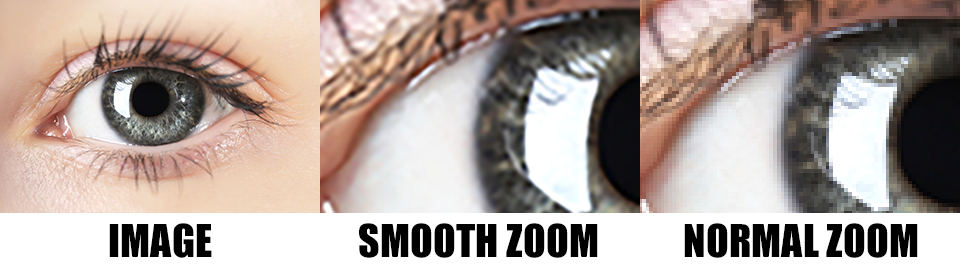
607 Name: !WAHa.06x36 : 2016-01-18 20:13 ID:Heaven
That option is in the view menu.
608 Name: Anonymous : 2016-01-23 05:39 ID:hx9mqGxF
Xee 2 is pretty epic.
609 Name: Karsten : 2016-02-07 20:52 ID:d2YW+s2U
In a previous version I could delete images with the DEL key and Xee would ask me to confirm this, so I would have to hit ENTER to delete. This was my preferred workflow.
With the current version I have also set the DEL key to delete images (without the command key) but now they are deleted immediately, without Xee asking for confirmation. How do I set the current version to ask for confirmation first?
610 Name: Anonymous : 2016-04-29 01:14 ID:Oa+Il5R3
Honest question: is Xee abandonware now? I as because updates are so rare and there hasn’t been any features added in such a long time. Simple things, like resize, were promised 2+ years ago and there's still nothing.
Another issue is that Xee still has less bugs than Xee^2. Xee^2 still can only browse images inside the folder by name only. If you use Xee, you can set it to creation so you're not jumping around all the time when you're renaming images. Xee^2's preferences for browsing apply to scrolling/gestures only which is weird and illogical (if you use spacebar, it will take you to a diff image than if you use a gesture to go to a next image).
Anyway, I'd appreciate a honest reply because I'm thinking of removing Xee off my computer and will start looking at other options.
Thanks!
611 Name: !WAHa.06x36 : 2016-04-30 13:51 ID:Heaven
It's in maintenance mode, because that is all I have free time for these days.
I should add that Xee is not sold with any promises of future features ever, what you see is what you get. Anything added later is purely a bonus.
Also, Xee 2 has been out of development for many years now.
612 Name: !WAHa.06x36 : 2016-05-17 19:45 ID:J8CBJSTX
A small update, 3.5.2, has been released. Changes:
- Support RAR 5 archives and CBR files.
- Fix trackpad rotation.
- Updated Sparkle.
613 Name: Erki : 2016-05-28 12:41 ID:KIb9ZAwn
I see other unanswered questions on this thread about movin license ... .
I am moving to a new Mac and need to move my Xee license to the new Macbook.
The link to the original Paddle locker containing mu license says "Internal Server Error" .
How can I get my license to the new Mac?
PS: thanx for the great image viewing tool in my personal digital toolbelt.
614 Name: !WAHa.06x36 : 2016-05-28 19:53 ID:Heaven
Contact [email protected].
615 Name: void : 2016-06-08 16:00 ID:AjZFSqDY
3.5.2 trackpad pinch to zoom no longer works. I had to revert to 3.5.1.
616 Name: !WAHa.06x36 : 2016-06-08 19:15 ID:IJWOWqdW
It works here. What exact problem are you having?
617 Name: void : 2016-06-09 01:05 ID:AjZFSqDY
If I open images with 3.5.2 (MacBook Pro late 2013, OSX 10.9.5), pinch to zoom on trackpad doesn't work. Nothing happens. It works on 3.5.1.
618 Name: matt : 2016-06-09 21:19 ID:LkNnQv0e
view date last opened.
If I open a picture from finder date last opened changes to the current date. however If I then browse to next image while in xee3 the date last opened is not updated. Is there a way to have xee3 to tell me when was the last time I viewed the image. or does any one know of a little wait program that has this capability.
619 Name: !WAHa.06x36 : 2016-06-12 00:26 ID:IJWOWqdW
Hmm. This may be an issue with 10.9.5. Have another machine with a newer OS X to test on?
620 Name: jc : 2016-08-29 00:55 ID:1OSQphoU
I just upgraded to 3.5.2 and also cannot pinch to zoom using trackpad. OSX 10.9.2 Late 2013. This is disappointing in an otherwise fine app.
621 Name: laurent : 2016-09-11 18:02 ID:EB36TAF3
could you please add webm support ?
622 Name: Old Gregg : 2016-09-23 15:36 ID:0IIgmfb0 (Image: 1440x878 jpg, 164 kb)
Thanks for the great app, I use it constantly.
I have the Mac App Store version of The Unarchiver.
Since I installed macOS Sierra the full text of "The Archiver does not have permission..." message is shown across the entire screen (see attached image).
Also, the width of the dialogue box can't be made less that that shown in the image.
623 Name: AgentK : 2016-09-28 02:14 ID:+FT2Wb6/
The keyboard shortcut to move a file to a specifide folder is already bound to changing screen: Control+1, Control+2 etc...
How can I fix this.
624 Post deleted by moderator.
625 Name: Anonymous : 2017-01-17 17:36 ID:+KayF0PX
Is there any schedule as to when the new version of Xee will be released?
626 Post deleted by moderator.
627 Name: dejan : 2017-05-24 17:42 ID:xZfYn5I3
Don;t get what those arrows for jumping to first/last image represent? Which keyboard chars are these?
628 Name: Vitaly : 2017-06-05 01:23 ID:ZtP+Kn8f (Image: 408x49 png, 9 kb)

It's really problem to assign a hotkey to File>Label action. I have tried to assign different hotkeys ( §, \, /, cmd+/, L, cmd+L) but it doesn't work. Could anyone help to solve it?
629 Name: Wong Wan Wooi : 2017-06-15 05:11 ID:vH87lgR2
I had just bought a licence, but realized that I had inadvertently keyed in the incorrect email address.
As a result, I am not able to get my license key to activate.
Please advise what I can do.
630 Name: freediverx : 2017-06-30 21:18 ID:VEWd6XjD
Apple's upcoming iOS and macOS releases later this year will introduce new codecs and file formats for both image and video files. In iOS 11 and macOS High Sierra 10.13, HEVC and HEIF will become the new and preferred formats, offering superior compression while maintaining the same image quality.
When can we expect Xee to be updated to handle these new image types?